S80 Version 4.92 November 2014
Page 49 of 61
7.1.3 Pre-flight Check
After elevation setup the LXNAV S80 will switch to the Info screen for normal operation
mode.
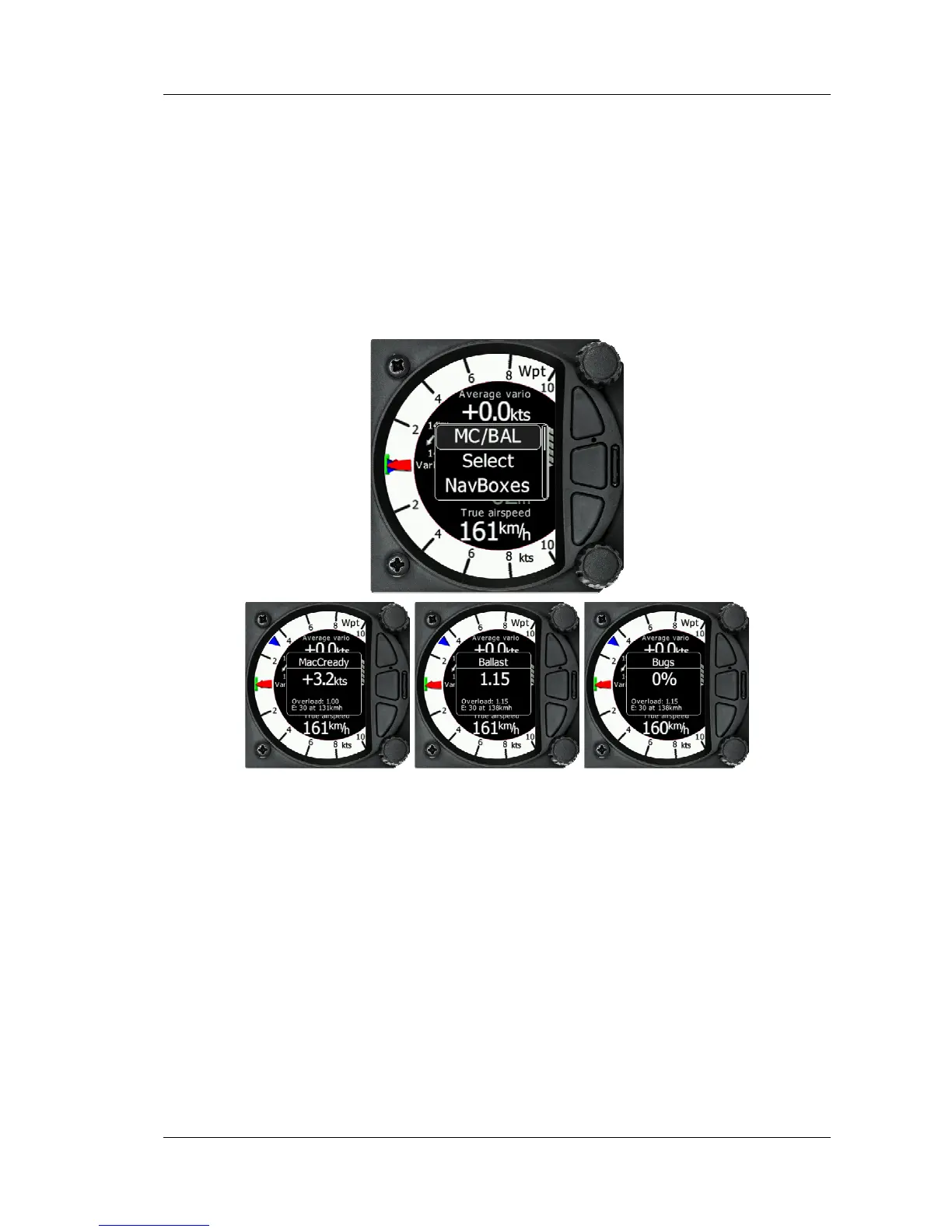
It is recommended that you scroll to the Flarm, Waypoint or Task Screen and set the
MacCready, ballast and bugs settings to match the current glider configuration.
When you are in either, the Flarm, Waypoint or Task screen, Press the bottom rotary button.
The dialogue for MacCready, Ballast and Bugs will appear.
Use the bottom rotary knob to modify the MacCready setting.Error! Reference source not
found.
It is also highly recommended to check the safety altitude setting. Refer to Error!
Reference source not found. to find out how to define the safety altitude.
7.2 Airborne
7.2.1 Final glide calculation
Final glide is a function calculated from the target distance, target elevation, altitude, wind
component, MC setting and Bug setting. The S80 will have enough information to calculate
this automatically as long as a GPS source is attached and the target to navigate to is set in
Waypoint or Task screen.



 To Next Page