LT10A / LT11A Series
(E) 17
factory-set
factory-set
factory-set
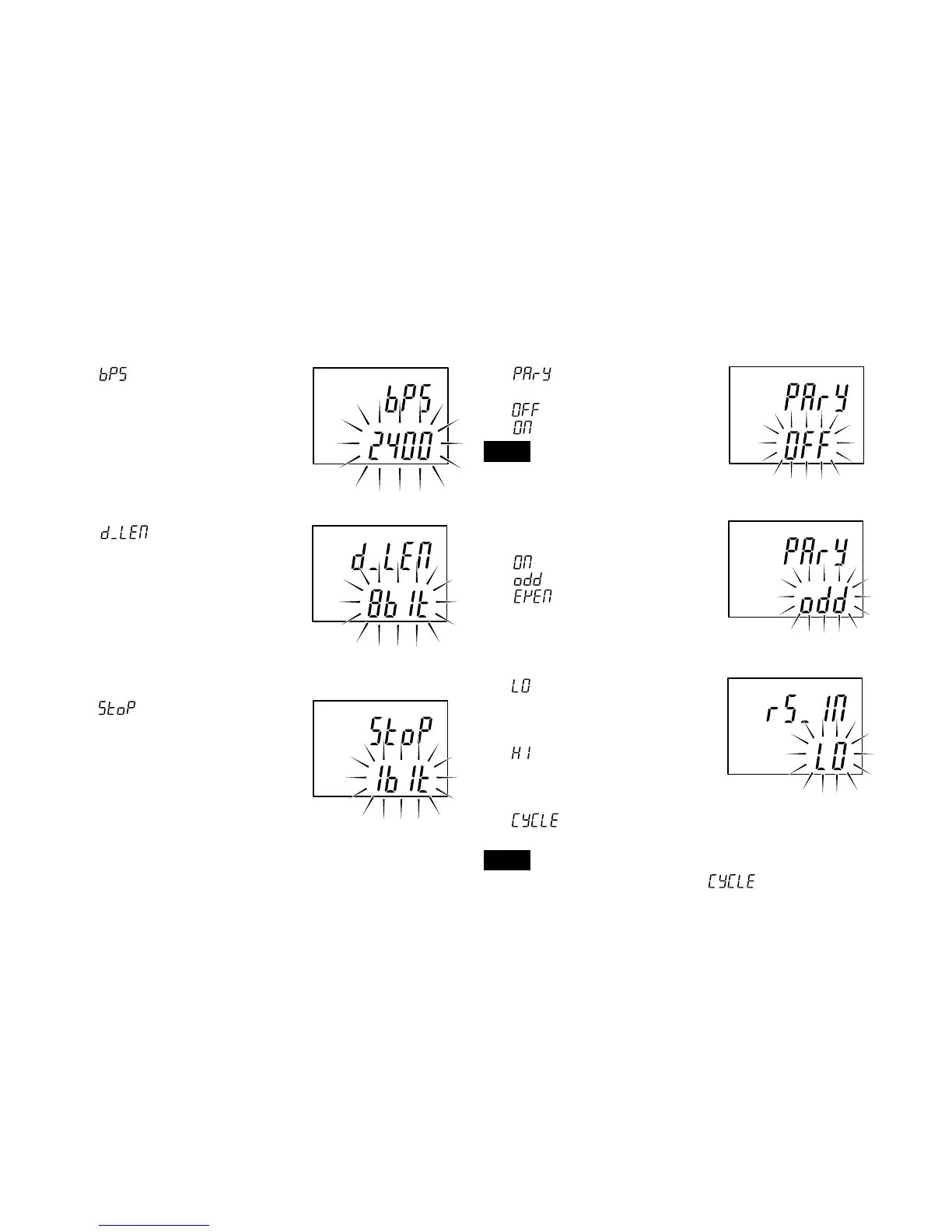
2. Setting the data signalling rate
is displayed and the data
signalling rate can be selected.
600/1200/2400/4800/9600/
19200/38400 bps
3. Setting the data length
is displayed and the
data can be set to 7 or 8 bits.
4. Setting the stop-bit
is displayed and the stop
bit can be set to one or 2 bits.
5. Setting the parity
is displayed and the
parity can be switched on or off.
: No parity
: Parity
Note
When the data length is set to 7 bits
in step 3, select “Parity”.
6. Selecting odd or even parity
Switches to this mode when
is chosen above.
: Odd parity
: Even parity
7. Selecting the function for the RS-TRG terminal
:Mode for inputting
mechanical contact
outputs (such as relay
and switch outputs).
:Mode for inputting
electronic circuit
outputs (such as
transistor outputs).
:To output at a set
interval.
Note
The RS-TRG input cannot be used when
has been selected.
factory-set
factory-set
factory-set



 To Next Page