11
Microprocessor, DSP Version and FLD Segment Check
Mode.
1. While the power is on, THX,
(Cursor) and BAND
buttons simultaneously more than 3 seconds.
The FL display shows "FACTORY MODE" for 2 seconds
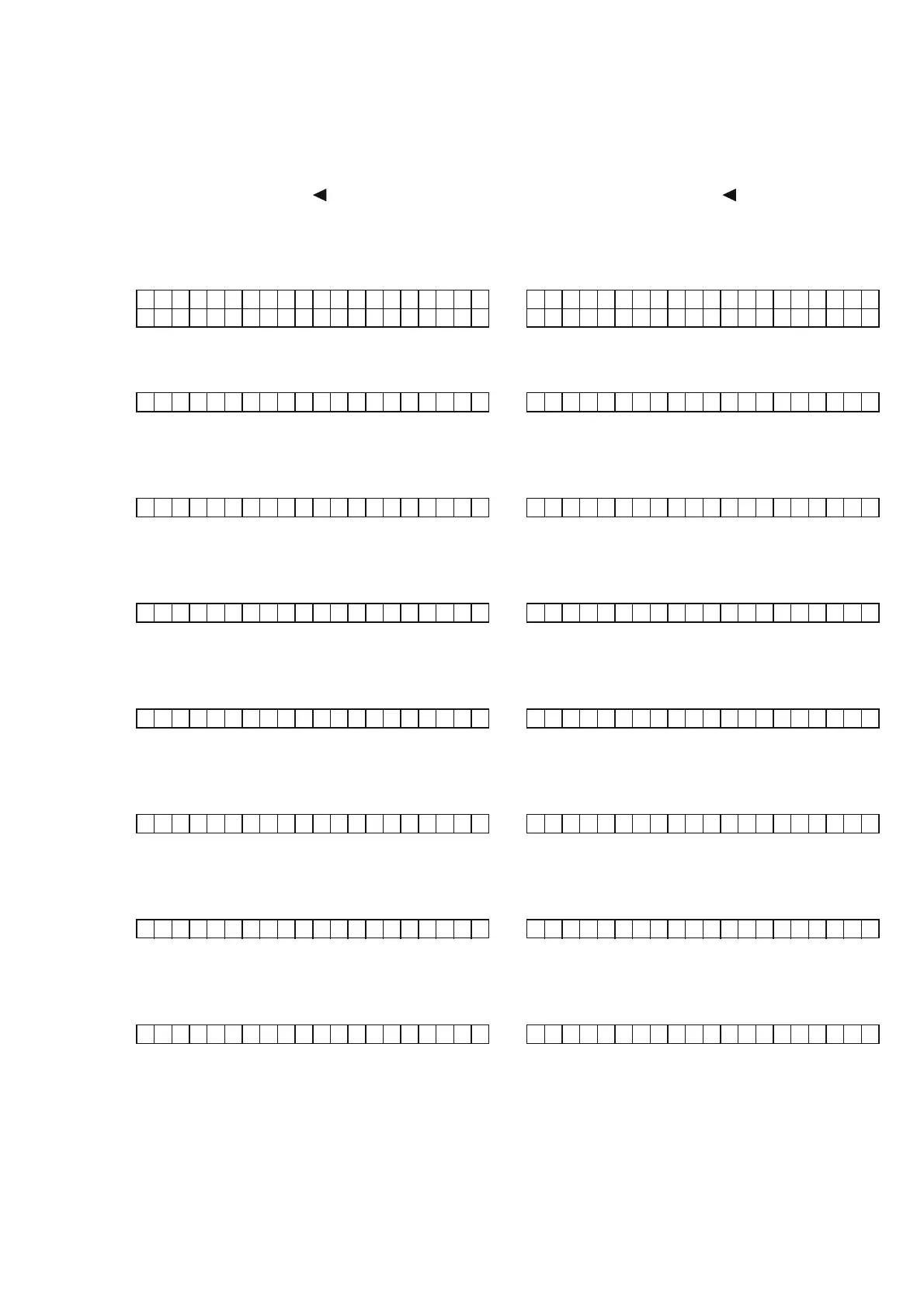
then shows below.
DVD : AT - HDM I 1
AUTO : STEREO
2. Press ENTER button, The model name is displayed.
SR9600 N
3. Press ENTER button, The software version of the
microprocessor (QW01) is displayed.
MAIN Bu i l d001
4. Press ENTER button, The software version of the
microprocessor (QU01) is displayed.
SUB Bu i l d001
5. Press ENTER button, The software version of the
microprocessor (Q608) is displayed.
MRAC Bu i l d001
6. Press ENTER button, The software Serial Number that is
wirtten in the factory is displayed.
SN :MZXXXXXXXXXXXX
7. Press ENTER button, The software Type Number is
displayed.
SOFT TYPE 0 0
8. Press ENTER button, The Code Group Type Number is
displayed.
CODE TYPE0003
9. Press ENTER button, All the FL segments light on.
10. Press ENTER button, The segments of the odd number
lines of vertical in the FL light on.
11. Press ENTER button, The segments of the even number
lines of vertical in the FL light on.
4. SERVICE MODE
Microprocessor
ӏƼ
DSP
Ʒ
Version
ᘙᅆӏƼ
FL
ໜ໊Ǜᄩᛐ
ƢǔȢȸȉưƢŵ
1.
ǻȃȈƷᩓเǛλǕLJƢŵ
THX
Ʊ
(Cursor)
ƓǑƼ
BAND
ƷȜǿȳǛӷƴኖ
3
ᅺˌɥƠLJƢ
"FACTORY MODE"
ƱᘙᅆƞǕLJƢŵƴኖ
2
ᅺࢸƴɦᚡ
ƷᘙᅆƱƳǓLJƢŵ
DVD : AT - HDM I 1
AUTO : STEREO
2. ENTER
ȜǿȳǛƠLJƢŵೞᆔӸƕᘙᅆƞǕLJƢŵ
SR9600 N
3. ENTER
ȜǿȳǛƠLJƢŵȞǤdzȳ
(QW01)
ƷȐȸǸȧȳ
ƕᘙᅆƞǕLJƢŵ
MAIN Bu i l d001
4. ENTER
ȜǿȳǛƠLJƢŵȞǤdzȳ
(QU01)
ƷȐȸǸȧȳ
ƕᘙᅆƞǕLJƢŵ
SUB Bu i l d 0 0 1
5. ENTER
ȜǿȳǛƠLJƢŵȞǤdzȳ
(Q608)
ƷȐȸǸȧȳ
ƕᘙᅆƞǕLJƢŵ
MRAC Bu i l d 0 0 1
6. ENTER
ȜǿȳǛƠLJƢŵئưƖᡂLjฎLjƷ
Software Serial No.
ƕᘙᅆƞǕLJƢŵ
SN :MZXXXXXXXXXXXX
7. ENTER
ȜǿȳǛƠLJƢŵȞǤdzȳƷ
Software Type
ƕ
ᘙᅆƞǕLJƢ
SOFT TYPE 0 0
8. ENTER
ȜǿȳǛƠLJƢŵ
Code Group Type
ƕᘙᅆƞǕ
LJƢŵ
CODE TYPE0003
9. ENTER
ȜǿȳǛƠLJƢŵ
FL
ƕμໜ໊ƠLJƢŵ
10. ENTER
ȜǿȳǛƠLJƢŵ
FL
Ʒጏڈૠᘍƕໜ໊ƠLJƢŵ
11. ENTER
ȜǿȳǛƠLJƢŵ
FL
Ʒጏૠᘍƕໜ໊ƠLJƢŵ
12. ENTER
ȜǿȳǛƠLJƢŵ
FL
Ʒ್ڈૠᘍƕໜ໊ƠLJƢŵ



 To Next Page