52
WRITING PROCEDURE FOR MRAC MICROPROCESSOR
Turn on the Unit, and press AUTO, MULTI SPEAKER and
MEMORY button simultaneously more than 1.5 seconds.
And turn on update mode.
Turn the input selector until MRAC CPU UPGRADE is
displayed on FL Display.
Press the ENTER button, and decides to LOADING MODE.
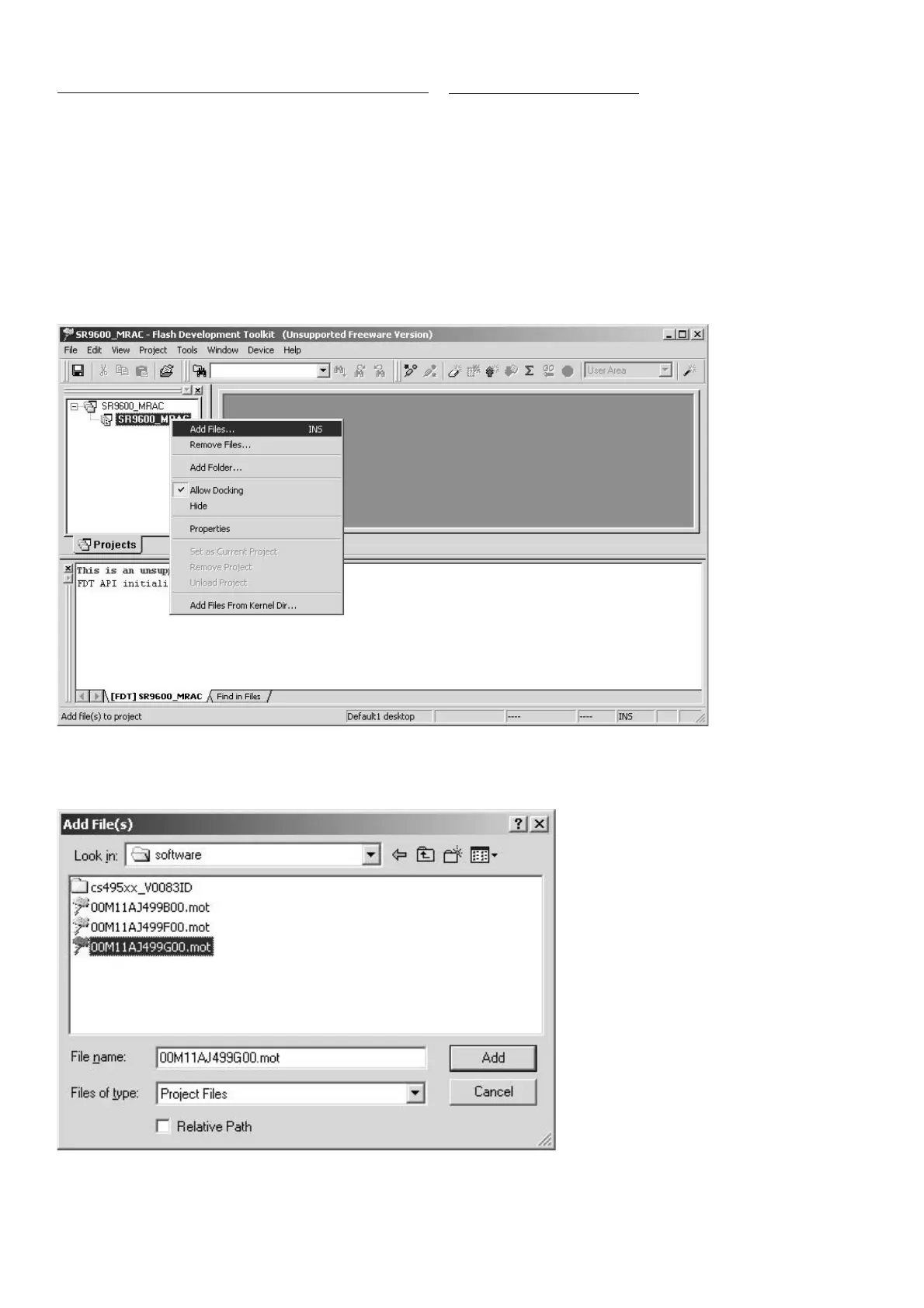
Right click on the SR9600_MRAC, and choose the Add
Files... in a menu.
Select the 00M11AJ499Gxx.mot, and click Add.
MRAC
ȞǤdzȳƷƖᡂLj૾ඥ
ஜೞƷᩓเǛλǕŴAUTO ŴMULTI SPEAKER ŴMEMORY Ʒ 3
ƭƷȜǿȳǛӷƴ 1.5 ᅺˌɥƠŴƖᡂLjȢȸȉƴƠLJƢŵ
INPUT SELECTOR ǛׅƠŴFL Display ƴ MRAC CPU
UPGRADE ǛᘙᅆƞƤLJƢŵ
ENTER ȜǿȳǛƠƯŴLOADING MODE ƴᄩܭƠLJƢŵ
SR9600_MRAC ǛӫǯȪȃǯƠŴȡȋȥȸƔǒ Add Files…
ǛᢠƼLJƢŵ
00M11AJ499Gxx.mot Ǜᢠ৸ƠŴAdd ǛǯȪȃǯƠLJƢŵ



 To Next Page