44
NECESSARY EQUIPMENT
• Windows PC (With Serial Port)
• RS-232C Cable straight type (9 Pin female - 9 Pin female)
• Update Tool (UpgradeDSP_sr9600.exe)
• Update data (00M11AJ499Dxx.mot)
NOTE: xx is a revision number.
CABLE CONNECTION
Disconnect the mains cable from the Unit.
Connect RS-232C on the rear panel of the Unit and Serial
Port of windows PC with RS-232C cable.
Connect the mains cable into the Unit.
WRITING PROCEDURE FOR DSP FLASH
MICROPROCESSOR
Turn on the Unit, and press AUTO, MULTI SPEAKER and
MEMORY button simultaneously more than 1.5 seconds.
And turn on update mode.
Turn the input selector until CS DSP CODE UPGRADE is
displayed on FL Display.
Press the ENTER button, and decides to LOADING MODE.
Launch up the writing software.
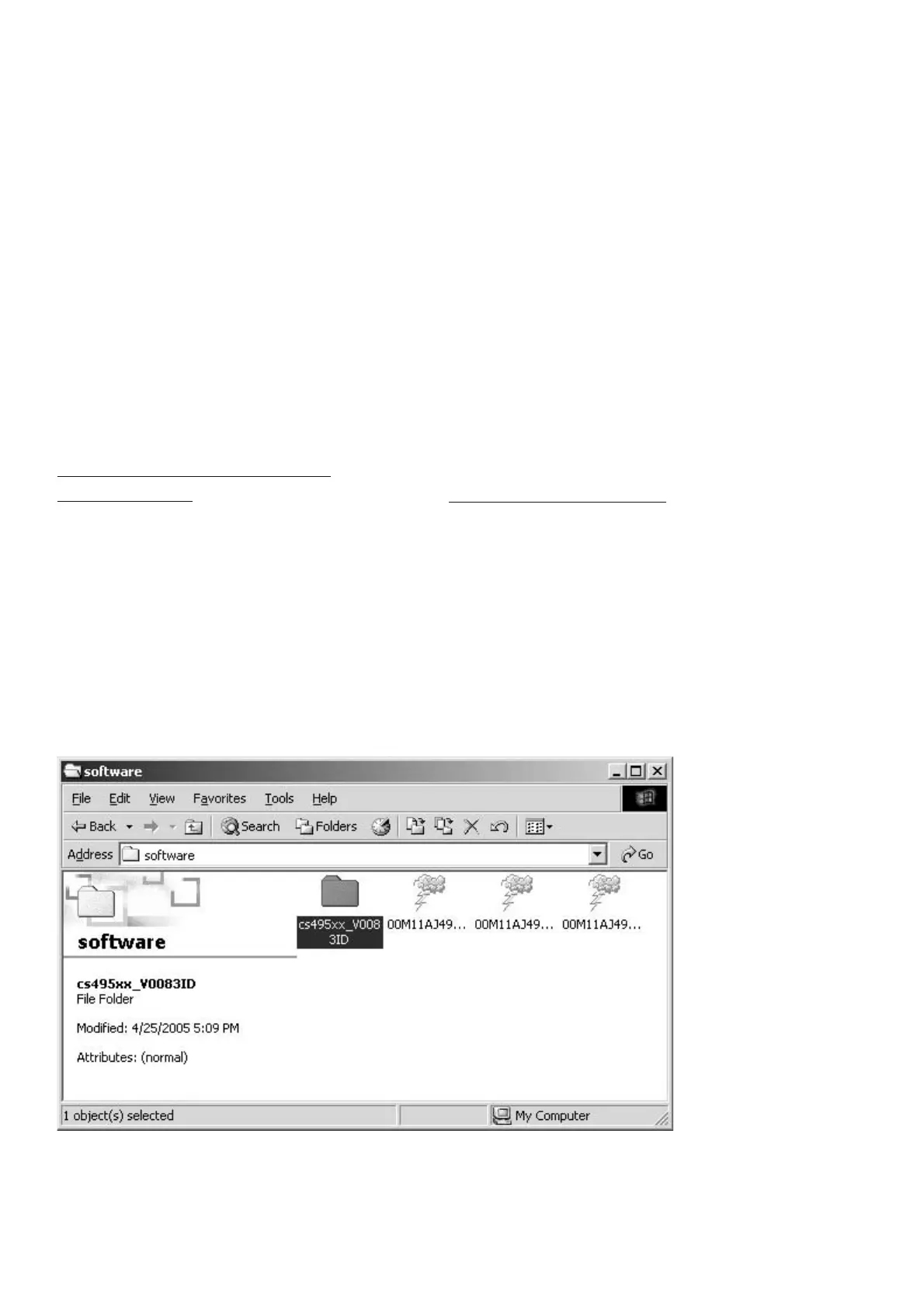
Double click cs495xx_V0083ID folder. (A holder name may
be changed by the version updated.)
[C] UPDATE DSP FLASH MICROPROCESSOR PROCEDURE
[DSP flash MICROPROCESSOR ƷƖƑ૾ඥ ]
࣏ᙲೞ֥
•
Windows PC (Serial Port ˄Ɩ )
• RS-232C ǹȈȬȸȈDZȸȖȫ (9Pin ȡǹÛ9Pin ȡǹ )
• ƖᡂLjဇǢȗȪDZȸǷȧȳȄȸȫ
(UpgradeDSP_sr9600.exe)
• ƖᡂLjဇȇȸǿ (00M11AJ499Dxx.mot)
NOTE: xx Ƹો༿ဪӭưƢŵ
DZȸȖȫዓ
ᩓเDZȸȖȫǛஜೞƔǒٳƠLJƢŵ
Windows PC Ʒ Serial Port ƱஜೞƷ RS-232C Port Ǜ
RS-232C DZȸȖȫưዓƠLJƢŵ
ஜೞƴᩓเDZȸȖȫǛዓƠLJƢŵ
DSP Flash
ȞǤdzȳƷƖᡂLj૾ඥ
ஜೞƷᩓเǛλǕŴAUTO ŴMULTI SPEAKER ŴMEMORY Ʒ 3
ƭƷȜǿȳǛӷƴ 1.5 ᅺˌɥƠŴƖᡂLjȢȸȉƴƠLJƢŵ
INPUT SELECTOR ǛׅƠŴFL Display ƴ CS DSP CODE
UPGRADE ǛᘙᅆƞƤLJƢŵ
ENTER ȜǿȳǛƠƯŴLOADING MODE ƴᄩܭƠLJƢŵ
Upgrade_sr9600.exe ǛឪѣƠLJƢŵ
cs495xx_V0083ID ȕǩȫȀȸǛȀȖȫǯȪȃǯƠLJƢŵ( ȕ
ǩȫȀȸӸƸǢȃȗȇȸȈƷȐȸǸȧȳư٭ǘǔƜƱƕƋǓLJ
Ƣŵ
)



 To Next Page