15
6. UPDATE FIRMWARE
[A] DOWNLOAD AND INSTALL UPDATING SOFTWARE FOR MICROPROCESSOR
DOWNLOADS OF THE SOFTWARE
Download the software for update of the MAIN, SUB and
MRAC microprocessor.
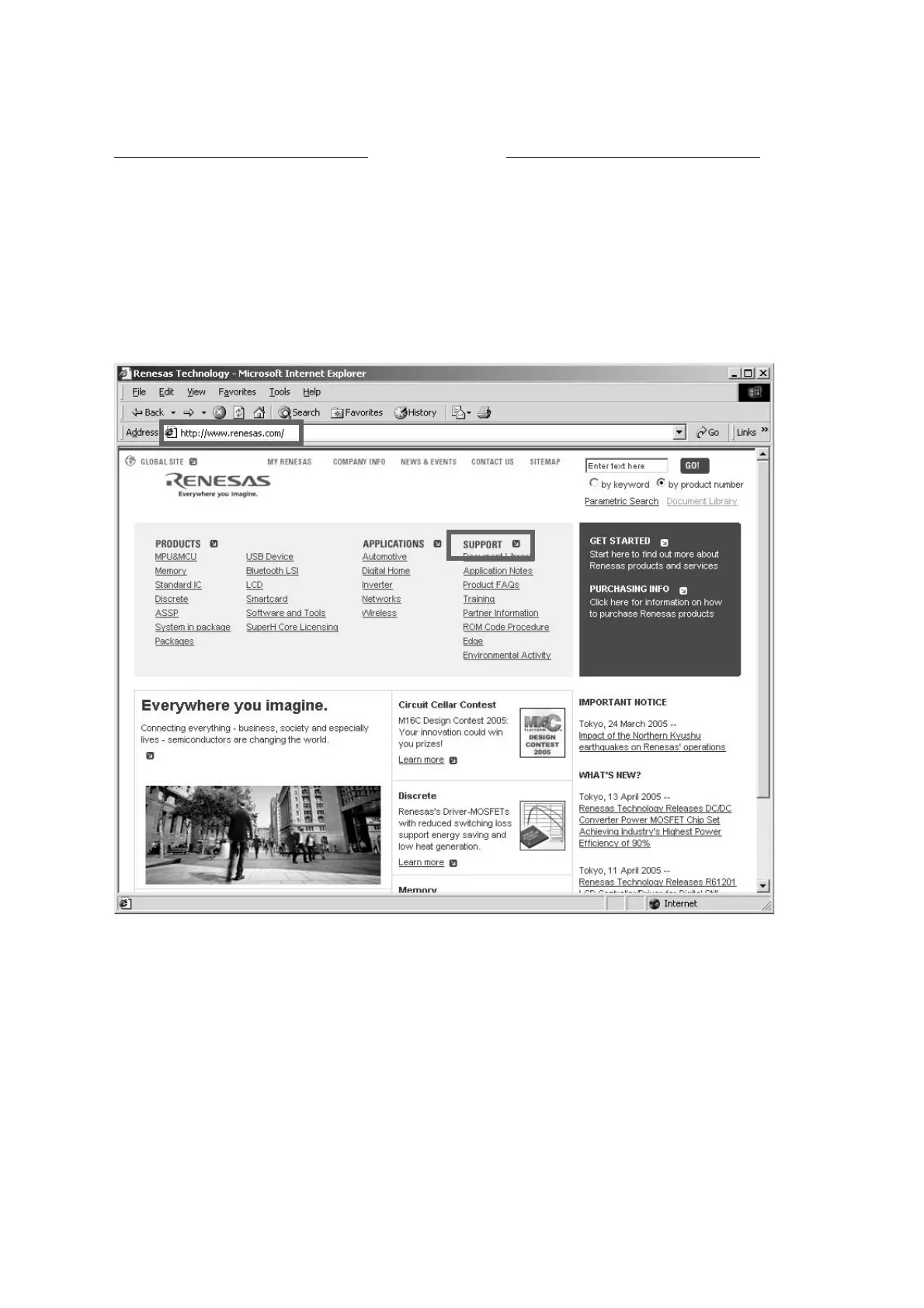
Launch up the browser. Type http://www.renesas.com/ into
an address. And press Enter.
(When site of Renesas is modified, please search "Flash
Development Toolkit", or type http://download.renesas.com/e
ng/mpumcu/index.html into an address.)
Click the SUPORT on the site of Renesas.
MAIN ŴSUB ŴMRAC ȞǤdzȳƷǢȃȗȇȸȈဇǽȕȈǦǧǢǛ
ȀǦȳȭȸȉƠLJƢŵ
Browser ǛឪѣƠŴAddress ǁ http://www.renesas.com/ Ʊλ
щƠŴ
Enter ǛƠLJƢŵ
(Renasas ƷǵǤȈƕ٭ƴƳƬƨئӳƸŴFlash
Development Toolkit Ǜ౨ኧƢǔƔŴAddress ǁ http://downl
oad.renesas.com/eng/mpumcu/index.html ǛλщƠƯƘƩƞ
ƍŵ
)
Renesas ƷțȸȠȚȸǸƕƖLJƢƷưŴƜƜƔǒ
SUPPORT ǛǯȪȃǯƠLJƢŵ
DOWNLOADS OF THE SOFTWARE



 To Next Page