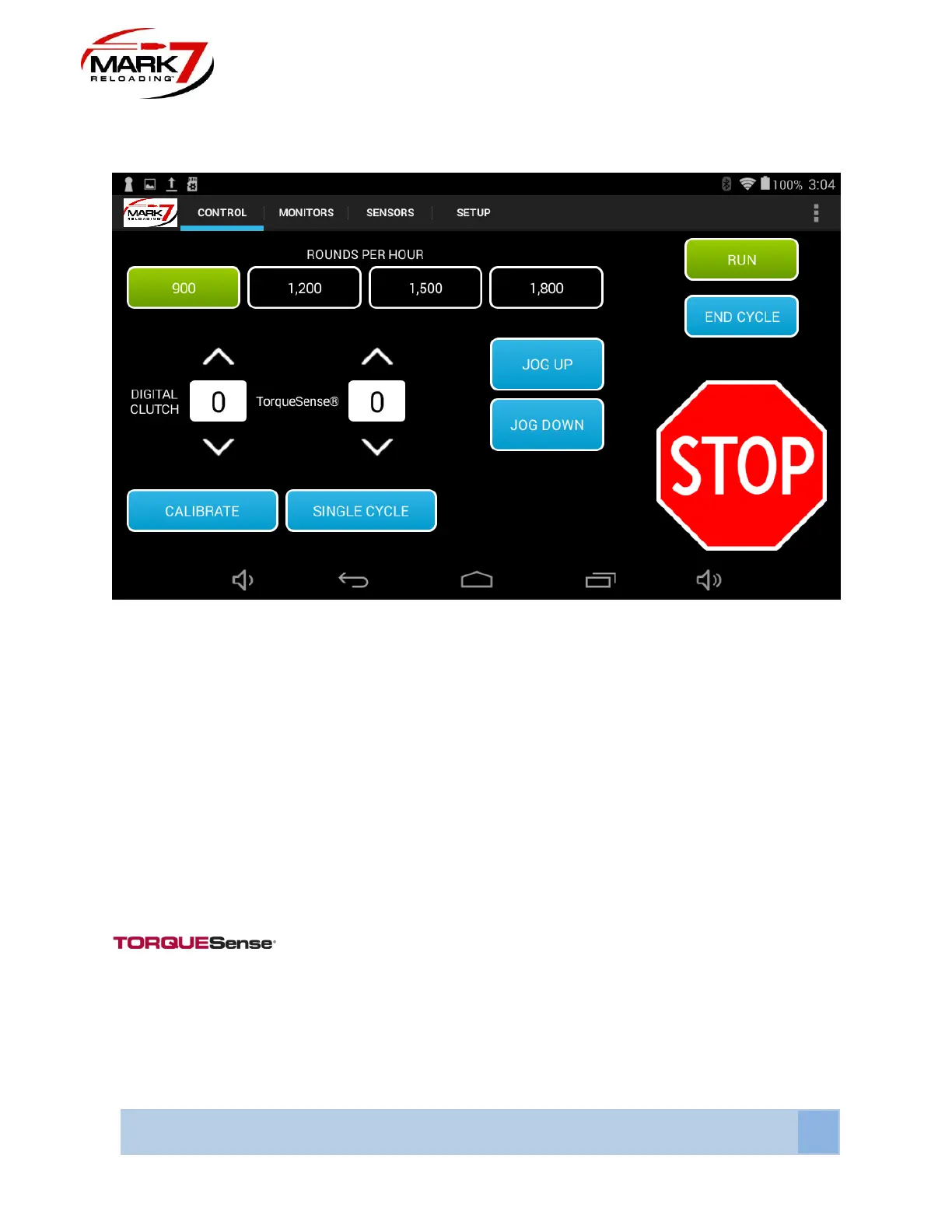
Control Screen
Figure 49: System Control Screen (650 PRO shown)
CALIBRATE - The function is the first operation that must be run before fully running the Mark
7® Autodrive. CALIBRATE signals the Mark 7® Autodrive to find the top and bottom of the
machines stroke. Once calibration is completed all Mark 7® Autodrive features can be used.
The shell plate must be clear when calibrating. Calibration takes approximately 15 seconds to
complete.
DIGITAL CLUTCH - The Digital Clutch setting is the way in which the operator controls the
torque output of the motor. We recommend keeping the digital clutch at the lowest level required
to complete a desired action, whether it is re-sizing, or making complete ammunition. When the
operator hits the torque limit the Mark 7® Autodrive will stop. To continue operations increase
the digital clutch value and hit RUN until the cycle is completed.
Is a variable torque adjustment that lowers the torque below the digital
clutch setting during shell plate indexing. We recommend to keep this setting as low as
possible. If the value is set too low the machine will stop and notify you with a Torquesense®
activated message. Torquesense can be adjusted from 0-5. If you find that you need to increase
your torque setting over a value of 2 it’s likely that the crank assembly or index assembly on the
650 needs to be serviced.



 To Next Page