On the sensors page all optional sensors can be enabled or disabled at any point during
machine operation. We recommend disabling any of the sensors you don’t have installed on
your system.
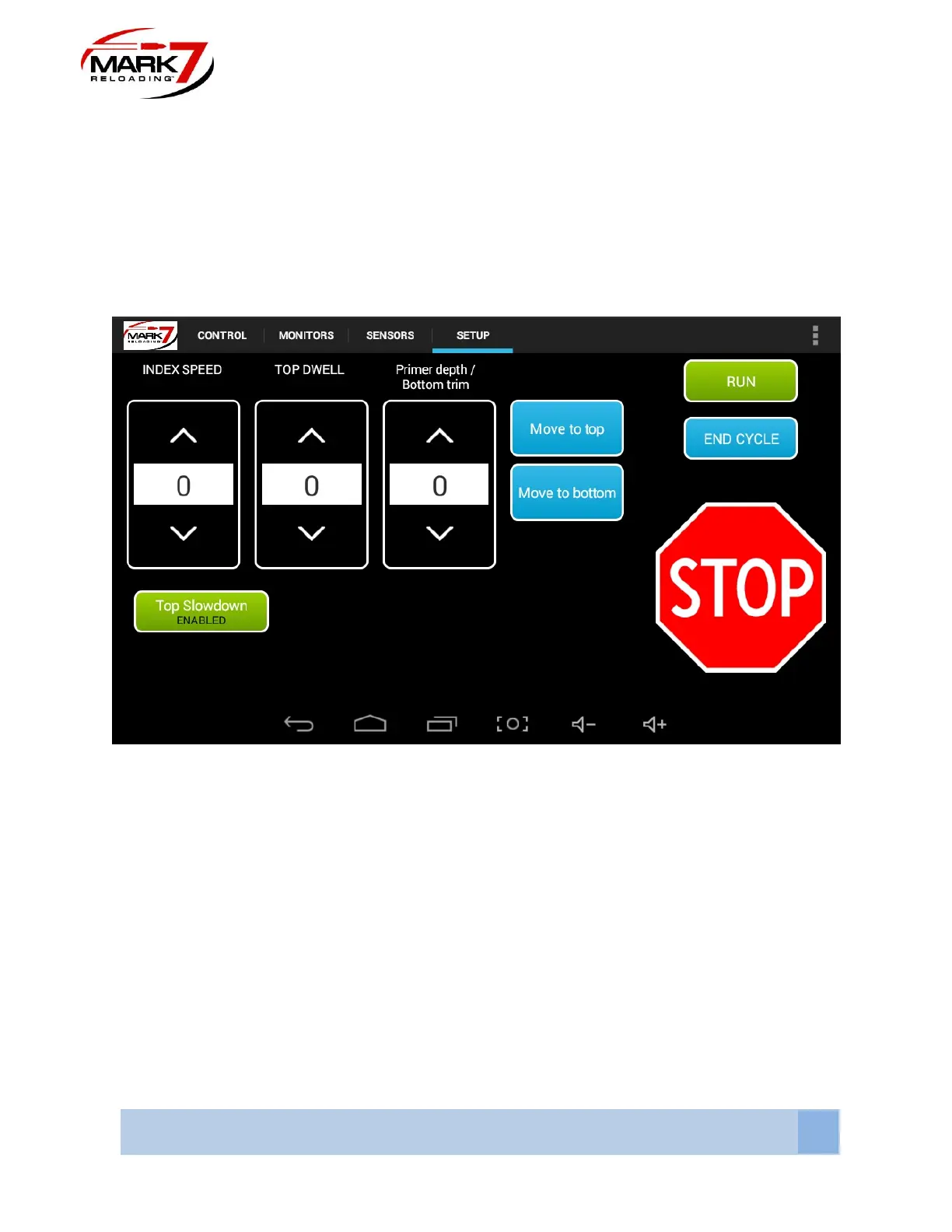
RUN, END CYCLE, and STOP functions have the same functionality on the Setup Screen as
they do on the Control Screen and the Monitors Screen
Setup Screen
Figure 52: System Setup screen
INDEX SPEED - The INDEX SPEED function allows the operator the ability to incrementally
reduce the index speed of the shell plate. The higher the value in the INDEX SPEED field the
slower the shell plate will index.
TOP SLOW DOWN - Enabling TOP SLOW DOWN will slow down the drive at the beginning of
the return stork to minimize case jump when the case exits the powder funnel neck expander.
The top slow down speed is tied into the index speed setting. We recommend this setting if you
are using a Double Alpha powder funnel for pistol calibers.
TOP DWELL - The TOP DWELL function allows the operator the ability to increase the time in
which the press remains at the Top of the stroke. The higher the value in the TOP DWELL field
the longer the press will pause.



 To Next Page