Instruction Manual
26
– Instruction Manual
6.2.3
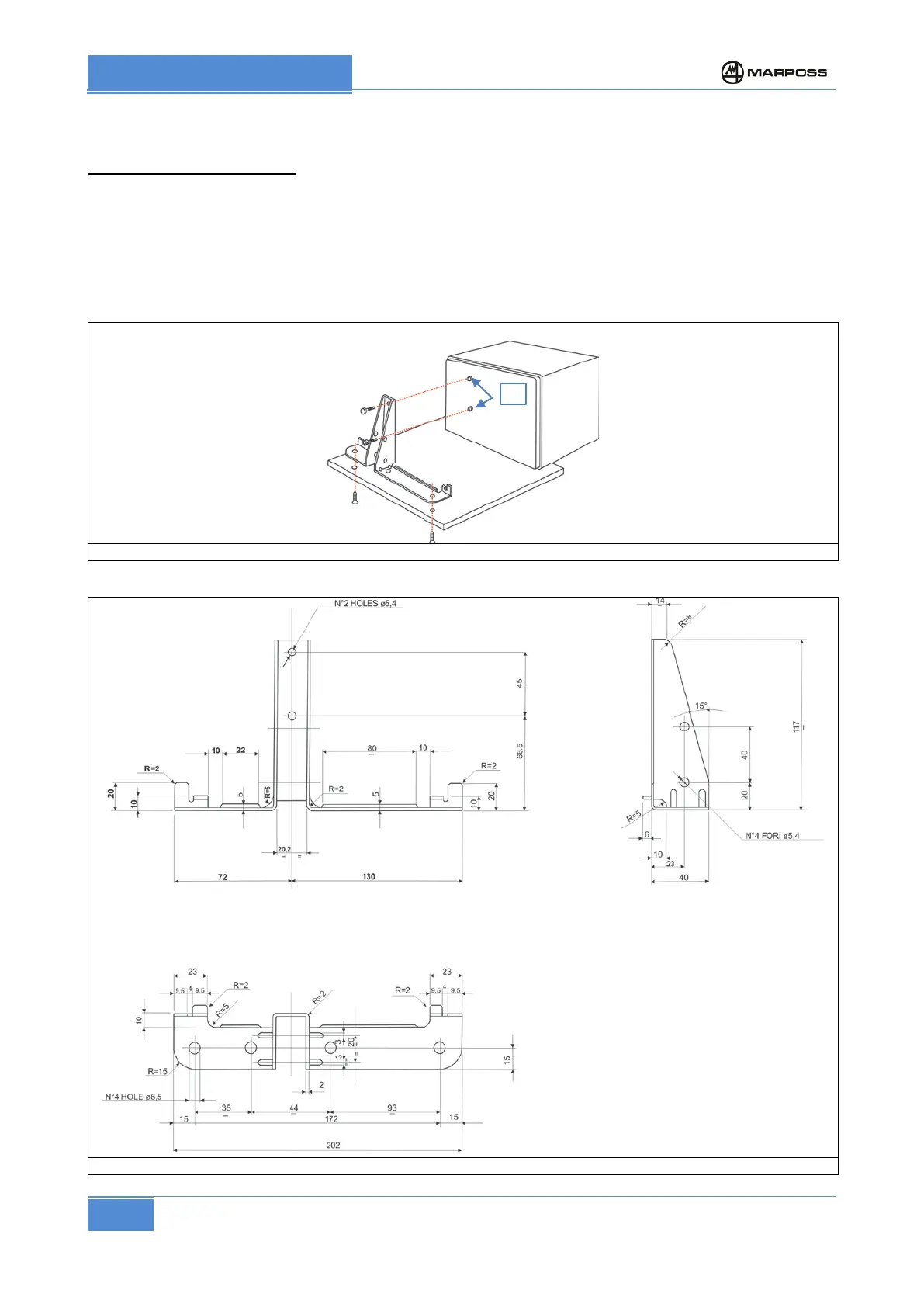
Fastening with support bracket
Bracket mounting instructions:
• Disconnect the power supply lead and the machine I/O cable in order to ensure that the unit is de-
energised.
• Remove the M5 x 10 screws and the two spacers from the threaded holes on the rear panel (see
Figure 6 ref. A)
• Secure the bracket to the P1 using the two M5 x 10 screws and spacers; do not use longer screws.
The two spacers must be inserted between the brackets and the rear panel of the P1;
• Secure the bracket to the corresponding 6.5 mm diameter holes on the machine tool using M6
screws.
Figure 6 Fastening with support bracket
Figure 7 Support bracket– Code 1502010400



 To Next Page