Masimo LiDCO Chapter 4: Operation
www.masimo.com 32 Masimo
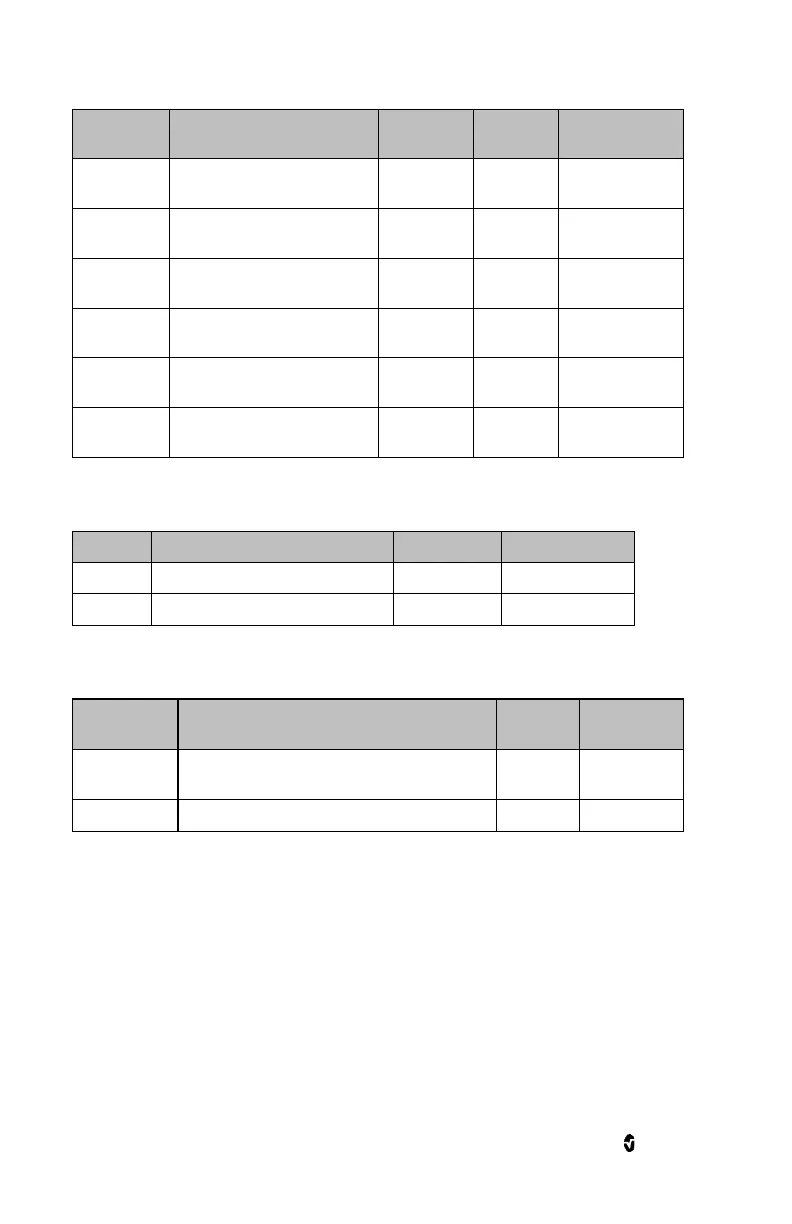
Upper limit that triggers an alarm
Off, or 45-235 in
steps of 5.
Lower limit that triggers an alarm
Off, or 40-230 in
steps of 5.
Value below High Limit to trigger
caution light
Off, or 5-35 in
steps of 5.
Value above Low Limit to trigger
caution light
Off, or 5-35 in
steps of 5.
Length of time that the audible
alarm remains silenced
Highest HR value that can be displayed
Lowest HR value that can be displayed
Used to correct for large differences in heart rate
caused by unusual blood pressure waveforms.*
Heart rate from Masimo LiDCO
*If the HR from pulse ox is higher than the LiDCO HR, then lower the beat detector threshold until the
values are equivalent. If the HR displayed from the pulse ox is less than the LiDCO HR, then raise the
beat detector threshold until the values are equivalent. Observe the heart rates and adjust using the
slider until equivalent, Touch OK to accept the new value. Touch Cancel to cancel any changes since the
last change.
Heart Rate Variation (HRV)
Alarms


 To Next Page