Rad-97 Service Manual Chapter 3: Service Procedures
Masimo Corporation 39 www.masimo.com
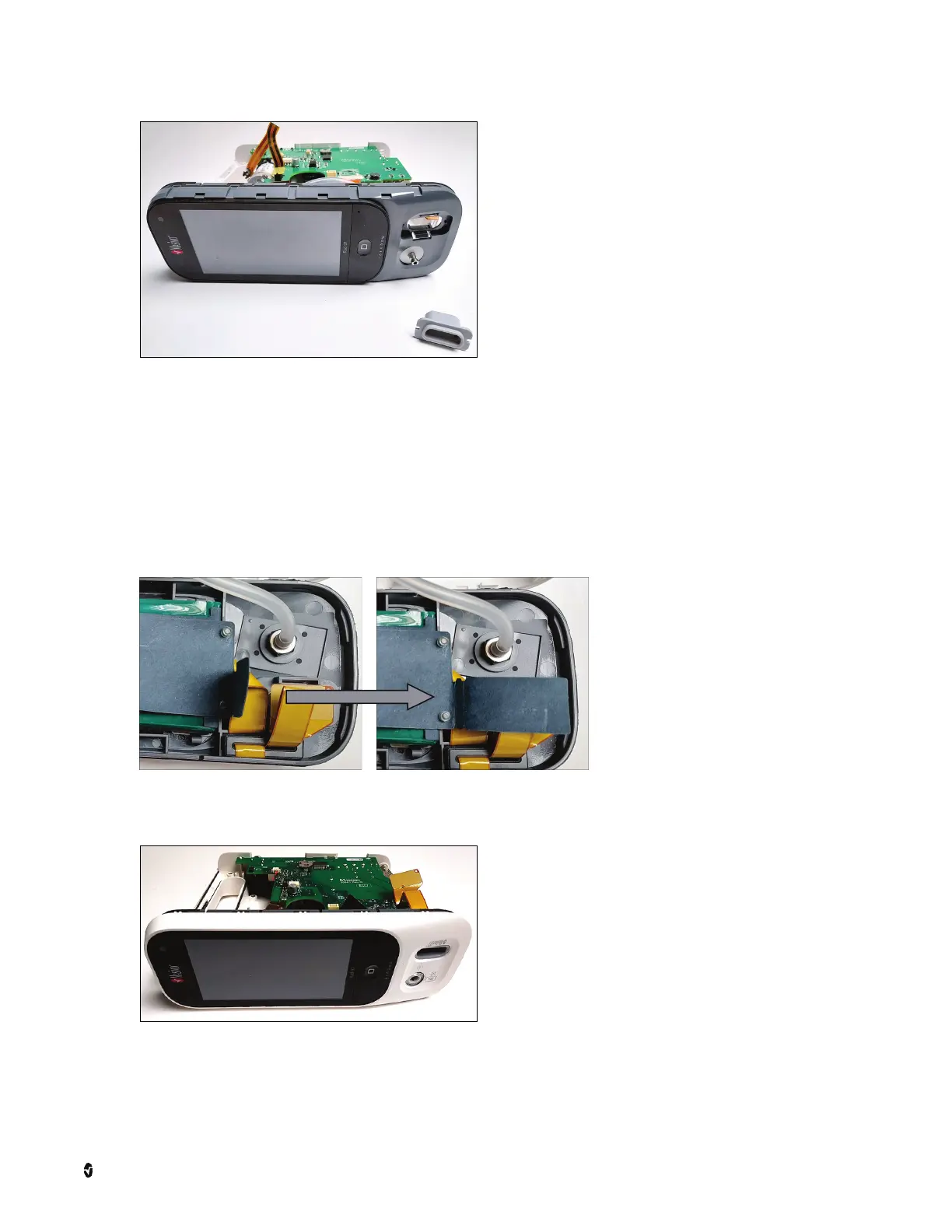
Note: Rad-97 with NIBP shown.
TB-20 Connector Installation (Version 1)
1. Prepare the new TB-20 connector and insulator for installation by removing from the packaging.
2. Insert the TB-20 connector into the slot until the connector snaps into place.
3. Plug the ribbon cable to the back of the TB-20 connector. Take care to connect the plug all the way, but not to push it too hard such that the TB-20 connector
ejects from the front assembly. Cover the connector with the insulator sheet by folding it back over the connector.
• If the insulator sheet on the Rad-97 is not damaged and can cover the back of the TB-20 connector, the additional insulator sheet is not necessary to install. If
the insulator sheet cannot cover the back of the TB-20 connector, install the new insulator sheet by plugging the TB-20 connector through the slot and folding
the sheet to cover the connection. Refer to the Version 2 instructions for visual aids to install the new insulator. See TB-20 Connector Installation (Version 2)
on page 45.
4. Put the faceplate back onto the front assembly of the Rad-97 by lining up the TB-20 port slot, (the capnography/NIBP plug if applicable), and all four edges
correctly and pressing firmly until it snaps into place.



 To Next Page