Root Chapter 3: Operation
www.masimo.com 37 Masimo
Using Trend View
In Trend View, a parameter or measurement is displayed as a graph of its
values over time. If a Window supports Trend View, then (Trend View
icon) displays in the upper right corner. Press the icon to view parameter or
measurement data in Trend View.
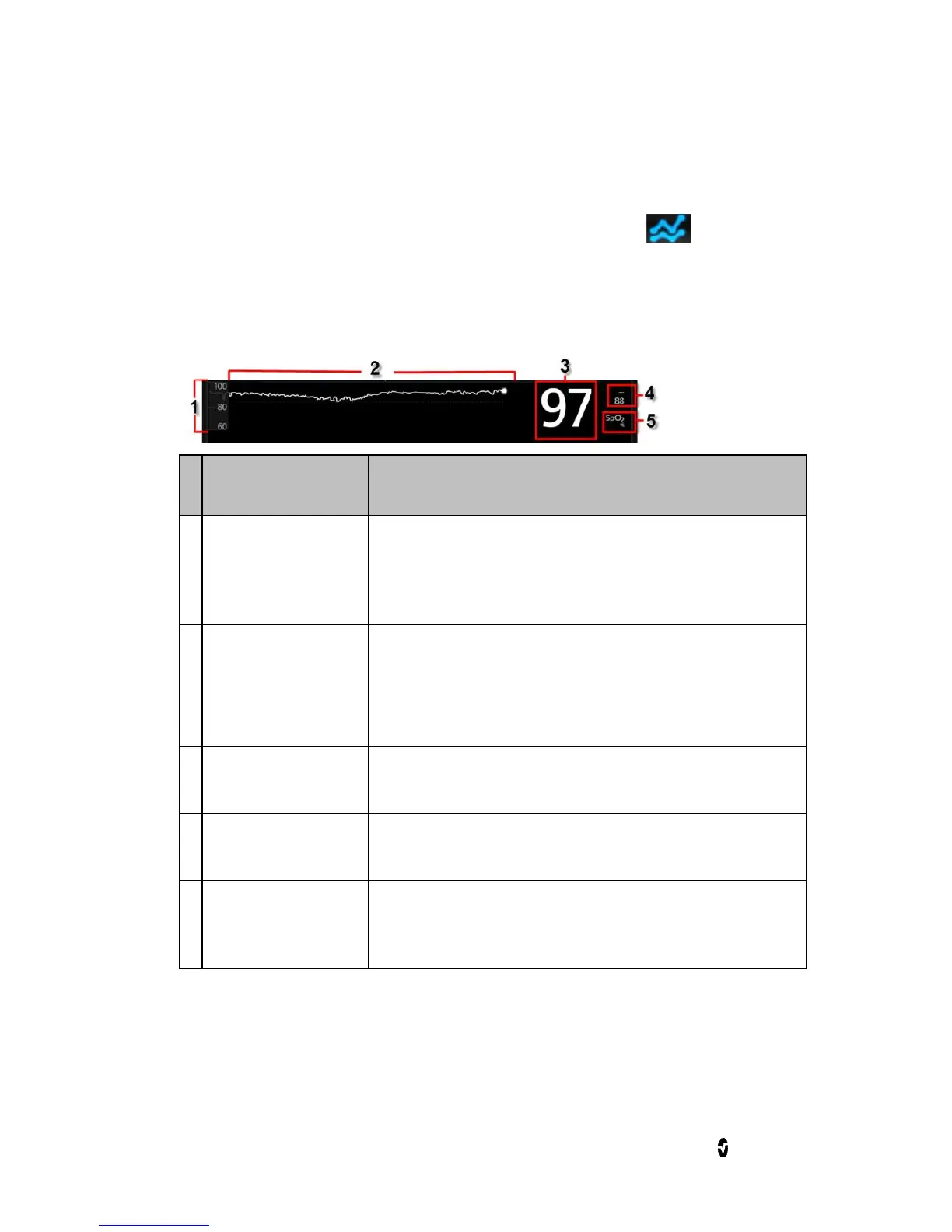
The following diagram and table describe key features of a parameter's
Trend Display in Trend View.
Indicates current viewing of the parameter or
measurement. Press to access the Trend menu
where the minimum and maximum of the range can
be modified.
Displays parameter and measurement over a period
of time. Zoom in and out of a Trend Line by pinching
out and in.
Indicates current reading of the parameter or
measurement.
Indicate high and low alarm limits for the parameter
or measurement, if supported.
Parameter or
Measurement
Label
Indicates the name of the parameter or
measurement.



 To Next Page