2-11 Masterflex SS B/T Washdown Digital Pump Drive with Advanced Connectivity
Section 2: Basic Setup & Settings
Masterflex
After installing new tubing the pump should be run for 20-30 minutes at full rpm (321 rpm). is is
recommended to properly condition new tubing and to increase dispense accuracy. If required, the pump can
be run dry while conditioning.
1. Switch the drive on using the power switch located at the rear of the drive. NOTE: If User Management
is enabled you may be prompted for a username and password (For further information see "
User
Management
" on page 2-8).
2. Tap CONTINUOUS from the Mode Selection Screen. e Continuous Mode Run Screen will be
displayed.
3. Select the ow rate and ow units:
a. Tap FLOW RATE. e Flow Rate Screen will be displayed.
b. Tap UNITS. e Flow Units Screen will be displayed.
c. Tap RPM.
d. Tap CONFIRM
to return to the Flow Rate Screen.
e. Tap FLOW RATE to select eld and then enter 321 using the onscreen keypad.
f. Tap CONFIRM
to save and return to the Continuous Mode Screen.
4. Tap START
. e drive will commence operation.
5. Allow the pump to run for 20-30 minutes before tapping STOP
. e tube is now conditioned and
ready for priming, calibration, and use.
NOTE:
• Once the tube has been loaded and conditioned the new tube size will need to be selected from the Tube
Size Screen. e Tube Size Screen can be accessed from the Continuous Mode Run Screen or from either
of the Volume or Time Mode Edit screens.
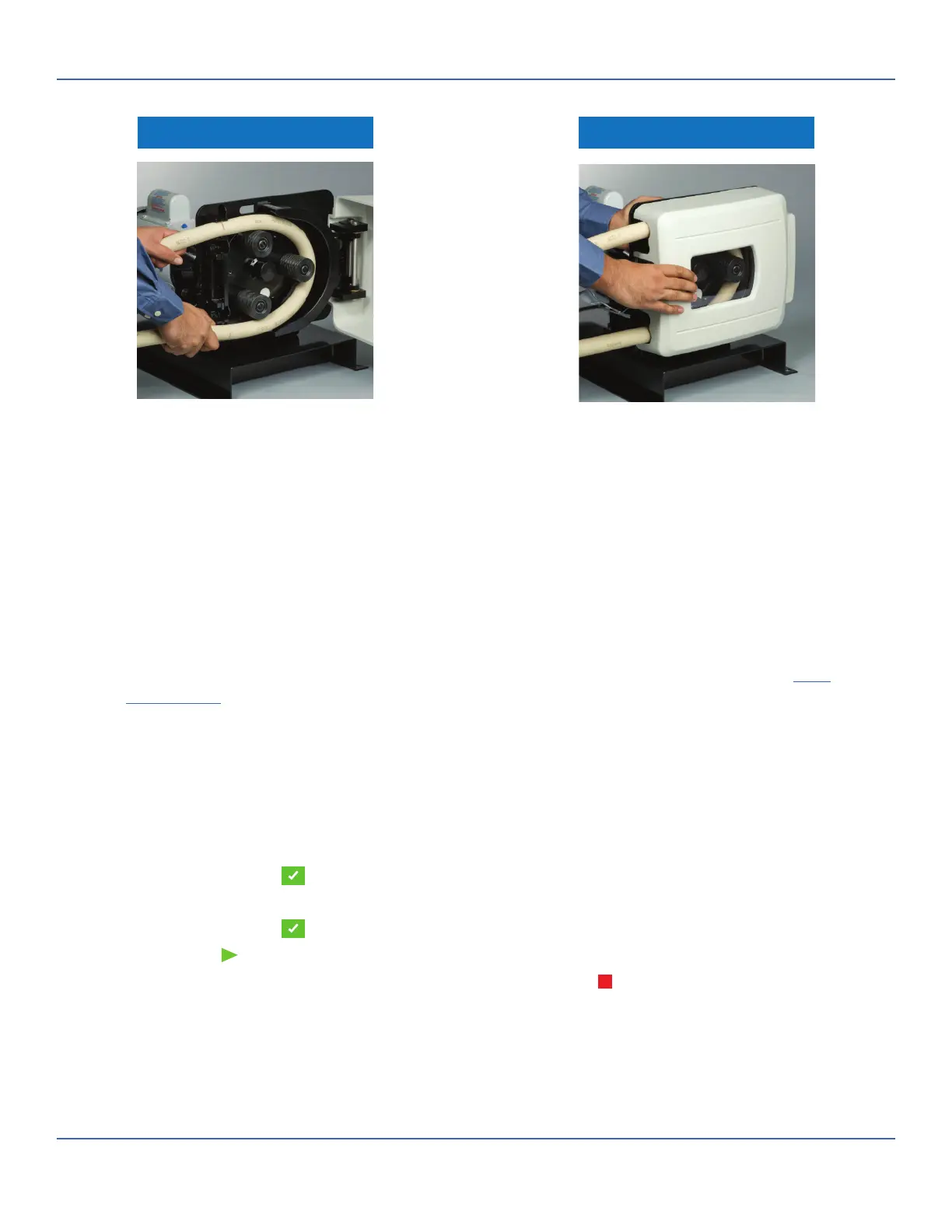
STEP 3
STEP 4
Step 3: Going with the natural lay
or curvature of the tubing, wrap
the tubing around the assembly
and insert the tubing in the lower
retaining pocket.
Step 4: Close the door and insure
that door latch is engaged and
locked.



 To Next Page