12 Matrox Extio 3 Series – User Guide
Step-by-step installation
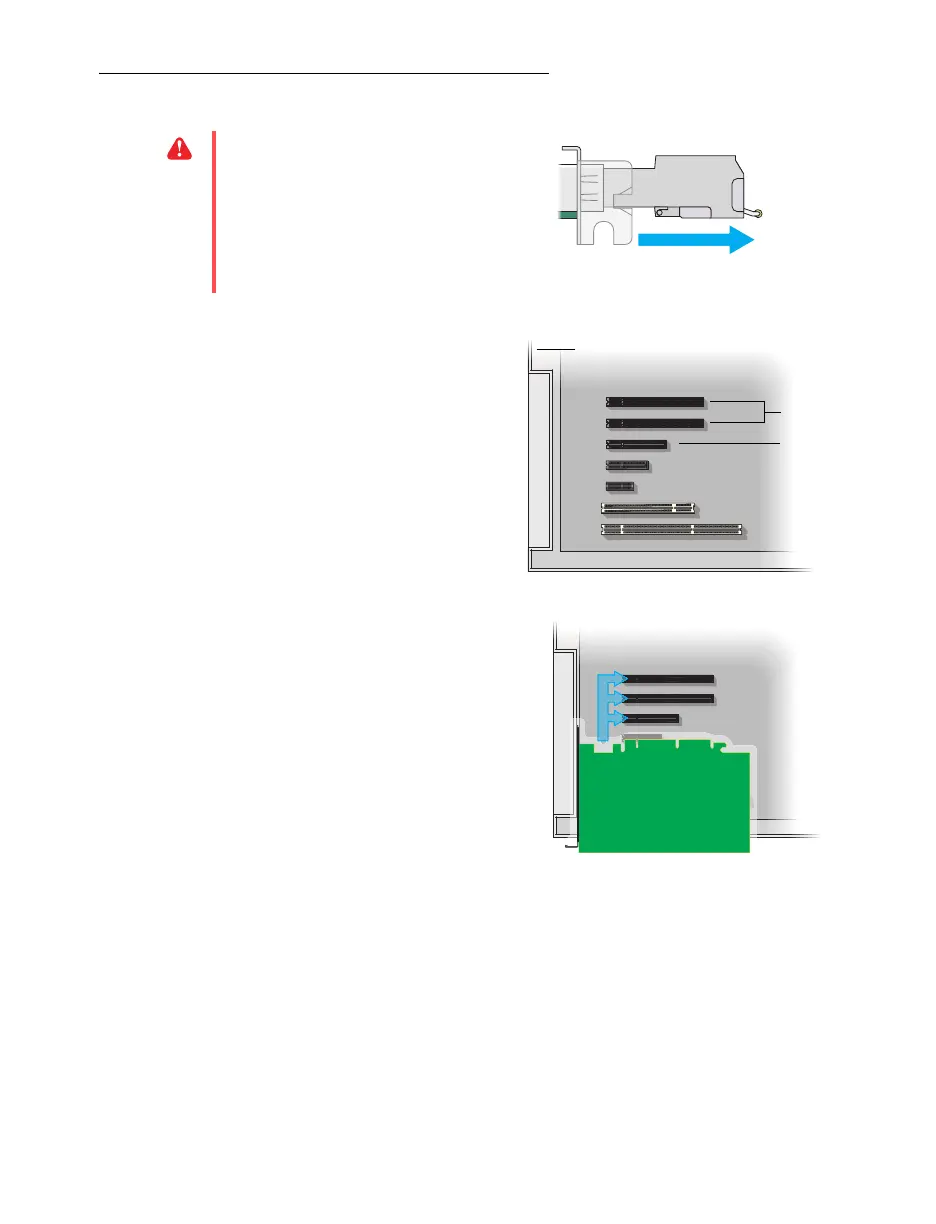
1 Choose an expansion slot
Most systems have different types of
expansion slots. Choose a PCI Express® ×8
or ×16 (PCIe®) slot. Your system manual
should identify the location of each type of
expansion slot in your system.
2 Insert your Matrox card
a
Position your Matrox card over the
expansion slot you’ve chosen.
b
Push the card in firmly and evenly until
it’s fully seated in the slot.
c
Secure the bracket of your Matrox card
to the frame of your system.
Your Matrox card is now installed. If you’re installing more than one card, see “Installing multiple
cards”, page 13.
Before restarting your system
, connect your devices (see the “Connection setup”
section for the card you want to connect).
WA R N I NG :
Before installing your
transmitter card, make sure the SFP module
is removed. For more information on
removing the SFP module, see “Removing
the SFP module”, page 22.
(Back of system)
(×16)
(×8)
PCI
slots
PCI Express
slots



 To Next Page