42 Matrox Extio 3 Series – User Guide
OSD (point-to-point mode only)
From the OSD main interface, click
Reboot transmitter
to
reboot your transmitter device or
Reboot receiver
to reboot
your receiver device.
Hardware reboot or configuration reset
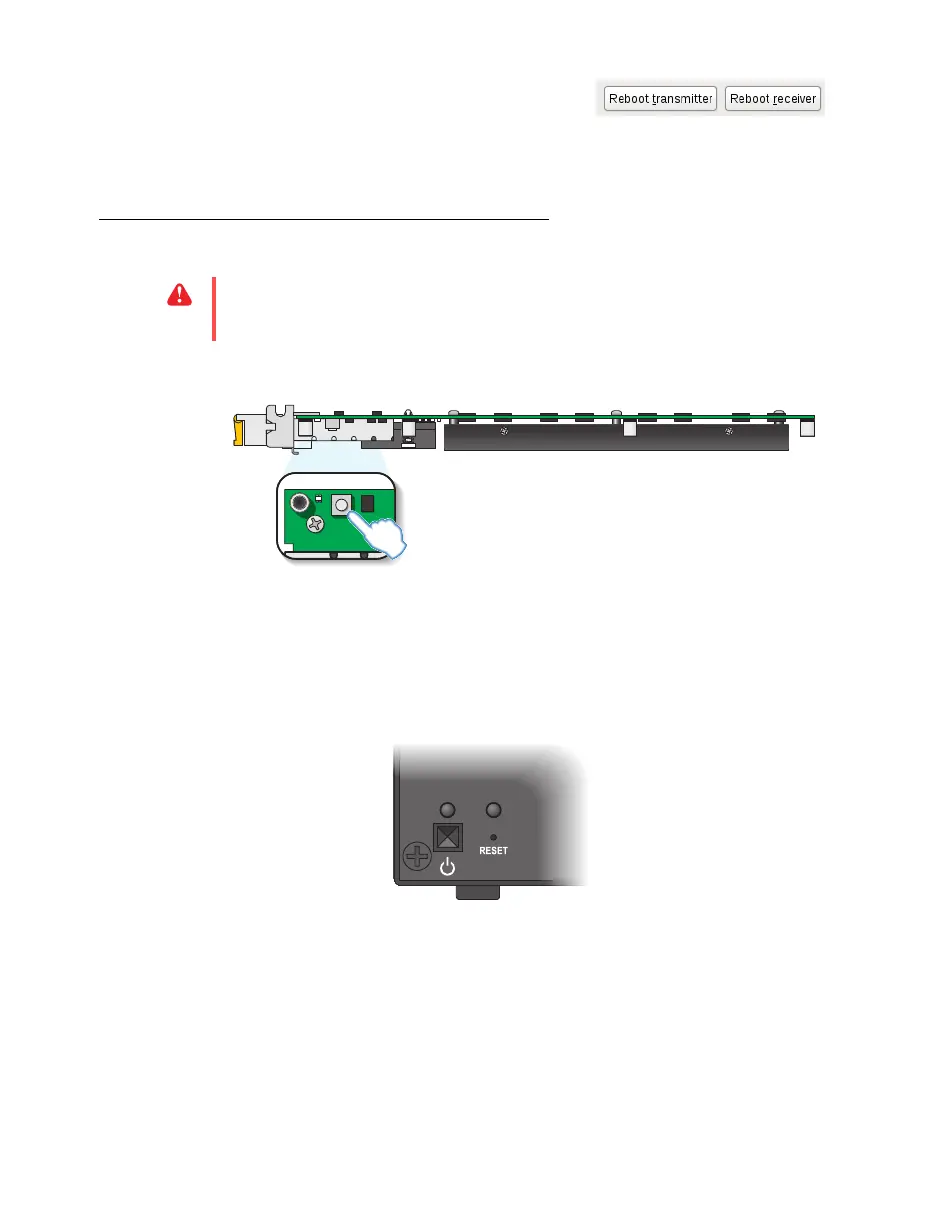
Extio N3408 or N3208 transmitter card
Hardware reboot
– Quickly press the button (
1 second
) to reboot your device.
Configuration reset
– Press and hold the button for
4-5 seconds
(until the LED turns fast
blinking green) to reboot your device and restore the default settings.
Rebooting your Extio N3408 or N3208 unit
Hardware reboot
– Press and hold the
Reset
button on your device with the tip of a
paper clip for
less than 2 seconds
(until the LED turns slow blinking green) to reboot your
device.
Configuration reset
– Press and hold the
Reset
button on your device with the tip of a
paper clip for
4-5 seconds
(until the LED turns fast blinking green) to reboot your device
and restore the default settings.
WA R N I NG :
A configuration reset restores the default settings of your Extio 3 device. This
resets all of
your device settings, including the IP configuration and password.



 To Next Page