22 Matrox Extio 3 Series – User Guide
Installing the SFP module
When installing the SFP (Small Form Factor Pluggable) module, make sure you properly secure the
module in its housing.
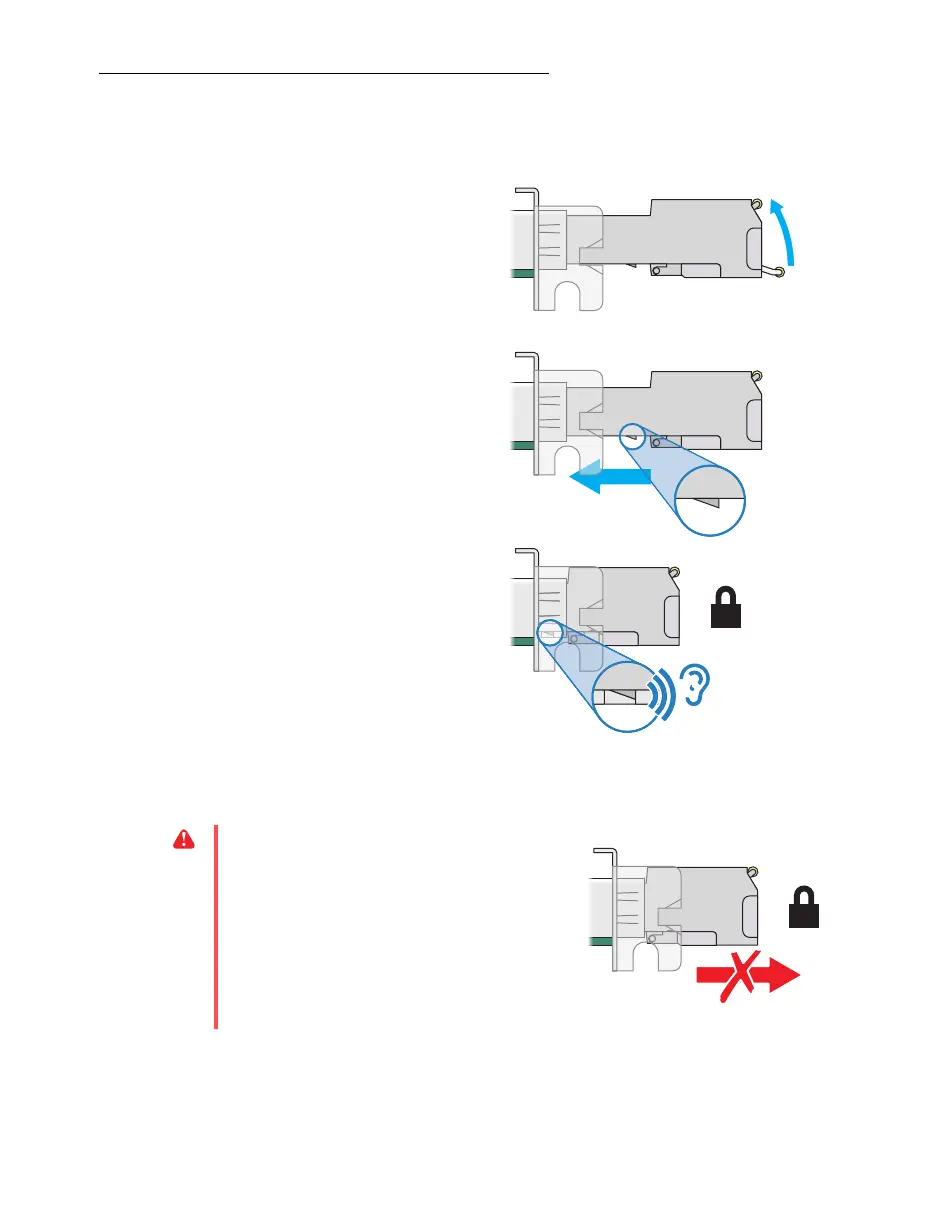
1
Close the latch handle.
2
Push the module into the SFP
housing in your Matrox product.
Make sure the module is properly
oriented. A properly oriented
module should slide easily into the
housing.
3
Make sure the SFP module is
inserted all the way into the
housing, When locking in place,
you may hear a “click” sound. To
make sure the SFP module is
securely inserted, you can pull
gently on the module without
lowering the latch handle.
Removing the SFP module
WA R N I N G :
A properly installed SFP module is
securely locked in its housing. Forcing the SFP
module out of its housing without unlocking it
may damage your SFP module, the housing, or
your Matrox product.



 To Next Page