16 Matrox Extio 3 Series – User Guide
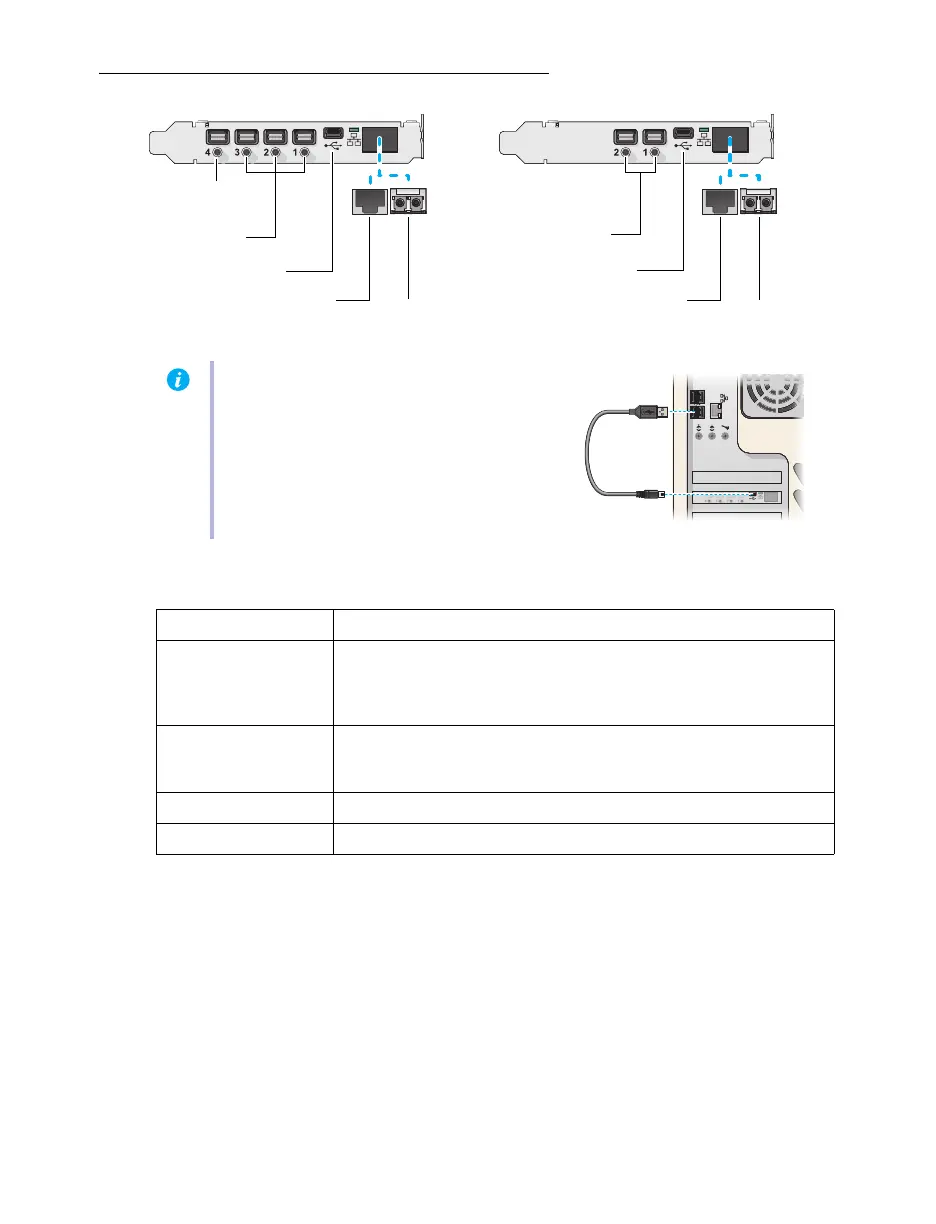
Extio N3408 or N3208 transmitter card
Description of supported connections
Note:
Connect one end of the USB cable
included with your product to the mini USB
connector on your transmitter card.
Connect the other end of your cable to a
USB connector on the motherboard of your
system. Make sure your connectors are
properly connected.
Connector Description
Mini DisplayPort
Connect your mini DisplayPort to DisplayPort cable to your Matrox
card. Connect the other end of the cable to your host system.
Note: To connect to this connector, you need a shielded DisplayPort
cable.
Mini USB
Connect one end of your USB cable to the USB connector on your
transmitter card. Connect the other end of your cable to a USB
connector on the motherboard of your system.
RJ45 Connect an RJ45 cable to this connector.
LC-LC Connect an LC-LC fiber optic cable to this connector.
Mini DisplayPort
(1.2)
Mini USB
(2.0)
RJ45
LC-LC
Mini DisplayPort
(1.1)
LC-LC
Mini USB
(2.0)
RJ45
Mini DisplayPort
(1.1)



 To Next Page