© 2023 Maxeon Solar Technologies, Ltd. All rights reserved. | 549549 Revision A - October 2023
Specications included in this document are subject to change without notice
9
4.0 Product Overview
4.1. Appearance Overview
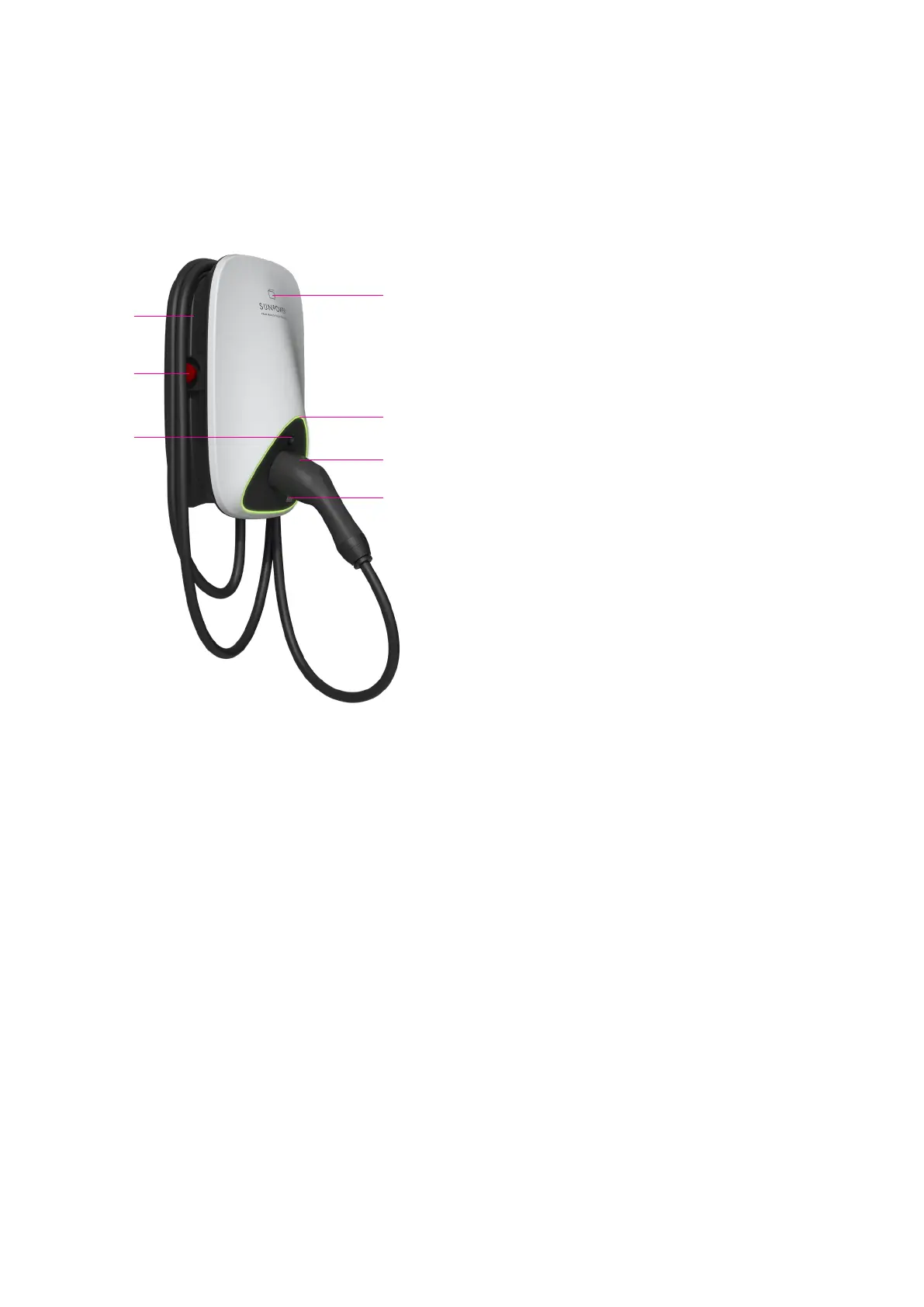
A Cable winding trough
B Emergency stop button
C Charging connector unlock button
D RFID card reader
E LED Status Indicator
F Charging connector
G Charge Point ID (CPID) QR Code
A
B
C
E
F
G
D
4.2. Storage of charging cable and connector
When the charging station is not used, the charging cable should be rolled up and put back into
the cable winding through in position [A], and the charging connector should be inserted into
the designated position [F] for safe storage.
Figure 1 Product appearance overview


 To Next Page