© 2023 Maxeon Solar Technologies, Ltd. All rights reserved. | 549549 Revision A - October 2023
Specications included in this document are subject to change without notice
23
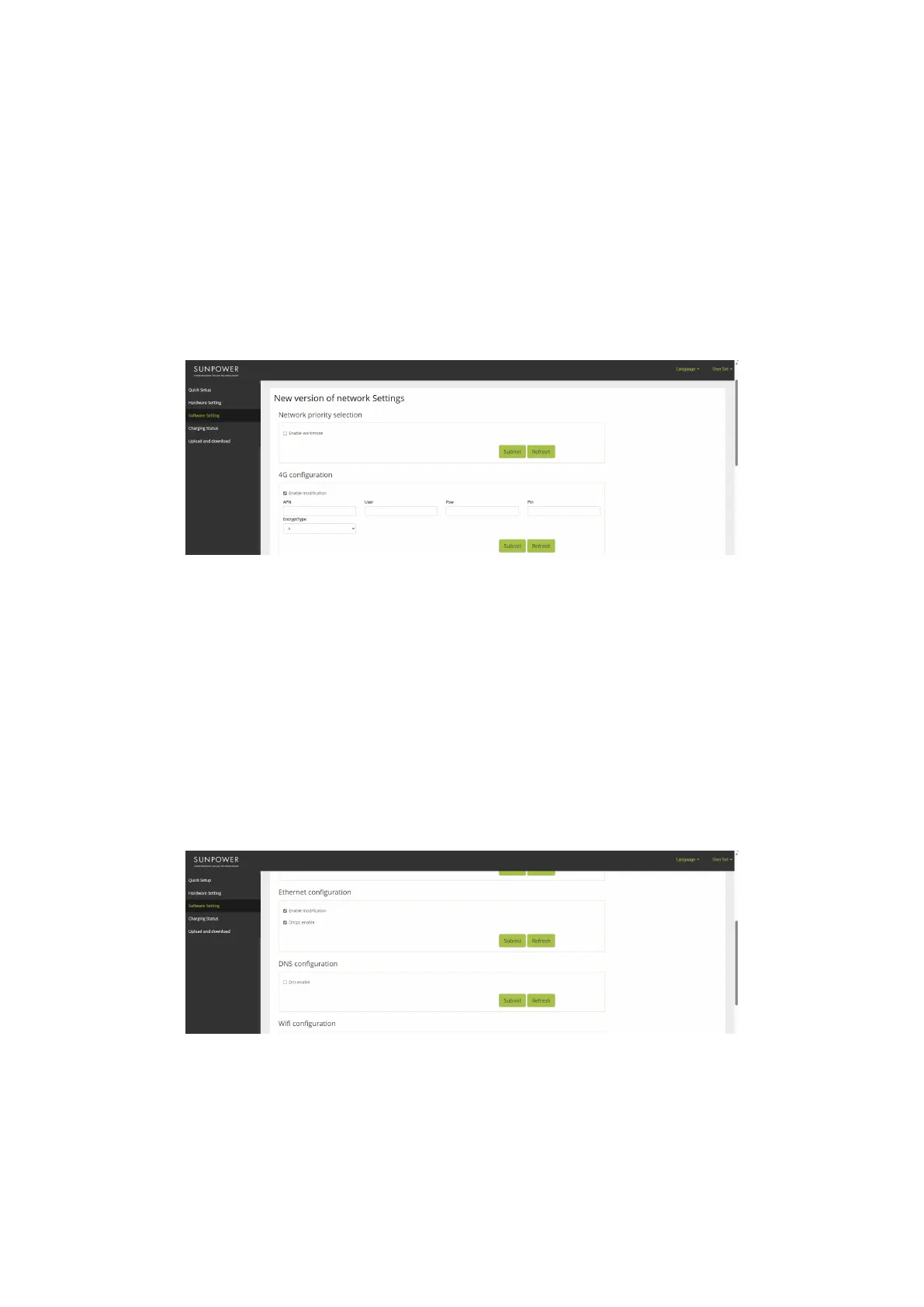
6.2.3. 4G conguration
1. Under Software setting, navigate to 4G conguration
2. Click „Enable modication“
3. Set APN, User, Psw, Pin according to actual usage (depending on the SIM card service
provider)
4. Click „Submit“ to conrm and wait for the “Success” conrmation
5. Upon “Failure” conrmation, wait a few seconds and click “Submit” again
6.2.4. Ethernet conguration
1. Under Software setting, navigate to Ethernet conguration
2. Click „Enable modication“
3. Click „DHCPC Enable“
4. Click „Submit“ to conrm and wait for the “Success” conrmation
5. Upon “Failure” conrmation, wait a few seconds and click “Submit” again


 To Next Page
 Loading...