© 2023 Maxeon Solar Technologies, Ltd. All rights reserved. | 549549 Revision A - October 2023
Specications included in this document are subject to change without notice
24
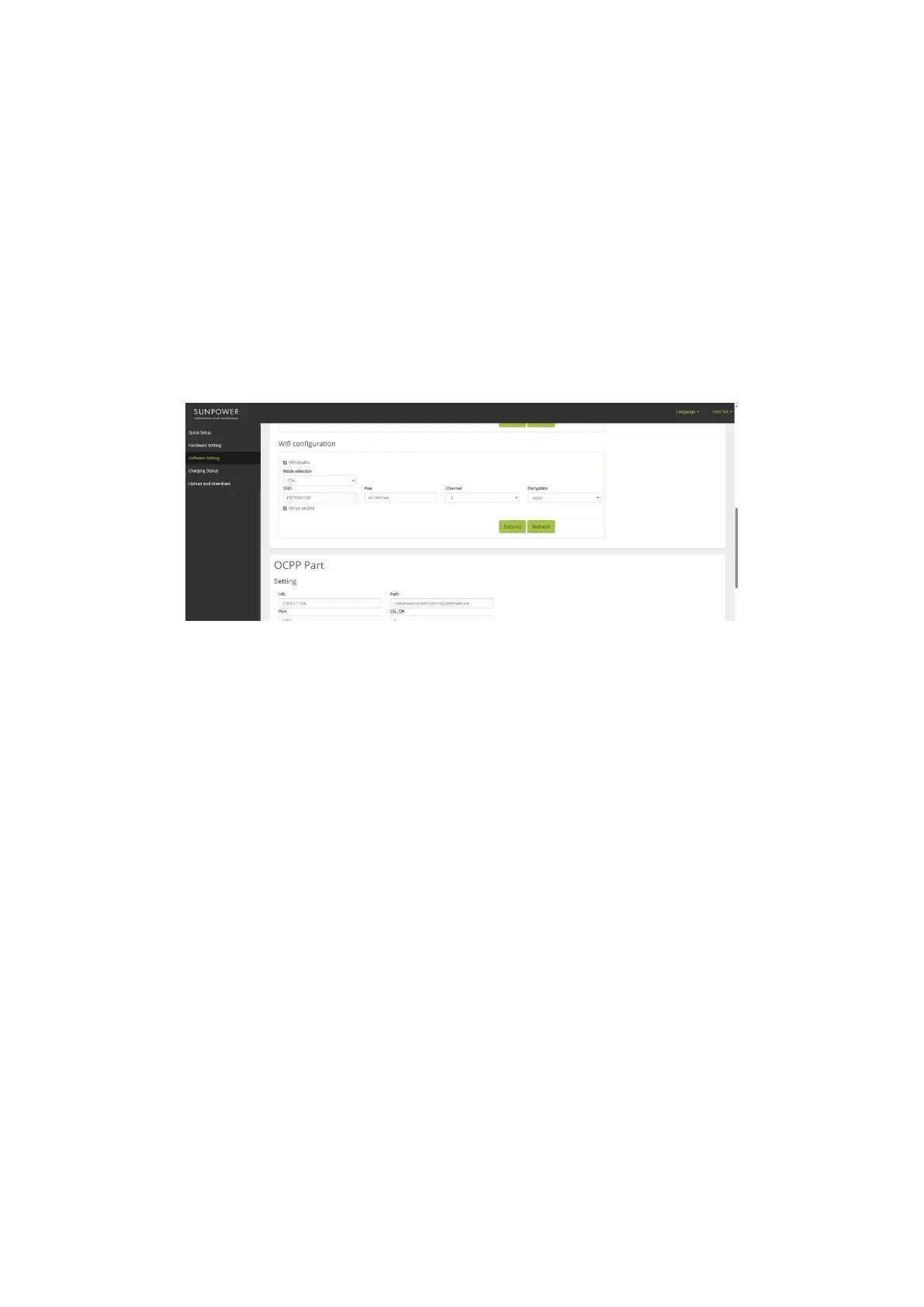
6.2.5. Wi-Fi conguration
1. Under Software setting, navigate to Wi-Fi conguration
2. Click “Enable modication”
3. “Mode selection” choose “STA”
4. Fill in “SSID” (Wi-Fi ID) “Psw” (Wi-Fi password) according to customer Wi-Fi setup
5. For “Encryption”, generally choose wpa2
6. Click “Dhcpc enable”
7. Click “Submit” to conrm and wait for the “Success” conrmation
8. Upon “Failure” conrmation, wait a few seconds and click “Submit” again
Important: After submitting the Wi-Fi settings, the SUNPOWER DRIVE Wi-Fi Access Point will
be switched off, and at this point you will not be connected to the charger Web UI anymore. If
at any point Web UI access is required again via Wi-Fi, power cycle the charger and repeat the
Wi-Fi connection steps.


 To Next Page
 Loading...