Basic touchscreen operations
Your tablet is ideal for you to use your fingers or the stylus pen to perform
many actions on it.
• Don’t use sharp objects to touch the screen. Or, the screen may be
damaged or scratched.
• Don’t touch the touchscreen with a conductive material. It may cause a
malfunction.
• The supporting functions are application dependent.
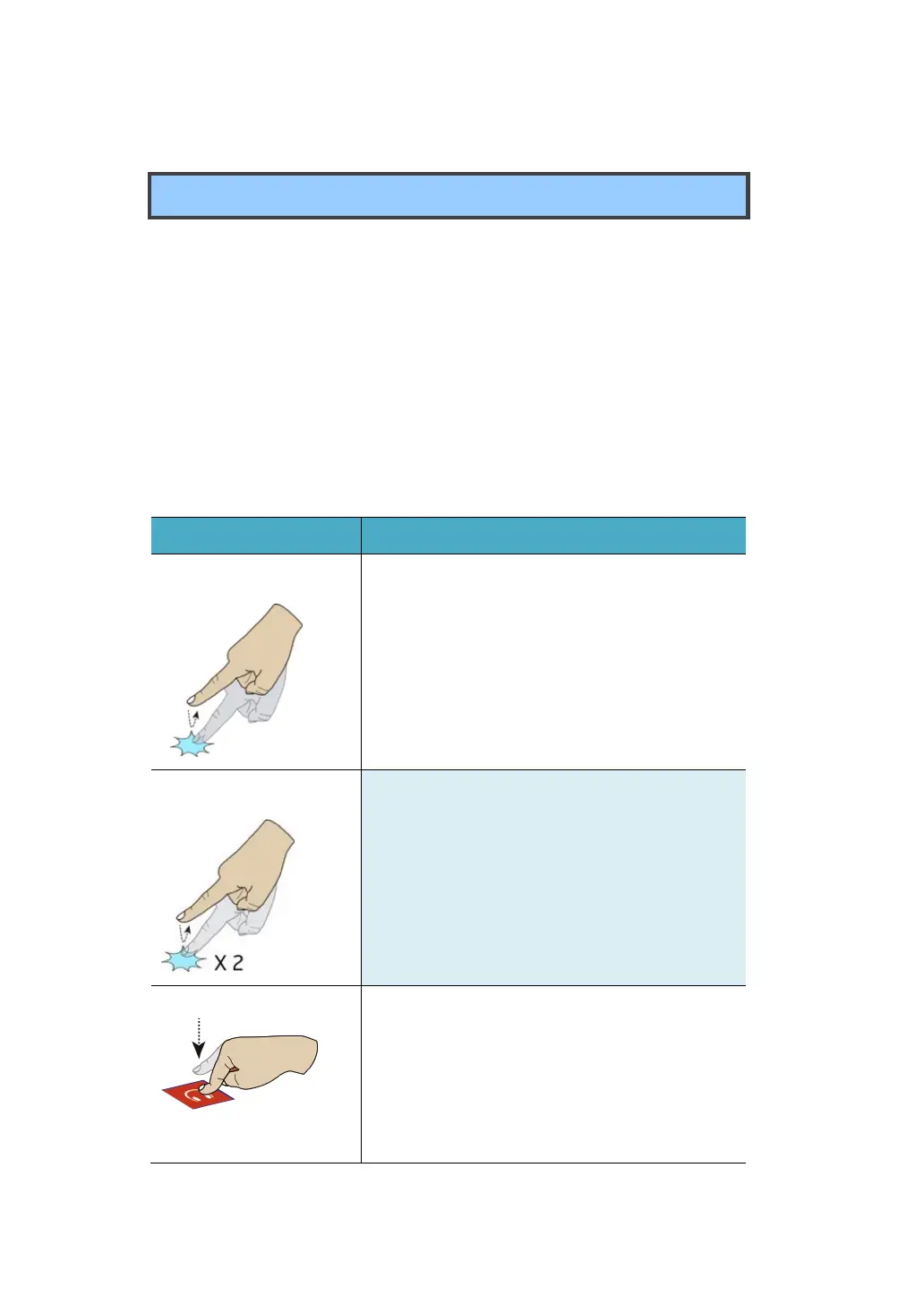
Touch once on an item to start an app, open a
link, or perform an optional function. This is
similar to a left-click with a mouse.
Slightly press twice with your finger to select
an item.
Press and leave your finger on an item. This
brings up detailed information or opens a
menu with more options for the item. This is
similar to a right-click with a mouse.



 To Next Page