Voices and Effects
Split point
DSP Effect
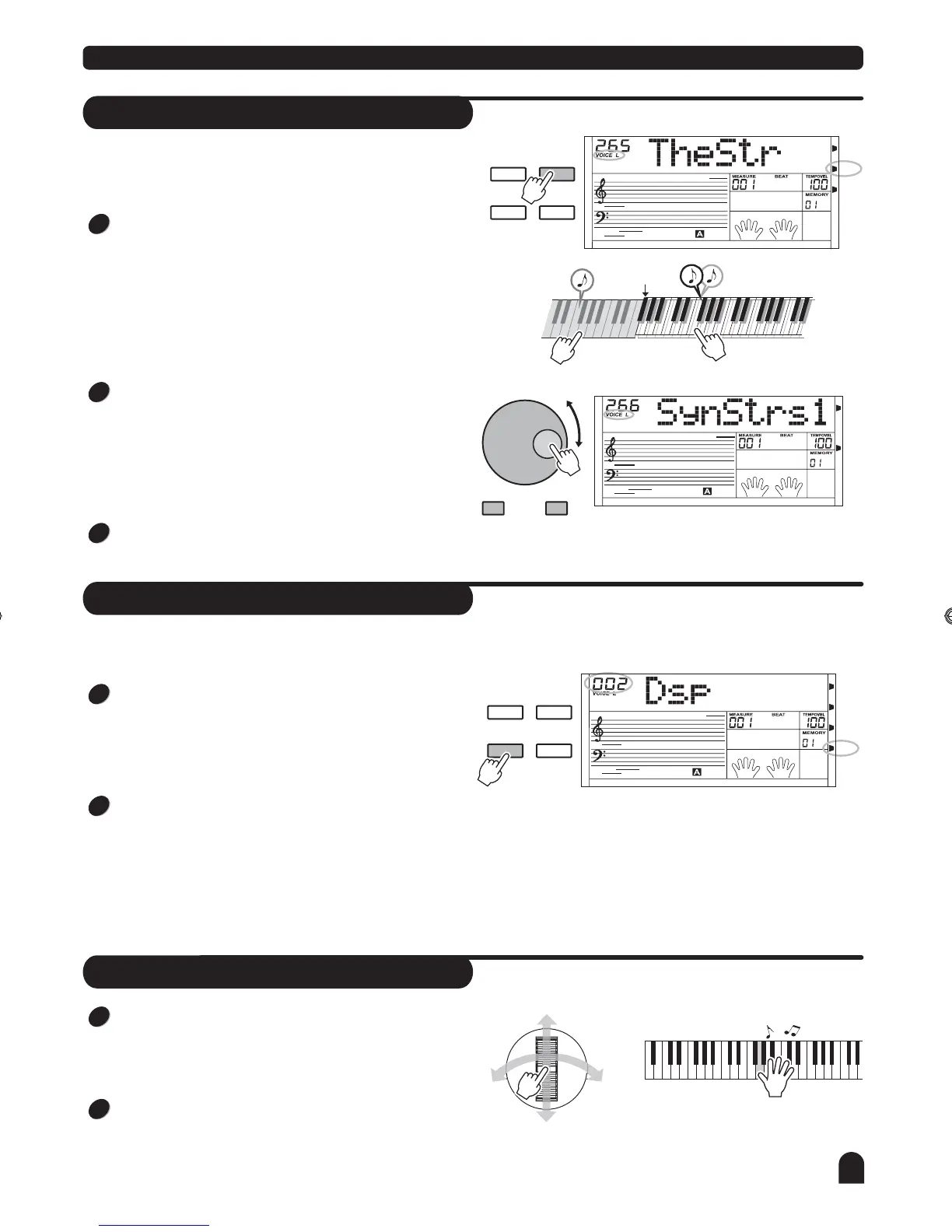
You can play two sounds on different parts of
the keyboard. It is called Split mode.
"
"
Press [SPLIT] button to turn on the LOWER VOICE, LCD
lights the SPLIT flag and displays "VOICE L" and its name.
When you play in real time, you can activate Split Mode
simply by pressing this button.
Press [+/YES] / [-/NO] button, or turn the DIAL to select the
voice you want. The default LOWER VOICE number is No
265 The Strings .
Press [SPLIT] button again to turn off the LOWER VOICE.
LCD darkens its flag.
DUAL
DUAL
DSP
DSP
SPLIT
SPLIT
TOUCH
TOUCH
- / NO + / YES
Melody
area
Chord
area
Default split
point F#
DUAL
DUAL
SPLIT
SPLIT
TOUCH
TOUCH
DSP
DSP
DSP effect will enhances the piano with fuller and
expressive sound.
When power is on , LCD lightens the DSP flag. Press the
[DSP] button to switch the DSP setting. 4 DSP setting are
available for selection, DSP 1/2/3/off, the default setting is 2.
The DSP effect will be closed after being set to OFF, the
DSP flag goes out.
You can change the current setting by pressing the [DSP]
button continuously, and by adjusting the REVERB and
CHORUS level to change the current effect .
(See Function menu for detail)
1
1
2
2
3
Pitch bend/Modulation joystick
11
DUAL
TOUCH
Turn the joystick left and right to activate the PITCH BEND
effect, it would adjust the tune of melody, turn right to increase
pitch, turn left to decrease pitch, ranging between +/- 2
semitones.
Turn the joystick up and down to activate the MODULATION
effect. Turn up or down to increase the effect, release the
joystick to turn off the effect.
1
2
DZB63B0DQXDOB*BSGIDZB63B0DQXDOB*BSGI



 To Next Page