Voices and Effects
Touch Response
Transpose
This function allows you to activate the dynamic level
when playing the keyboard.
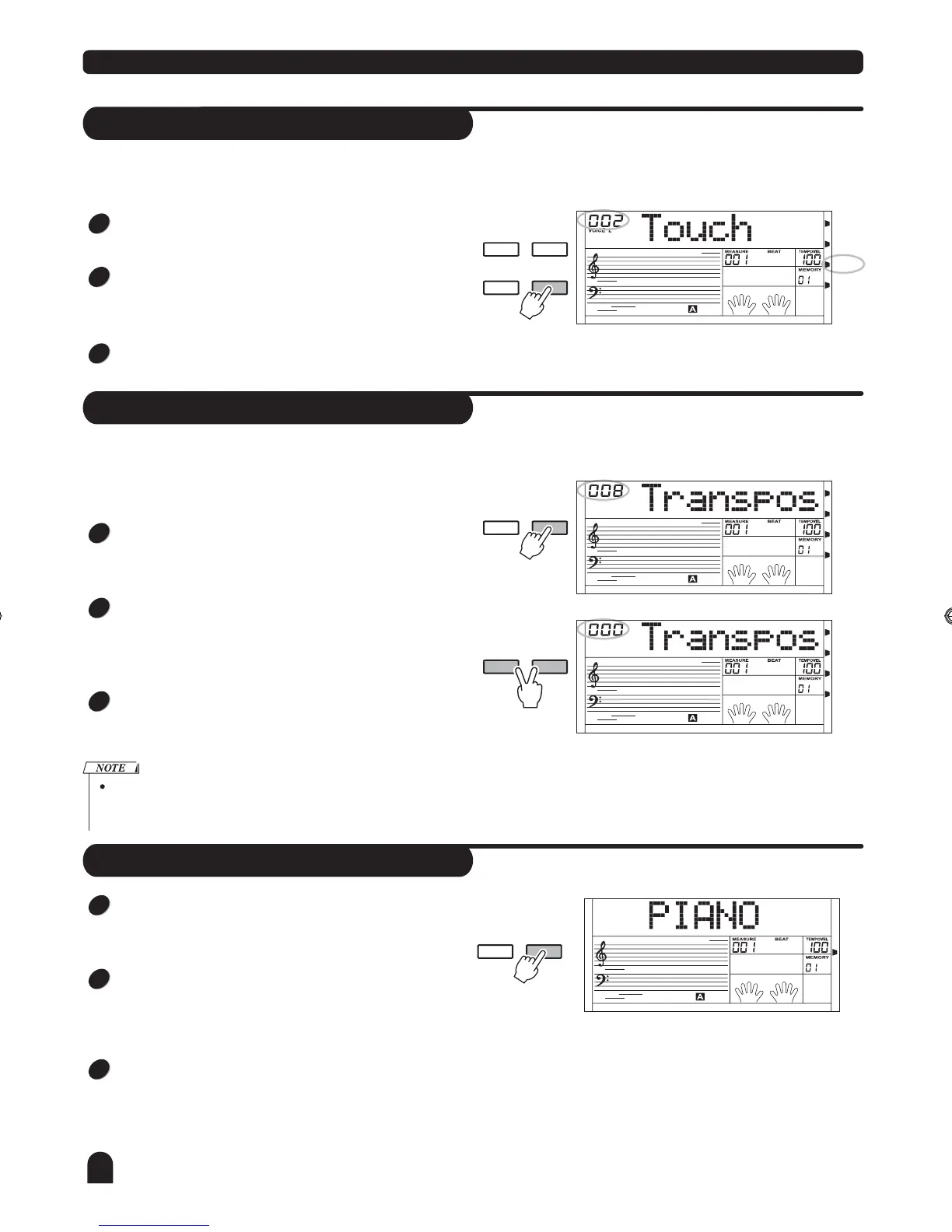
Press the [TOUCH] button, LCD lightens the TOUCH flag
and displays touch response type "002 Touch" briefly.
4 setting are available for selection, TOUCH 001/002/003/
OFF, the default is 002. You can change the current setting
by pressing the [TOUCH] button.
If the type is set as "OFF", the "TOUCH" flag goes out,
there is no touch response to piano.
""
DUAL
DSP
- TRANSPOSE +
- TRANSPOSE +
SPLIT
TOUCH
DUAL
DUAL
DUAL
SPLIT
SPLIT
SPLIT
TOUCH
TOUCH
TOUCH
DSP
DSP
DSP
You can shift the pitch of the entire keyboard with the
TRANSPOSE function by adjusting the pitch in semitone
steps.
Press the [TRANSPOSE +] or [TRANSPOSE -] button for
the first time to enter the Transpose setting mode, LCD dis-
plays current transpose value briefly.
Press them again and later, the value will increase or decr-
ease by degrees, also you can use the [+/YES] and [-/NO]
button or the DIAL to adjust it, ranging from -12 to +12
semitones, the default value is 000.
In TRANSPOSE setting, pressing the [TRANSPOSE +] and
[TRANSPOSE -] button simultaneously will set the value to
default.
1
1
2
2
3
3
If you don't press any button for 5 seconds after entering the tran-
spose setting mode, it will quit this menu automatically.
Piano
1
2
3
Press the [PIANO] button to enter the PIANO mode, the
chord mode will be disabled automatically, the full range on
the keyboard is piano voice.
Press the [PIANO] button again to exit the current mode.
Press the [VOICE] + [STYLE] , [SONG] , [VOICE] and the
direct select button, or the [DUAL], [SPLIT], [M1]~[M6]
button, you can exit the piano mode.
You can select and play the style by pressing the [STYLE]
and the direct select button, LCD will then display the style
name. Accompaniment control will respond in effect as
usual only with the drum tracks.
PIANO METRONOME
12
TOUCH
DZB63B0DQXDOB*BSGIDZB63B0DQXDOB*BSGI



 To Next Page