SD Function
Save
- / NO + / YES
1
2
40
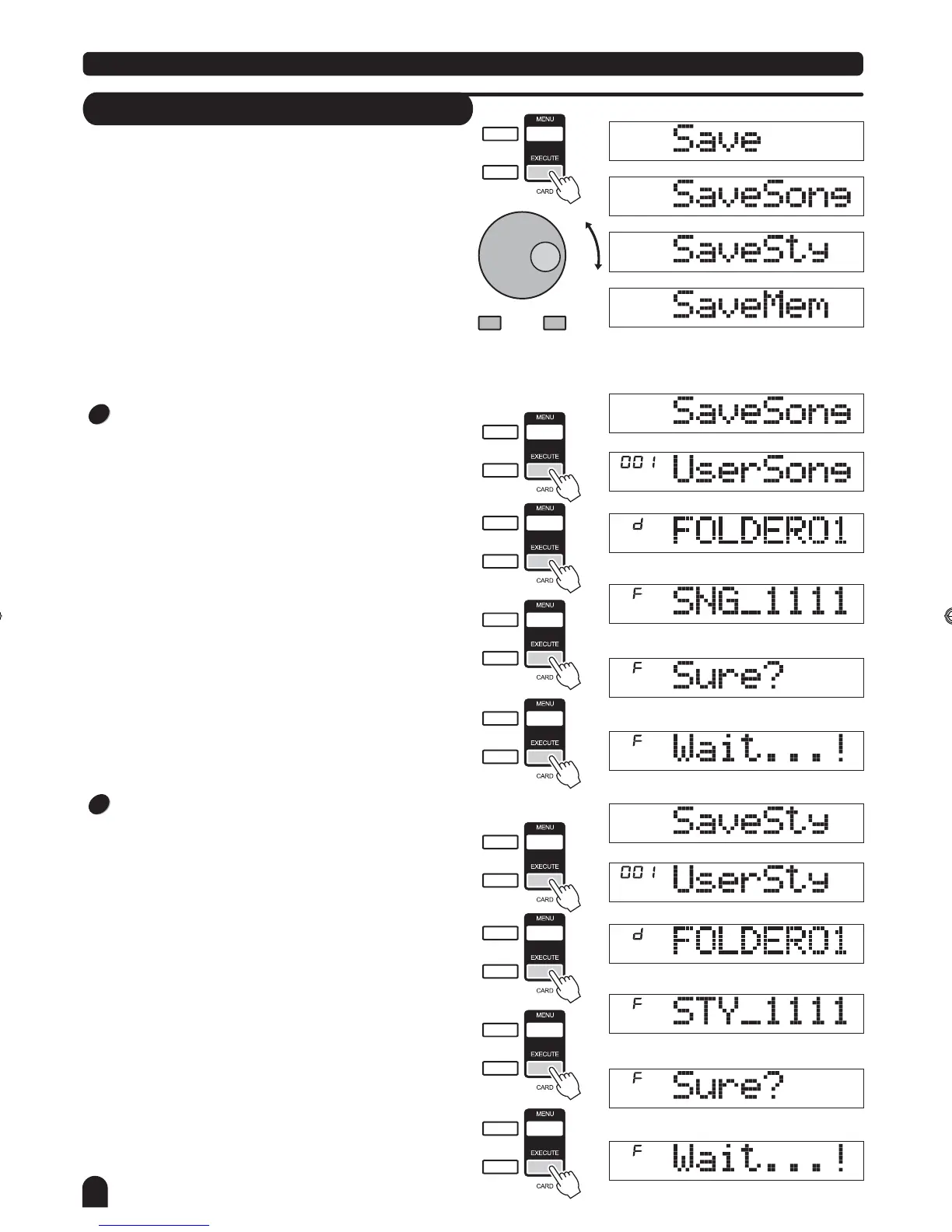
Select the menu Save and press the [EXECUTE]
the Save menu are displayed on the LCD, it includes
"SaveSong", "SaveSty" and "SaveMem".
You can select either with DIAL or the [+/YES] and the
[-/NO] button
The operation of SAVE is same as PLAY.
[+/YES] [-/NO]
When "SaveHere" displayed on the LCD, press [EXECUTE]
to save the file to the current directory.
Save Song
Select the menu "SaveSong" and press the [EXECUTE ]
button, the user song recorded is displayed on the LCD.
Select a user song to be saved with DIAL or the [+/YES],
[-/NO] button.
Press the [EXECUTE] button to go to next step, you can
select the storage directory with DIAL or the [+/YES] , [-/NO]
button.
Press the [EXECUTE ] button to enter next step, LCD will
display the naming state, you can play the keyboard to
input the file name.
Press the [EXECUTE] button to enter the enquiry page,
"Sure?"
will be displayed on the LCD.
You
just need to press the [EXECUTE] button to save the
file.
" " button,
、
If there is no any
subdirectory or recognized files in the storage directory you
select,".."will displayed on LCD,and you are allowed to use
button or DIAL to change to "SaveHere".
Save Style
Select the menu "SaveSty" and press the [EXECUTE]
button, the user style recorded is displayed on the LCD.
Select a user style be saved with DIAL or the [+/YES],
[-/NO] button.
Press the [EXECUTE] button to go to next step. Select the
storage directory with DIAL or the [+/YES] ,[-/NO] button.
Press the [EXECUTE] button to enter next step, LCD will
display the naming state, you can play the keyboard to
input the filename.
Press the [EXECUTE] button to enter the enquiry page,
"Sure?"
will be displayed on the LCD.
You just need to press the [EXECUTE] button to save the
file.
SPLIT
TOUCH
SD
SPLIT
TOUCH
SD
SPLIT
TOUCH
SD
SPLIT
TOUCH
SD
SPLIT
TOUCH
SD
SPLIT
TOUCH
SD
SPLIT
TOUCH
SD
SPLIT
TOUCH
SD
SPLIT
TOUCH
SD
DZB63B0DQXDOB*BSGIDZB63B0DQXDOB*BSGI



 To Next Page