26
Record
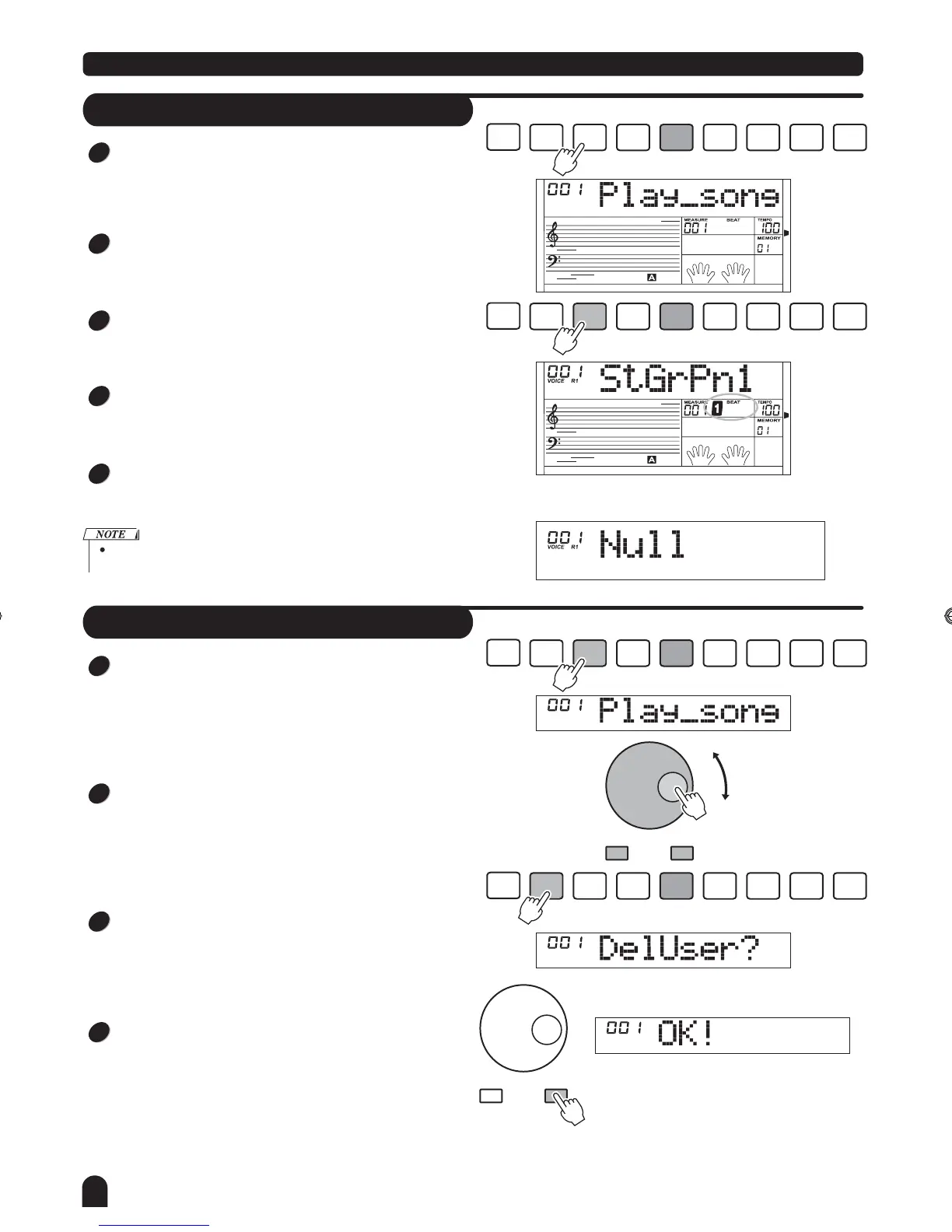
Delete Song
Press [PLAY/STOP] button to enter the user song
selection mode.
Press [+/YES] / [-/NO] button to select the user song
you want to delete.
Press [RECORD] button, LCD will display "DelUser".
Press [+/YES] button to delete the current user song
When complete, LCD displays " OK! ", the cursor of the
track will all darken simultaneously.
STYLE
RECORD
RECORD
PLAY/
STOP
MELODY
1
MELODY
2
MELODY
4
MELODY
5
ACCOMP
MELODY
3
- / NO + / YES
- / NO + / YES
STYLE
RECORD
RECORD
PLAY/
STOP
MELODY
1
MELODY
2
MELODY
4
MELODY
5
ACCOMP
MELODY
3
1
2
3
4
STYLE
RECORD
STYLE
RECORD
RECORD
RECORD
PLAY/
STOP
PLAY/
STOP
MELODY
1
MELODY
1
MELODY
2
MELODY
2
MELODY
4
MELODY
4
MELODY
5
MELODY
5
ACCOMP
ACCOMP
MELODY
3
MELODY
3
Playback Song
Press the [PLAY/STOP] button for the first time to enter the
user song selected mode. The LCD displays the current
song name and number.
Use the [+/YES] or [-/NO] button and DIAL to select one
you want to play.
Press the [PLAY/STOP] button for the second time to play-
back the user song.
Press it for the third time or to stop playback. You also can
press the [START/STOP] button to stop it.
You can use the [ACCOMP], [MELODY 1] and [MELODY 5]
button to turn on or off the relative track you want to play.
If there is no user song when you press [PLAY/STOP], LCD will
display
"NULL" temporarily.
1
2
3
4
5
DZB63B0DQXDOB*BSGIDZB63B0DQXDOB*BSGI



 To Next Page