Play
1
SD Function
2
3
START/
STOP
START/
STOP
SYNC
STOP
SYNC
STOP
SYNC
START
SYNC
START
A
A
FADE
FADE
B
B
CHORD
MODE
CHORD
MODE
INTRO/
ENDING
INTRO/
ENDING
38
In the SD mode, it won't respond to the other function.
Use the [+/YES], [-/NO] button and DIAL to choose the
SD menu you want.
Press the [EXECUTE] button to take a step forward.
Press the [MENU] button to take a step back.
Please refer to page 42 for naming function.
SPLIT
SPLIT
SPLIT
SPLIT
SPLIT
TOUCH
TOUCH
TOUCH
TOUCH
TOUCH
SD
SD
SD
SD
SD
SPLIT
TOUCH
SD
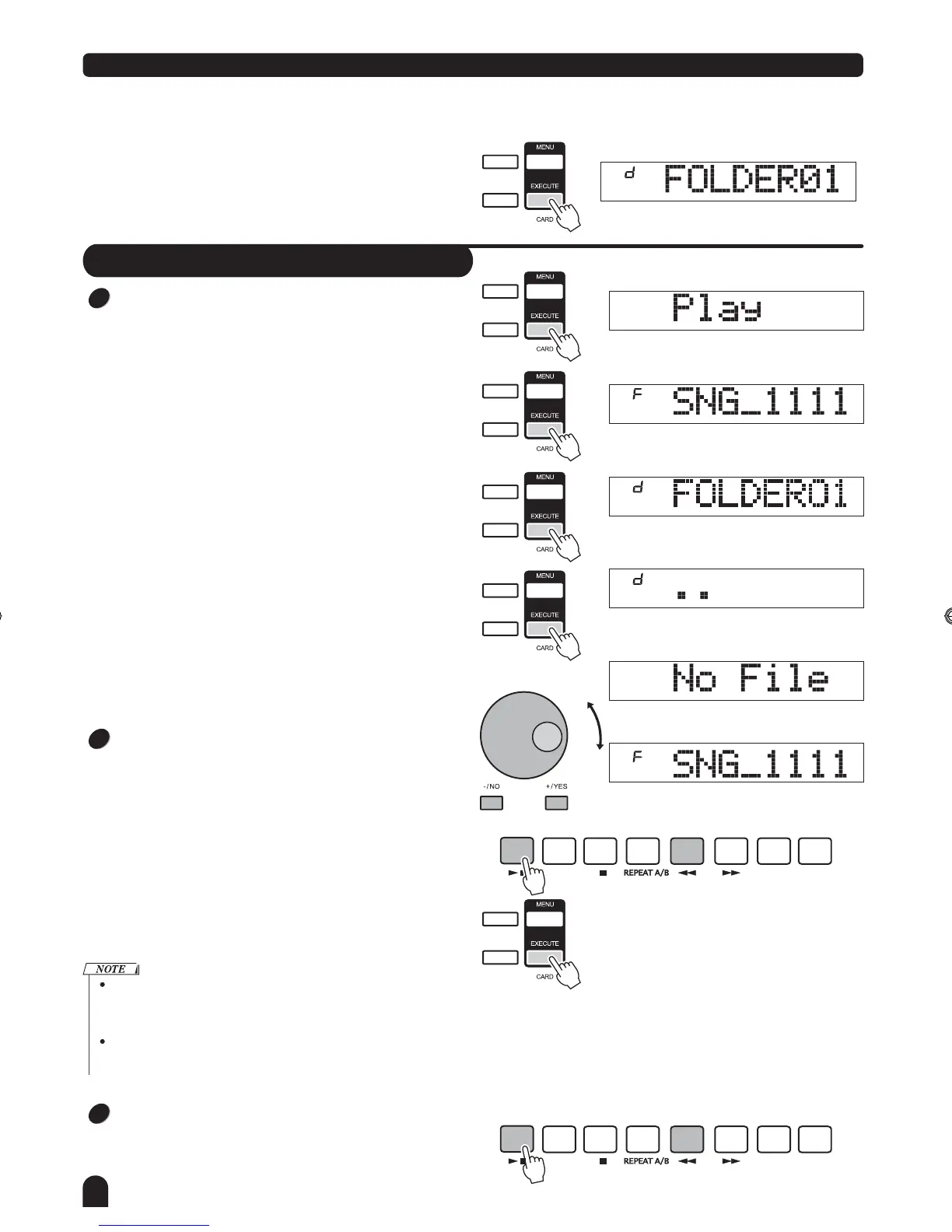
Select the menu Play and press the [EXECUTE]
LCD will display the MIDI files and directories in the root of
the SD card.
If the MIDI file in SD could be identified and selected, LCD
will display file name and the "F" sign.
" " button,
If there is no midi file identified inside the current directory,
LCD will display the sub-directory name and the "d" sign.
Press the [EXECUTE] button to enter the current sub-direc-
tory, then new MIDI files or subdirectories of the directory
will be displayed.
If there is neither MIDI file nor subdirectory in the current
directory, LCD will display " . . "and the "d" sign, you can
press the [EXECUTE] button to exit the directory.
If there is neither MIDI file nor subdirectory in the root ,
LCD will display "No file".
Use the [+/YES], [-/NO] button and DIAL to select the
MIDI file.
Then press the [START/STOP] button to play it repeatedly.
Press the [EXECUTE] button to play all files in the current
directory circularly.
When the file is playing, you can select new file in the
current directory or other subdirectory.
When the file is playing, you can adjust the tempo with the
[TEMPO +], [TEMPO -] button, press them synchronously,
the current tempo will reset the default one of the file.
When the file is playing, press the [START/STOP] button to
stop playing. Also you can press the [MENU] button to return
PLAY menu, or press the [MENU] button 2 seconds to
exit the SD mode, then stop to play the file.
DZB63B0DQXDOB*BSGIDZB63B0DQXDOB*BSGI



 To Next Page