31
Style Record
Edit a Style
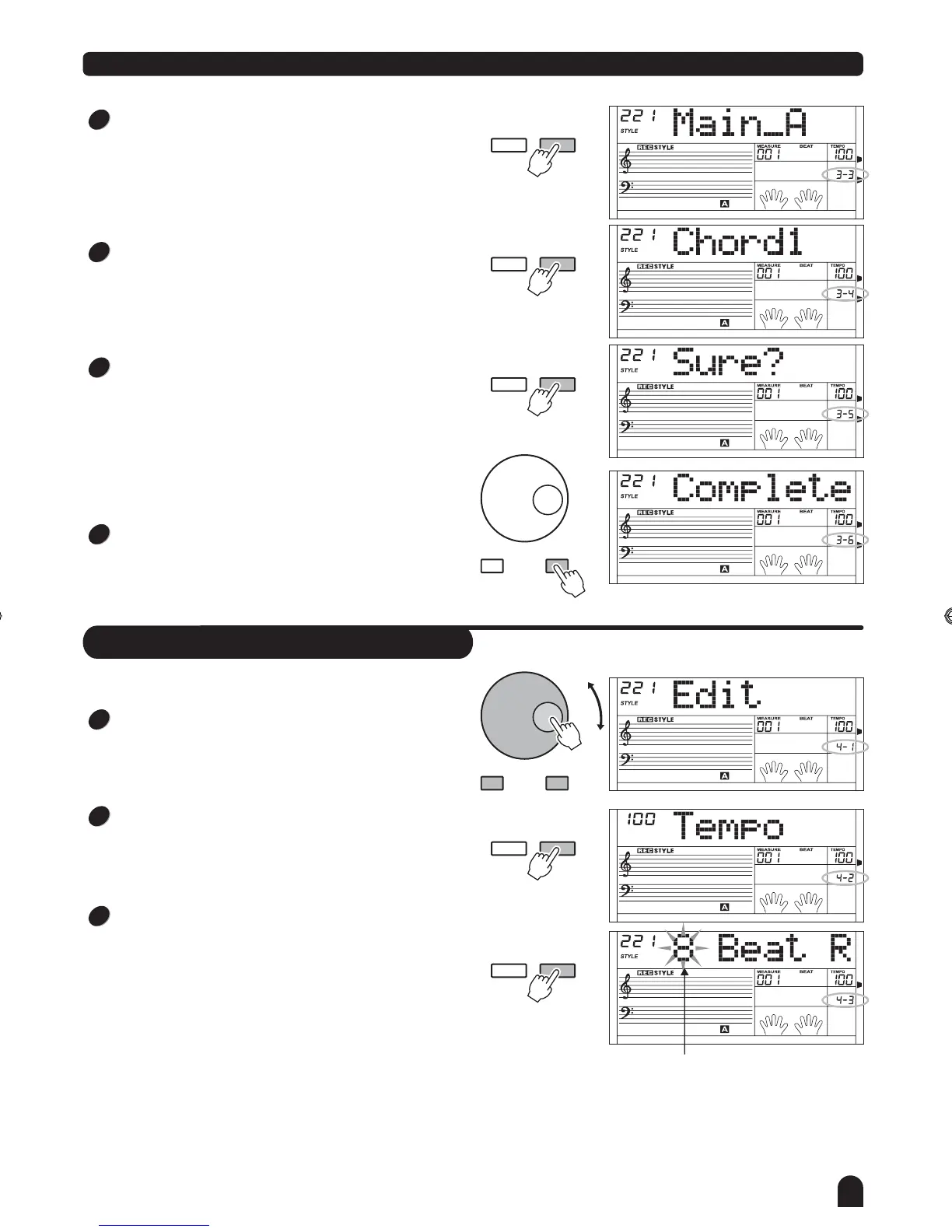
Select the style that needs to be editted.
Press [FUNCTION/NEXT] button to enter choice menu.
Press [+/YES], [-/NO] button or rotate the DIAL to
choose "Edit".
Press [FUNCTION/NEXT] button to enter tempo edit
menu.
Press [+/YES], [-/NO] button or rotate the DIAL to
modify tempo.
- / NO + / YES
FUNCTION
NEXTBACK
FUNCTION
NEXTBACK
Press the button to enter the rename
menu(full name).
Use the keyboard to input the style whole name. It may
include 26 letters and characters with the most length
of 32 characters.
Press the button to return previous
menu.
Please refer to page 42 for naming function.
[FUNCTION/NEXT]
[FUNCTION/BACK]
Flash
1
2
3
Press to enter the paragraph menu. [FUNCTION/NEXT]
Press to select the
paragraph of rhythm: Main _ A, Main _ B, Intro _ M, Intro_m,
Fill _ A, Fill _ B, Ending _ M, Ending _ m.
[+/YES], [-/NO] button or rotate the DIAL
FUNCTION
NEXTBACK
FUNCTION
NEXTBACK
FUNCTION
NEXTBACK
3
4
5
6
Press to enter the Track menu. [FUNCTION/NEXT]
Press to select
the track: Rhythm sub, Rhythm main, bass, chord 1,chord 2,
chord 3, phrase 1, phrase 2.
[+/YES], [-/NO] button or rotate the DIAL
Press to enter next menu. [FUNCTION/NEXT]
LCD now displays Sure?"".
The original time and length of note will not be recovered
after quantization.
Press [+/YES] to confirm. Style will be quantified accordingly.
Otherwise, press [-/NO] to return to previous menu.
LCD displays Complete . The recorded style will be
played with
""
the desired accuracy.
- / NO + / YES
DZB63B0DQXDOB*BSGIDZB63B0DQXDOB*BSGI



 To Next Page