27
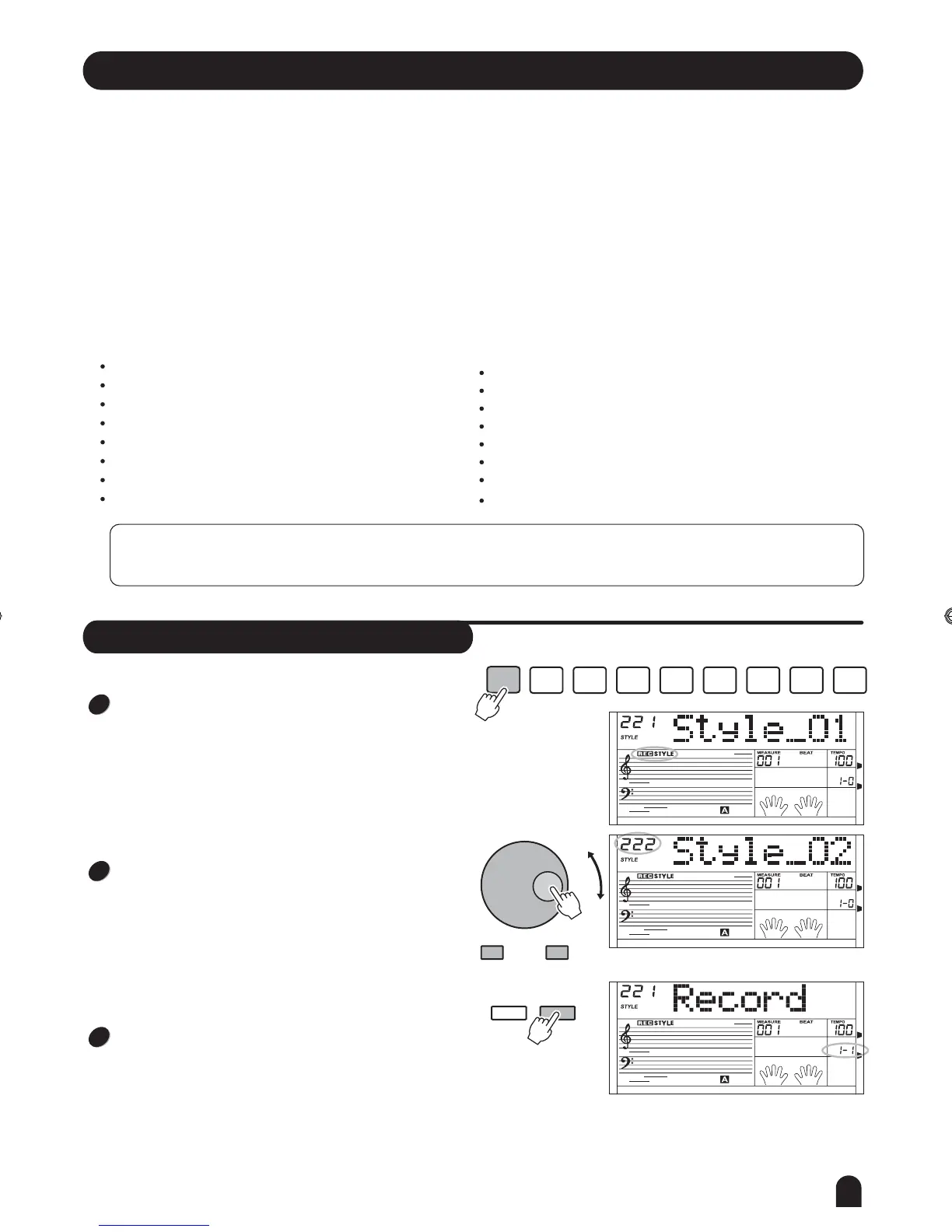
Press the [STYLE RECORD] button, LCD display the
current user style.
Use the [+/YES] or [-/NO] button and DIAL to select the
others.
Then press the [FUNCTION/NEXT] button to enter next
menu, at first LCD display the RECORD menu.
Start Style Record
STYLE
RECORD
RECORD
PLAY/
STOP
MELODY
1
MELODY
2
MELODY
4
MELODY
5
ACCOMP
MELODY
3
FUNCTION
NEXTBACK
- / NO + / YES
1
2
3
Style Record
Style record allows user to produce a new rhythm through recording and editing an built-in style. Be note that the built-in
rhythm are programmed with CM7.3 styles can be recorded and the data will not be lost after the power is off.
You are also allowed to save the recorded style to SD card.
Before recording, you need to choose a rhythm as the original rhythm. This rhythm can be chosen from any of
the existing 200 styles and you can also select your recorded style as original rhythm.
The style must be recorded by paragraph and by track. After finishing recording a track of a paragraph, you may proceed to
record a different track of the same paragraph of a different paragraph.
Structure of a Rhythm:
Rhythm includes 8 paragraphs at most:
Main _ A
Main _ B
Intro _ M (major)
Intro _ m (minor)
Fill _ A (insert in a)
Fill _ B (insert in b)
Ending _ M(major)
Ending _ m(minor)
Each paragraph includes 8 tracks at most:
Rhythm sub (rhythm subsidiary)
Rhythm main
Bass
Chord 1 (symphonic 1)
Chord 2 (symphonic 2)
Chord 3 (symphonic 3)
Phrase 1
Phrase 2
Attention:
If you power off the piano during style recording, the recording data will be lost.
DZB63B0DQXDOB*BSGIDZB63B0DQXDOB*BSGI



 To Next Page