Fade
Style Control
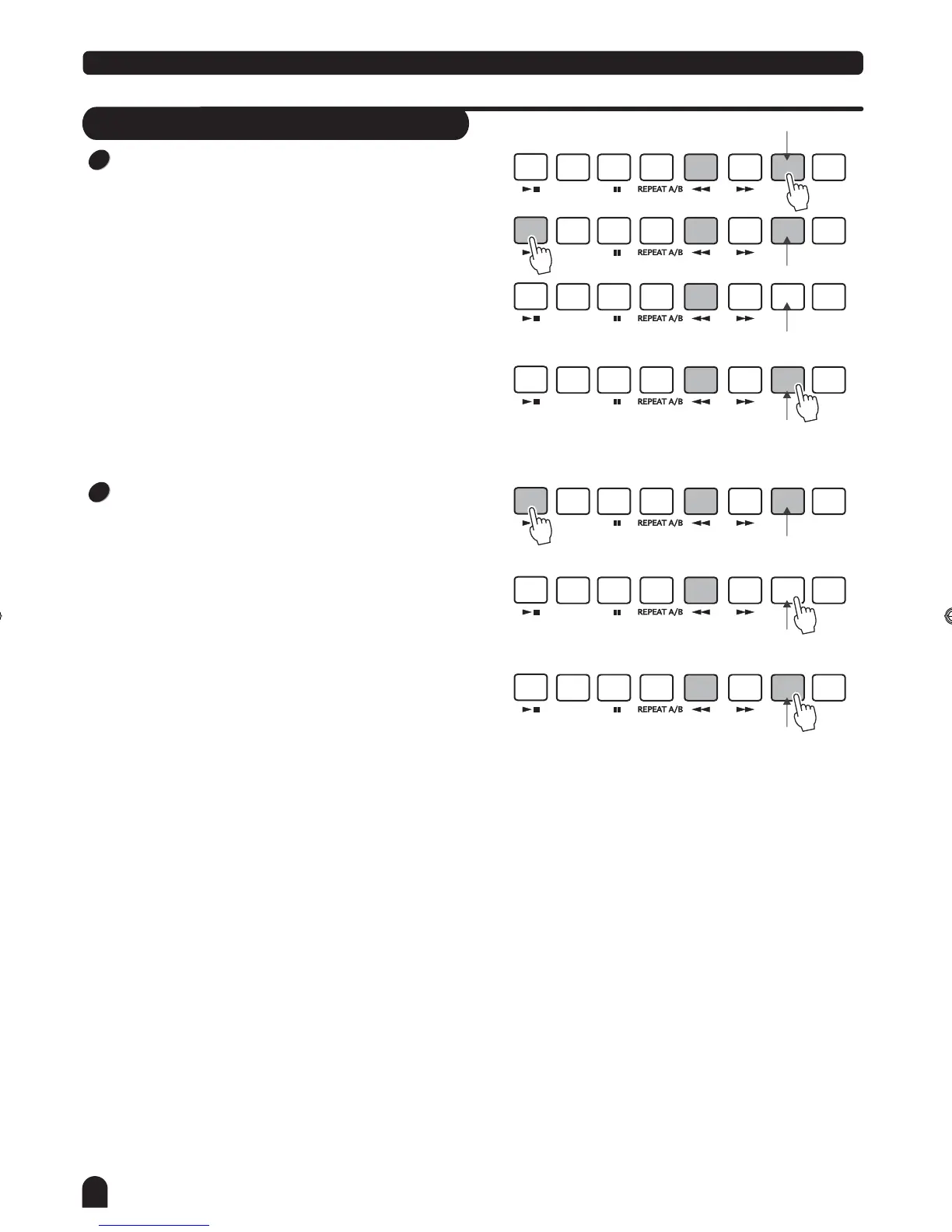
FADE IN:
Press the [FADE] button when style is not playing , FADE
LED lights.
"FADE" LED glimmers after style begins to play, style volume
will increase from 0 to maxima between 10 seconds, style is
played normally subsequently, 'FADE' LED darkens.
Press the [FADE] button again while FADE OUT state ,
"FADE" LED glimmers, style volume will be increased
to maxima on the basis of present volume, style is played
normally subsequently, 'FADE' LED darkens.
FADE OUT:
Press the [FADE] button when style is playing, "FADE" LED
glimmers, style volume will decrease from maxima to 0
between 10 seconds, style stops.
Press [FADE ] button while FADE IN state , will enter FADE
OUT state, volume is decrease to 0 on the basis of present
volume, style stop, 'FADE' lamp goes out.
Press [FADE ] button while FADE OUT state, will enter FADE
IN state, volume increase to maxima on the basis of present
volume, style is play normally subsequently, "FADE"lamp
goes out.
Keep FADE IN state not changing as FADE IN state stops
STYLE.
""
START/
STOP
START/
STOP
START/
STOP
START/
STOP
START/
STOP
START/
STOP
START/
STOP
SYNC
STOP
SYNC
STOP
SYNC
STOP
SYNC
STOP
SYNC
STOP
SYNC
STOP
SYNC
STOP
SYNC
START
SYNC
START
SYNC
START
SYNC
START
SYNC
START
SYNC
START
SYNC
START
A
A
A
A
A
A
A
FADE
FADE
FADE
FADE
FADE
FADE
FADE
B
B
B
B
B
B
B
CHORD
MODE
CHORD
MODE
CHORD
MODE
CHORD
MODE
CHORD
MODE
CHORD
MODE
CHORD
MODE
INTRO/
ENDING
INTRO/
ENDING
INTRO/
ENDING
INTRO/
ENDING
INTRO/
ENDING
INTRO/
ENDING
INTRO/
ENDING
1
2
Light
Glimmer
Glimmer
Darken
Light
Darken after
10 seconds
Glimmer
press it again
16
DZB63B0DQXDOB*BSGIDZB63B0DQXDOB*BSGI



 To Next Page