116 Version 1.0
4.2.8 Printer Server Setup
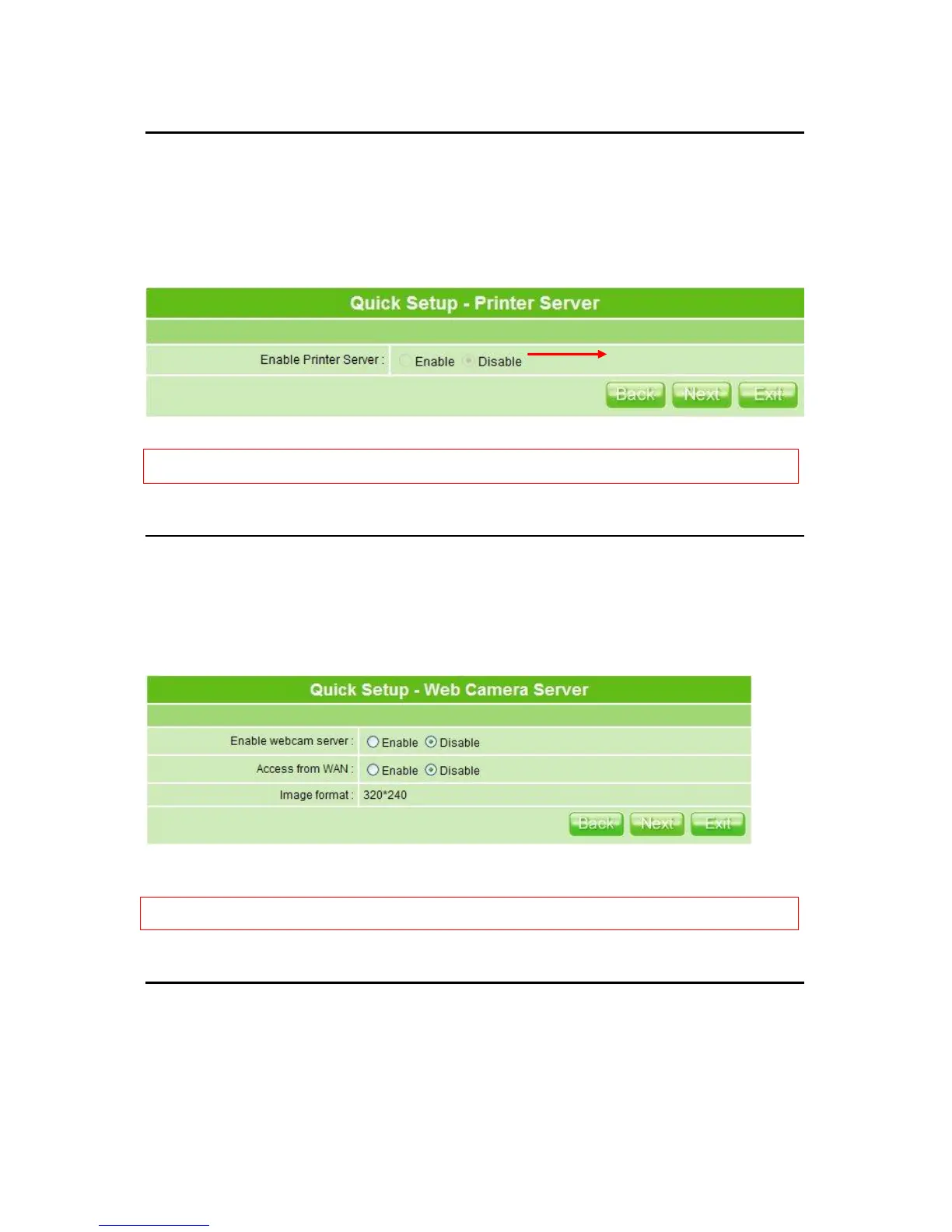
MT4205 supports LPR-protocol, as well as NetBIOS, and is convenient for sharing printer.
In other words, it is an Internet access solution for your LAN/WAN, which provides you the
shared web surfing, and supports USB interface printer. Any users in the same subnet of
MT4205 can print their document via the network printers.
Enable the printer and click on Next button to next setup.
Notice: After above Printer Server in Quick Setup finished, the related printing settings on MT4205 and PC
have to be set up, too. Please refer to 4.4.4 Printer Server to set the details.
4.2.9 Web Camera Server Setup
If you plan to use MT4205 as a Web Camera site, just connect a supported USB Web
Camera to its USB port. Then check Enable for both Enable webcam server and
Access from WAN to activate.
Click on Next button to next step.
Notice: Before webcam server enabled, please make sure the webcam has connected to the product; otherwise,
the ―Enable‖ selection can’t be checked.
4.2.10 Samba Server Setup
MT4205 supports NetBIOS protocol, providing network neighbors to share file folders or
printer.



 To Next Page