74 Version 1.0
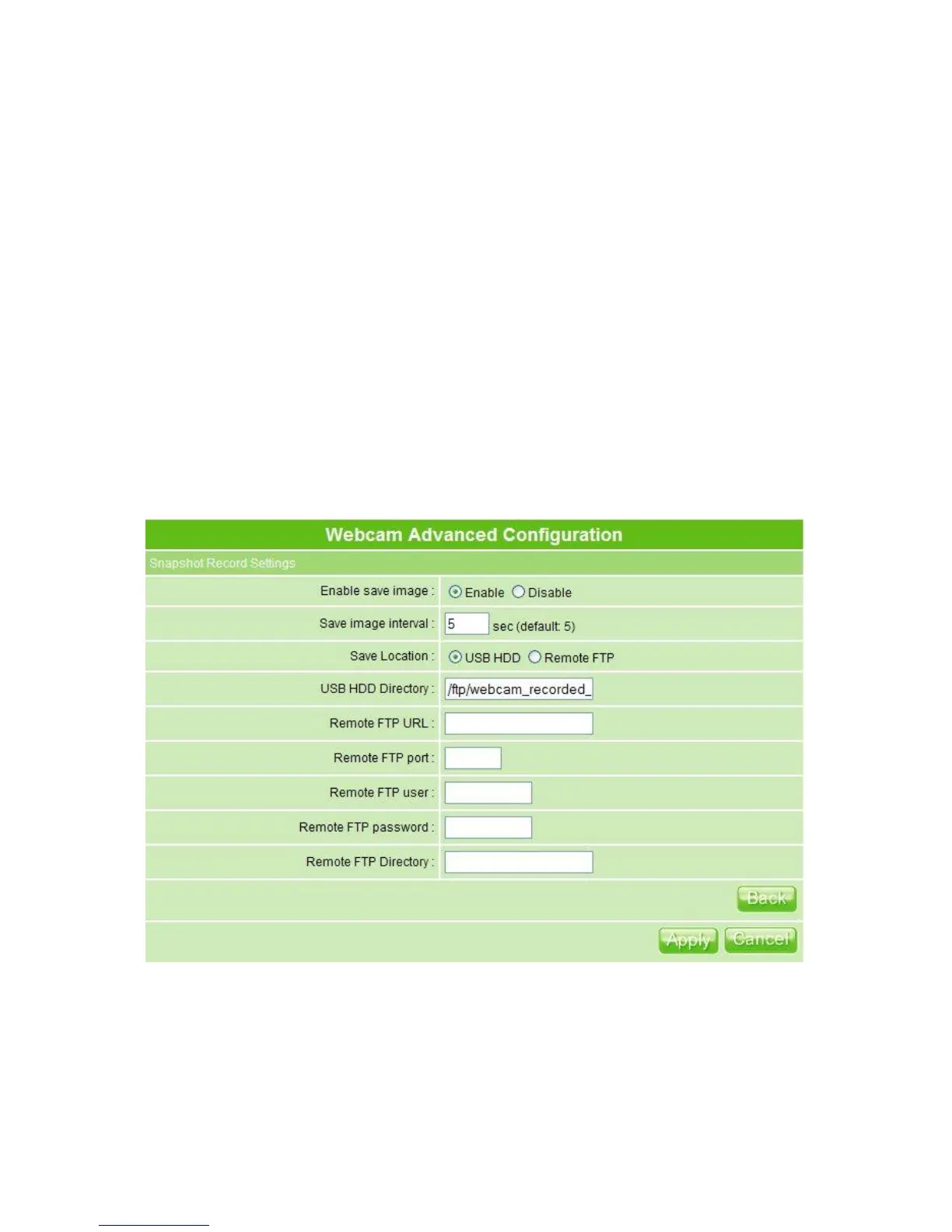
HDD or remote FTP; if select save to remote FTP, please continue follow-up remote
FTP setting.
4. USB HDD Directory: The section provides option of which folder should be used for
saving webcam image.
5. Remote FTP URL: Input the FTP URL for saving webcam image.
6. Remote FTP port: Input the FTP port number under URL to save image.
7. Remote FTP user: Enter the user’s name you like and it will be used to save the
webcam image into the FTP server.
8. Remote FTP password: Put in a password for validation while accessing.
9. Remote FTP Directory: To provide option of which folder should be used for saving
webcam image.
10. Back: Click on Back button for returning to Webcam Basic Setup screen.
11. Apply & Cancel
Click on Apply button to continue. Click on Cancel button to clear the settings on this
page.
3.5.3.3 Application for Web Camera
3.5.3.3.1 Web Camera Monitoring Application
Monitor your home or take pictures with a Webcam via MT4205; one can set up the



 To Next Page