69 Version 1.0
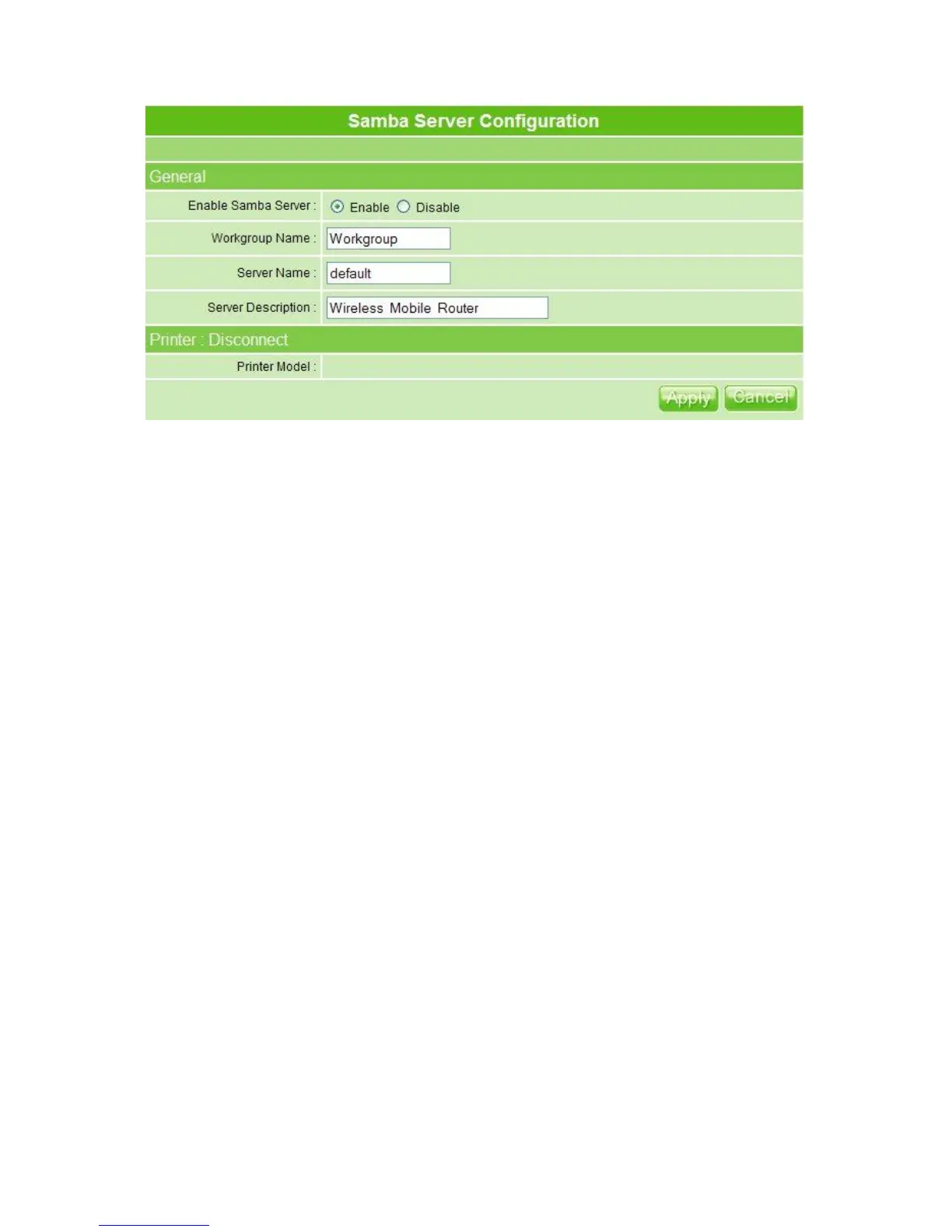
1. Enable Samba Server
Check to Enable/Disable while connecting.
2. Workgroup Name
Fill in the name, and the default is Workgroup.
3. Server Name
Name your server.
4. Server Description
Describe your server by demand, and the default is Wireless Mobile Router.
5. Printer Model
Printer model appears when connected.
6. Apply & Cancel
Click Apply to save or Cancel to clear settings.
3.5.1.1 How to Access File Sharing Directory
Please follow the steps below.
【Step 1】
Go to Start and click My Computer.



 To Next Page