148 Version 1.0
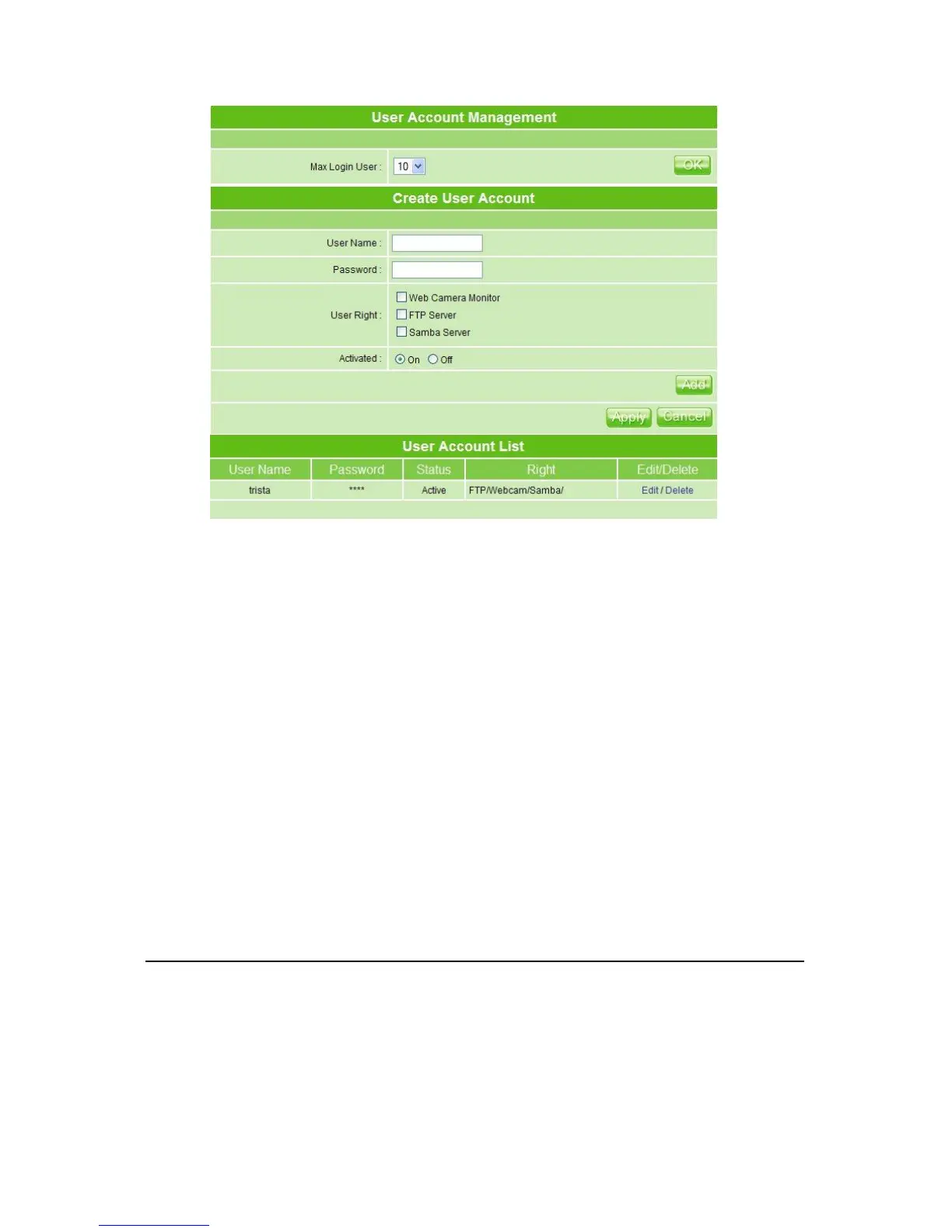
1. Max Login User: Set up the maximum users to log in at the same time, select the
number from drop-down list. If you want to change the maximum login users only
without changing user’s information, please click on OK button after select login user’s
number.
2. User Name: Create the user name in this blank.
3. Password: Set up the user’s password.
4. User Right: Check to allow the user accessing Samba folder, monitoring from
webcam or using FTP server.
5. Activated: Click On to allow the user’s right to be applied immediately.
6. Add, Apply & Cancel
After finishing the above, click Add button to create user account. Click on Apply button
to add set-user into the account list or Cancel button to clear the settings on this page.
7. User Account List
The list shows all users’ names, passwords, status and rights.
4.5.9 Folder Management
Easy to check all the USB storage devices connected to MT4205, view the entire data
folder inside each storage devices, and you can manage the disk formatting / partition via
clicking the button on this page.



 To Next Page