192 Version 1.0
configuration from hard drive, and then click on Load button to load all the settings
into the router.
3. Restore To Factory Default Settings: After you have tried other methods for
troubleshooting your network, you may choose to restore MT4205 to the factory
default settings.
4. Apply
Click on Apply button to save the settings.
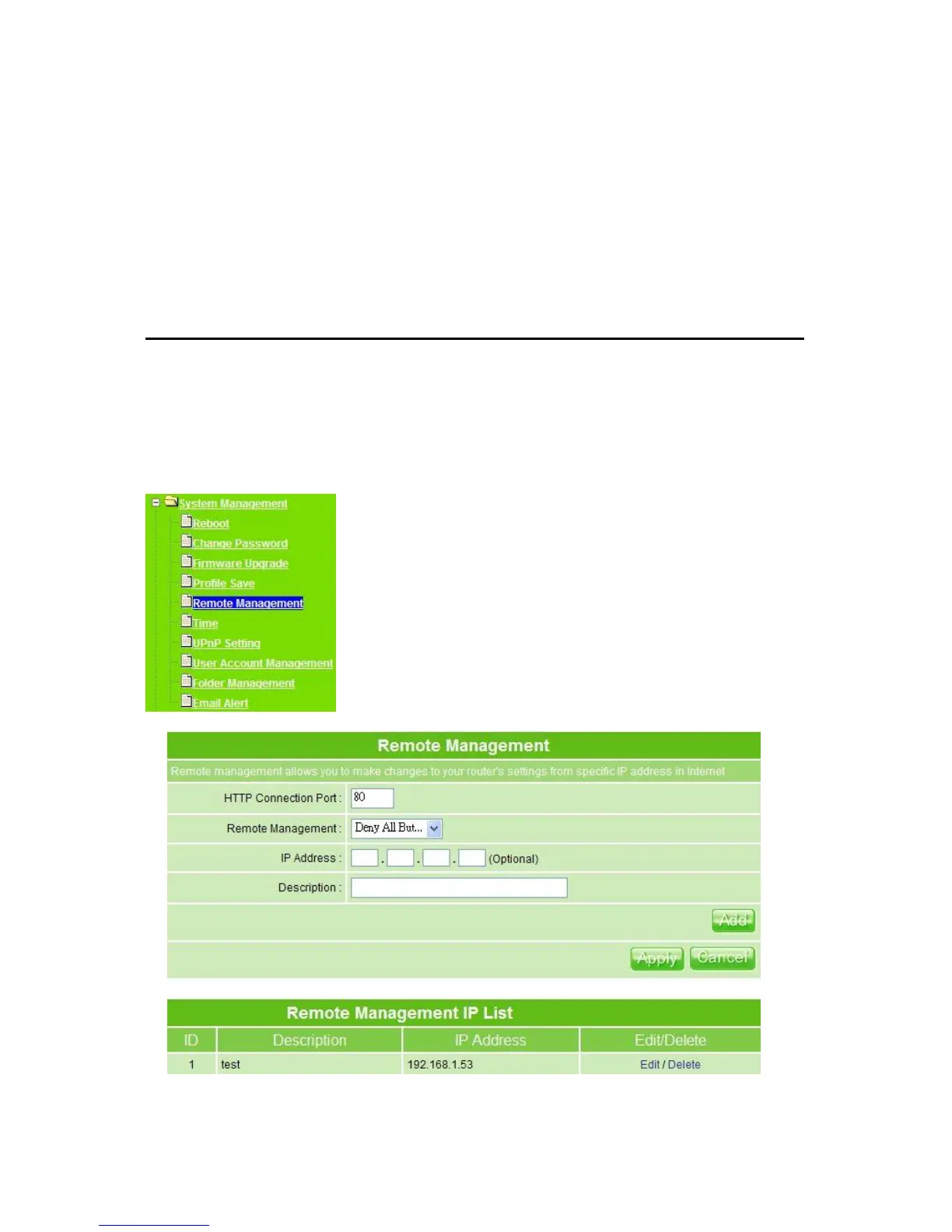
5.5.5 Remote Management
Remote Management allows MT4205 to be configured from the Internet by a web browser.
In general, only a member of your network can browse the built-in web pages to perform
―Administrator‖ tasks. This feature enables you to perform the tasks from the remote
(Internet) host.
1. HTTP Connection Port: The port number used to access the router.



 To Next Page