57 Version 1.0
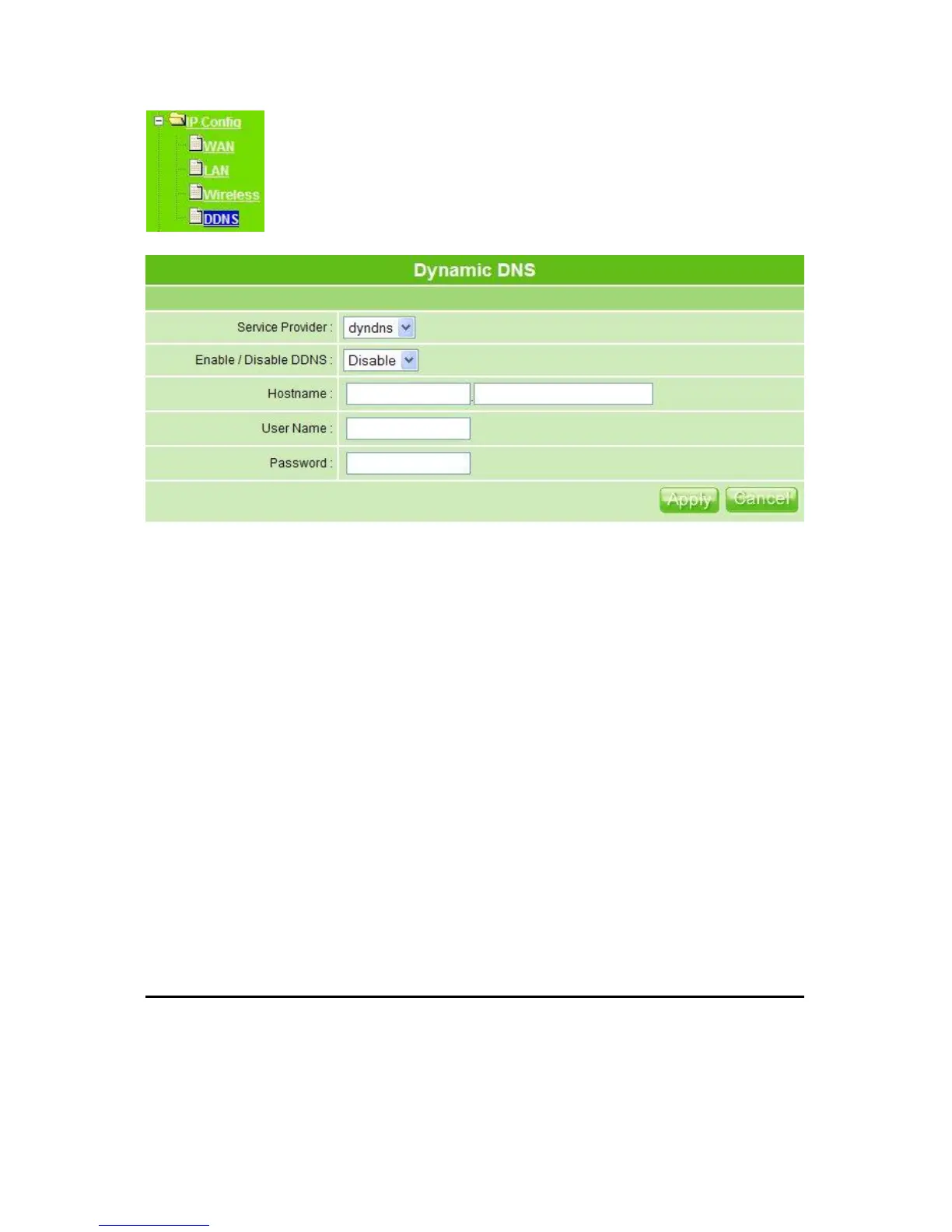
1. Service Provider
Choose correct Service Provider from drop-down list, here including dyndns, dhs, ods
and tzo embedded in MT4205.
2. Enable / Disable DDNS
Select enable to use DDNS function. Each time your IP address to WAN is changed,
and the information will be updated to DDNS service provider automatically.
3. Host Name
This field represents the host name you register to Dynamic-DNS service and expect to
export to the world.
4. User Name
User name is used as an identity to login Dynamic-DNS service.
5. Password
Password is applied to login Dynamic-DNS service.
6. Apply & Cancel
Click on Apply button to continue. Click on Cancel button to clear the setting on this
page.
3.4 Advanced
There are NAT settings, Firewall setting and QoS setting included in advance setup. The
advanced setting is in Router Mode only.



 To Next Page