41 Version 1.0
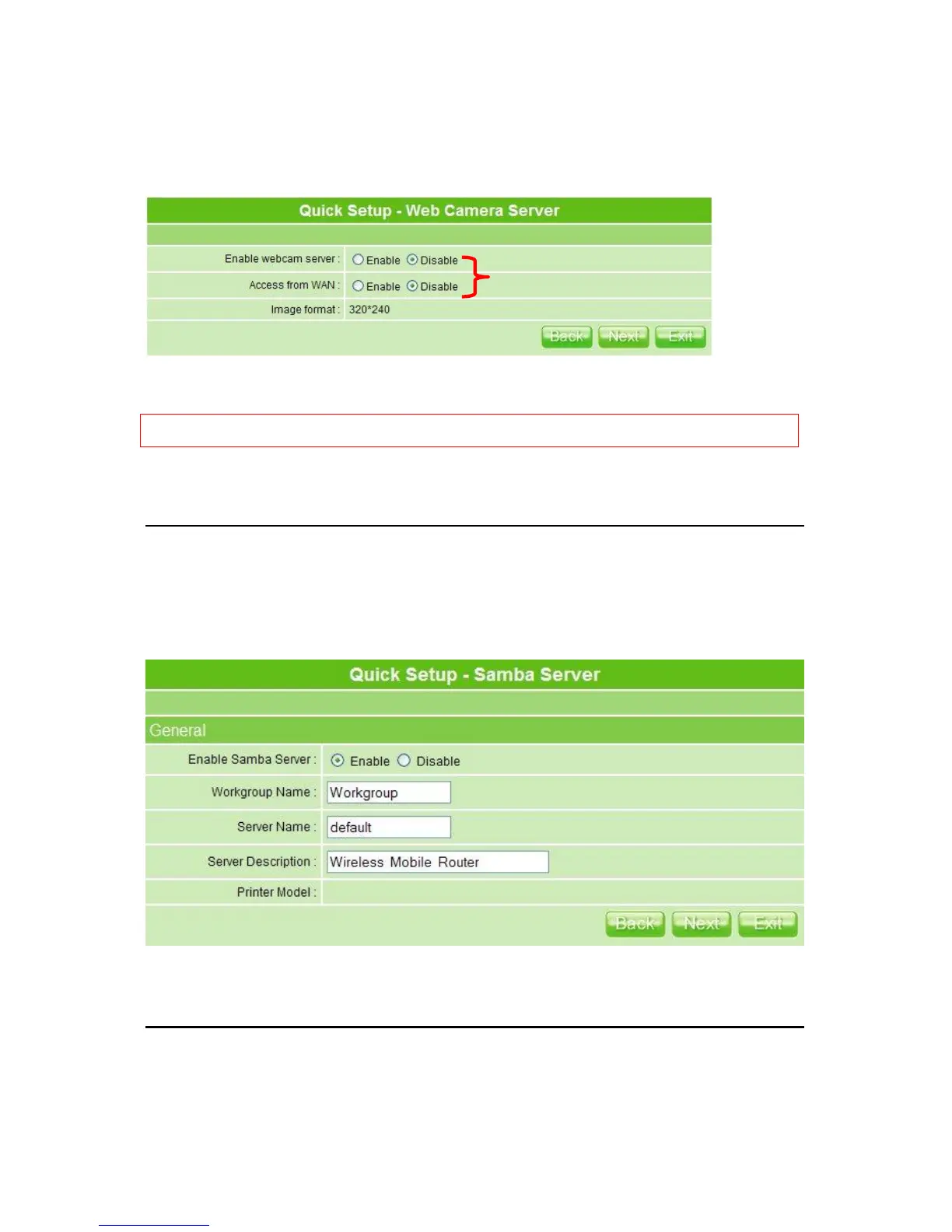
If you plan to use MT4205 as a Web Camera site, connect a supported USB Web Camera
to the USB port of MT4205. Check to enable the server and WAN access by demand.
Click on Next button to next step.
Notice: Before webcam server enabled, please make sure the webcam has connected to the product; otherwise,
the ―Enable‖ selection can’t be checked.
3.2.13 Samba Server Setup
MT4205 supports NetBIOS protocol, providing network neighbors to share file folders or
printer.
Click on Next button to next setup.
3.2.14 Quick Setup Finish
The Quick Setup has been completed successfully when you see this screen.
Make sure the webcam already connected to 3.5G
plus WLAN Mobile Server Router, and then select
“Enable” under your demand and situation;
moreover, you have to make sure the “image
format” which you want to see on the screen.



 To Next Page