163 Version 1.0
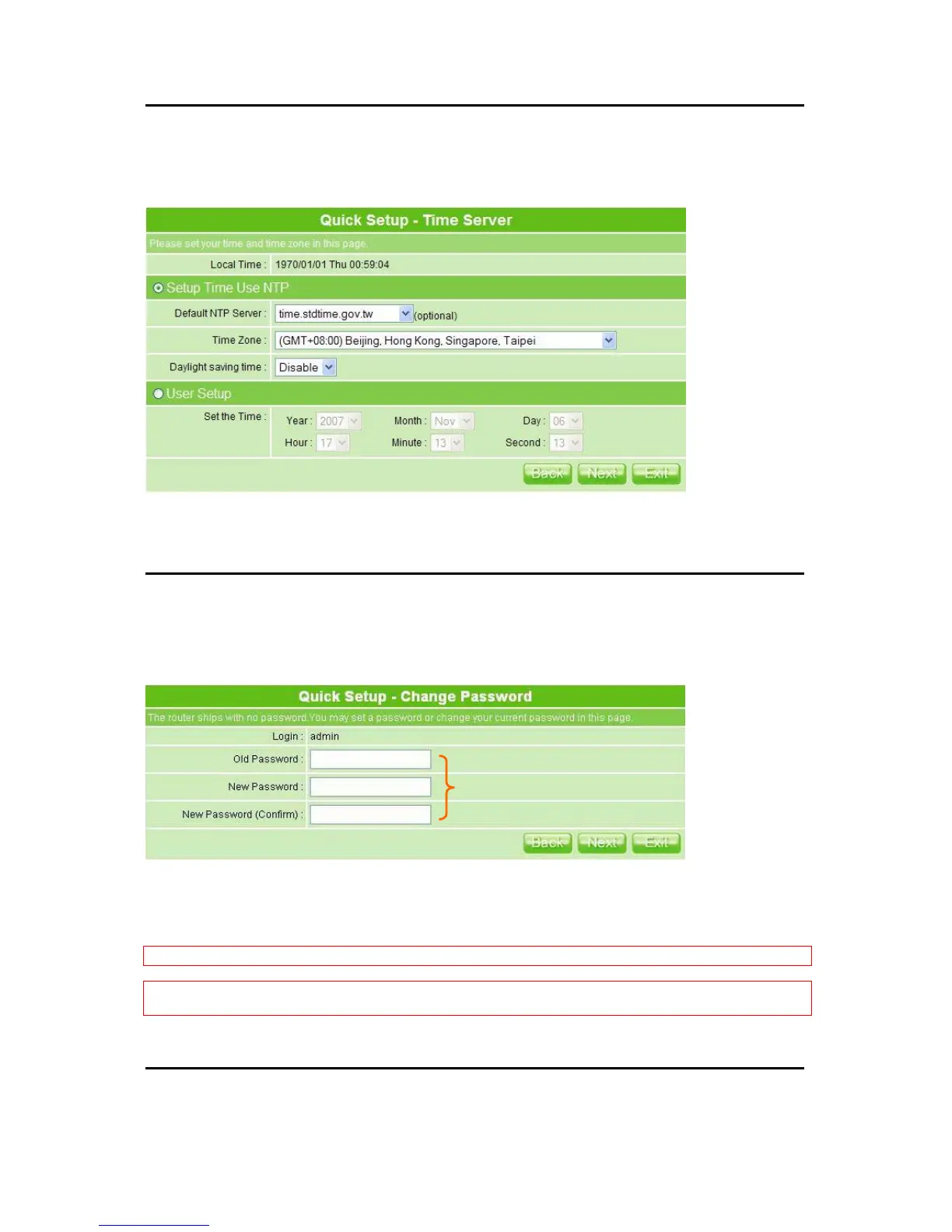
5.2.3 Time Server Setup
MT4205 shows local date and time; however, the time still can be changed manually by
selecting from the drop-down list, which won’t effect the original time setting on your PC.
After completed, click Next to proceed.
5.2.4 Password Setup
Here suggests changing the password for logging into the configuration manager in terms
of security reason.
For changing password, please fills the password information into above blanks, and then
click Next.
Notice 1: Only the password can be changed, the user name for administrator is ―admin‖ and not to be changed.
Notice 2: If you forget administrator’s password, please reset MT4205 to default setting by pushing the ―Reset‖
button on the rear panel for 5 seconds. And the password will return to ―admin‖.
5.2.5 USB Disk Management Setup
The password may consist of A-Z, a-z, 0-9,
underscores, and a single dot (.)



 To Next Page