22 Version 1.0
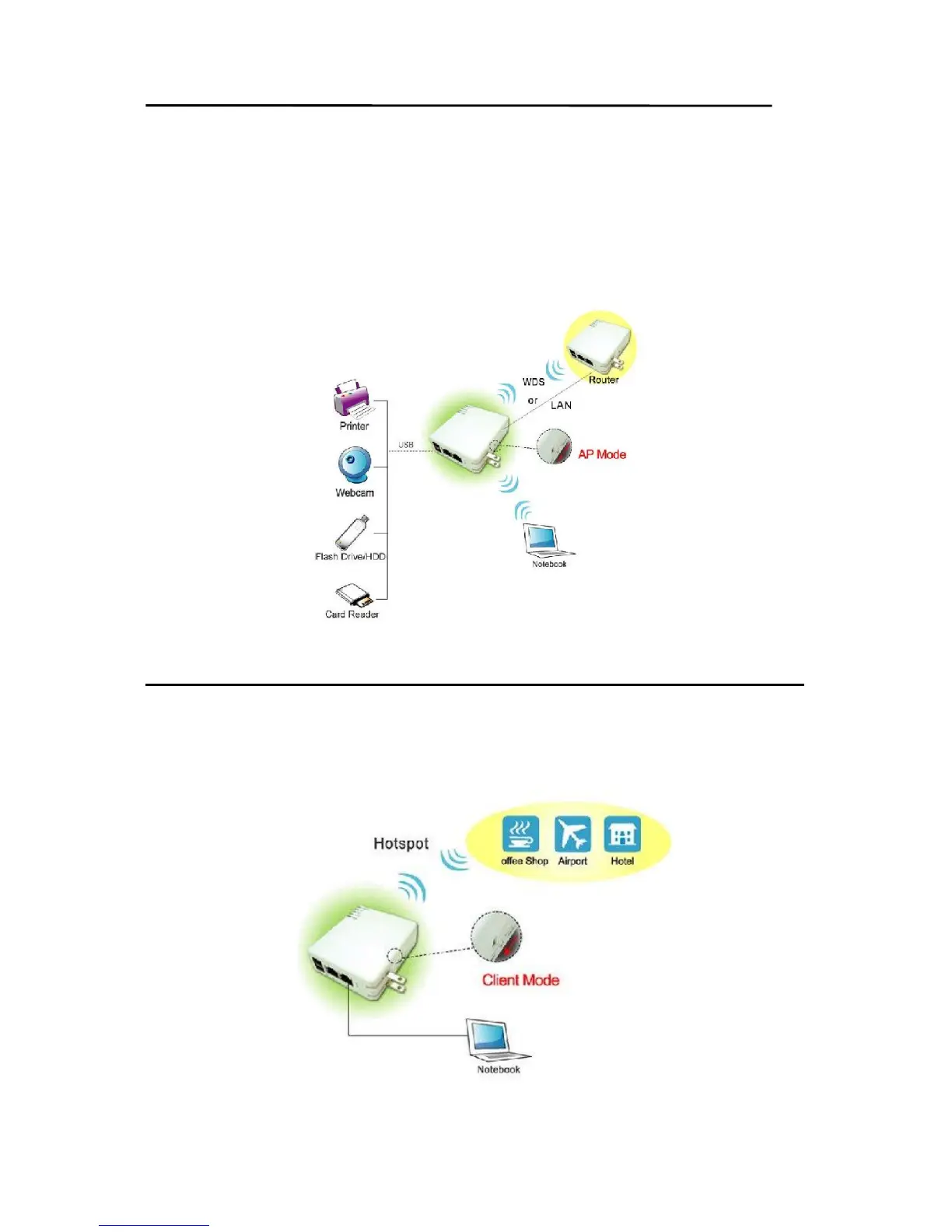
2.1.2 AP Mode Hardware Connection and Application
Under AP Mode, it supports 2 LAN ports as Bridge, and user can connect to MT4205 via
LAN port or Wireless (WDS). The administrator can set up quickly, including LAN Setup,
Wireless Setup, Time Server Setup, Password Setup, USB Disk Management Setup, User
Account Management Setup, FTP Server Setup, Web Camera Setup, Printer Server Setup
and Samba Setup.
2.1.3 Client Mode Hardware Connection and Application
As Client Mode, MT4205 will be a Wireless Adapter, and users can plug cable to each 2
LAN ports and then connect Internet via Wireless.



 To Next Page