125 Version 1.0
Please follow the steps below.
【Step 1】
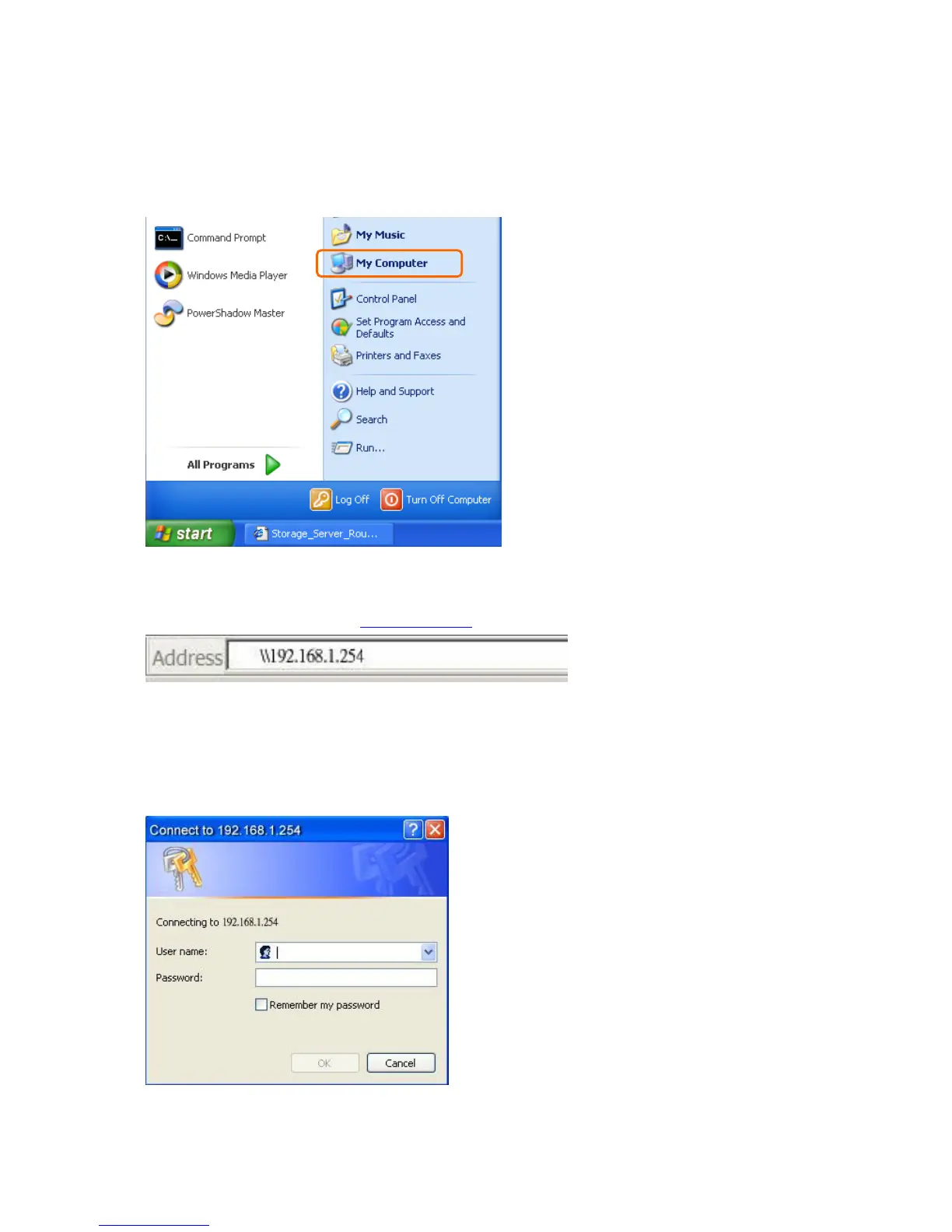
Go to Start and click My Computer.
【Step 2】
Fill in blank address field with \\192.168.1.254.
【Step 3】
A window pops up asking for user name and password. If log in as an administrator,
please enter admin for both fields; otherwise, fill in with personal account and password.
Click OK after finished.



 To Next Page