180 Version 1.0
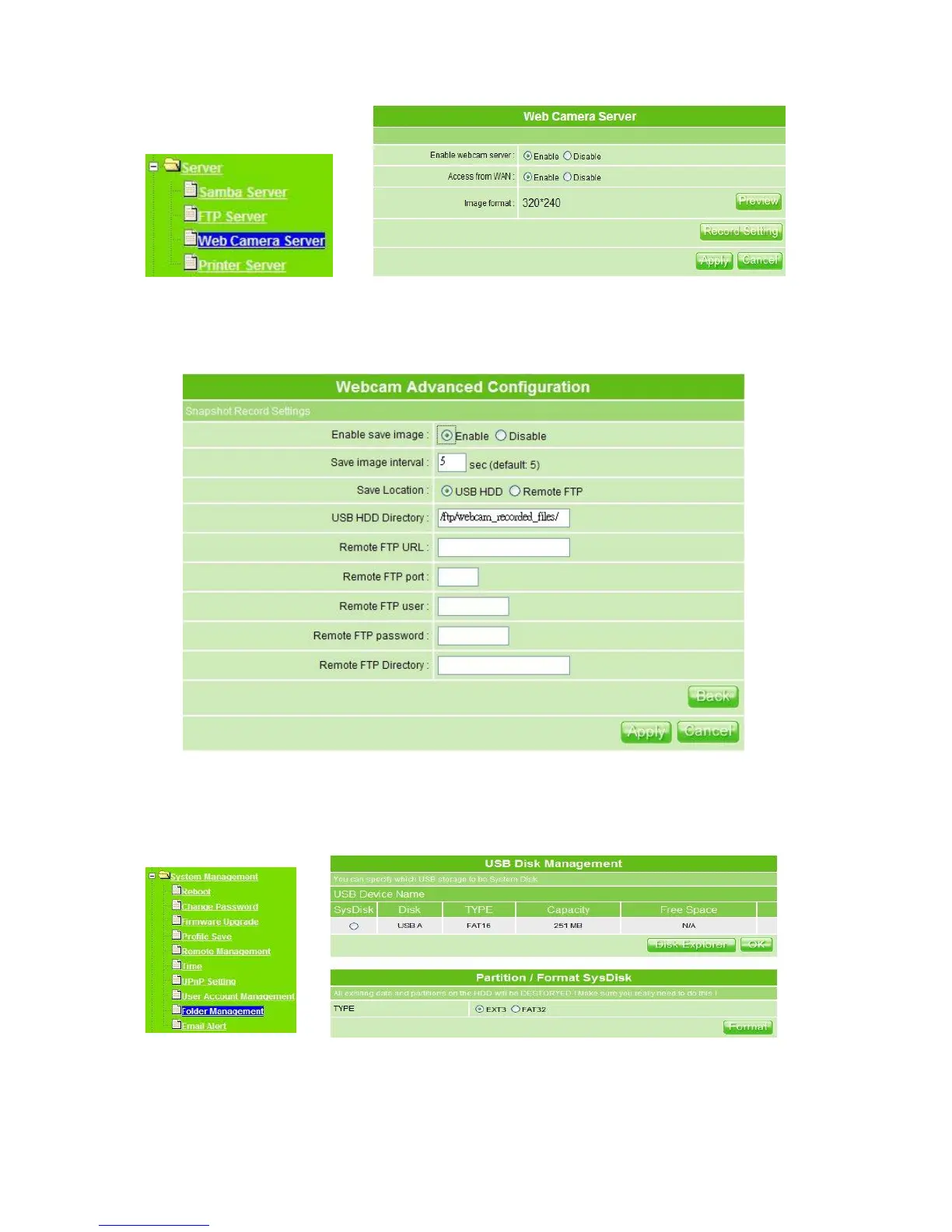
To set up the Webcam Advanced Configuration for each text box, the image from webcam
will be recorded into your USB HDD or Remote FTP. Click on Apply after setup finished.
For administrator, you may view all the images from webcam recording, please select
Folder Management and click on Disk Explorer to view entire folder inside the disk
including webcam record files.
After click on Disk Explorer, you will see the folder screen appear including all the folders
inside MT4205. (Below is the example.)



 To Next Page