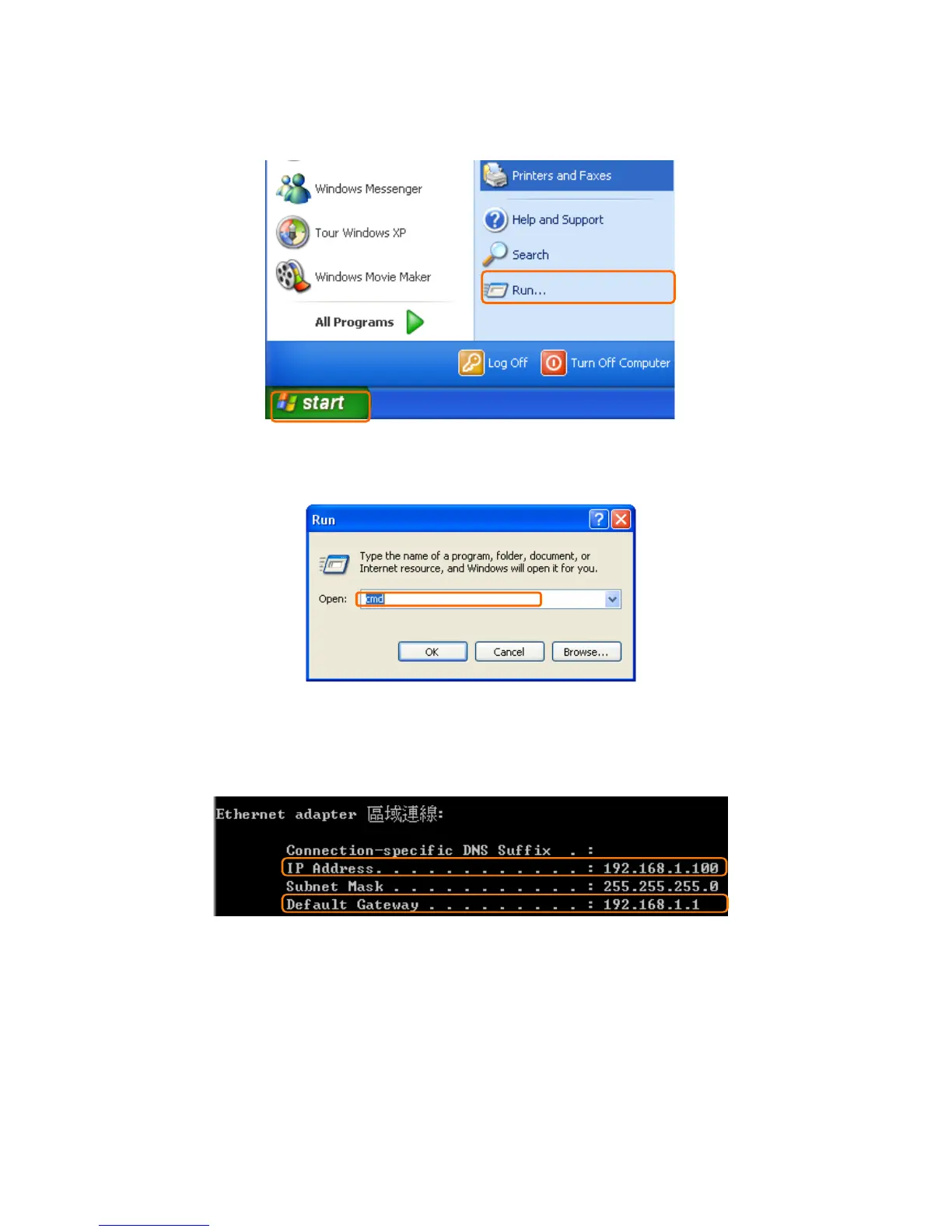
【Step 1】
Go to start > Run.
【Step 2】
Input cmd in the blank, and then click OK button. The Command Prompt window appears.
【Step 3】
Input ipconfig in the flashing area then press enter. You will get an IP Address
192.168.1.100, for example, and Default Gateway as 192.168.1.1.
【Step 4】
Ping a legal WAN Address such as 192.168.1.1. If Internet works, it will show Reply from
192.168.1.1: bytes = 32 time = 3ms TTL =64, for example.



 To Next Page