43 Version 1.0
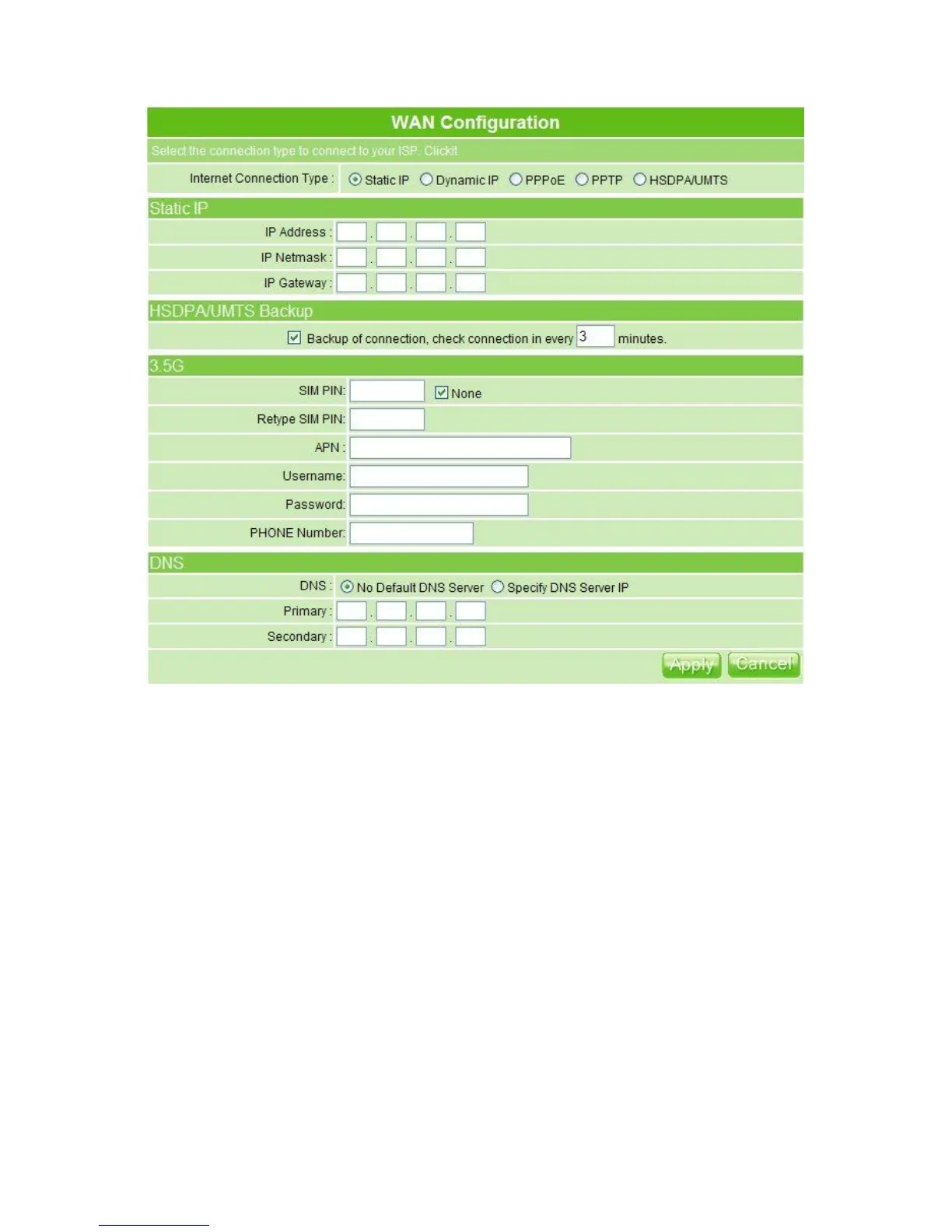
If you applied for a Static IP connection type from ISP, please follow the steps to set up your
WAN connection.
1. IP Address
Input your IP Address supplied by ISP. If you don’t know, please check with your ISP.
2. Subnet Mask
Input Subnet Mask, normally it is 255.255.255.0.
3. ISP Gateway Address
Input ISP Gateway Address. If you don’t know, please check with your ISP.
4. HSDPA/UMTS Backup
The default interval between the two connection detection is 3 minutes, and the range is
from 1 to 3 minutes. Once Internet connection is disconnected, the system automatically
connects Internet via 3.5G adapter. If 3.5G signal is not available, it starts to search
downward for 3/2.75/2.5G signals until none existed. Please check to activate or not.
5. 3.5G



 To Next Page