78 Version 1.0
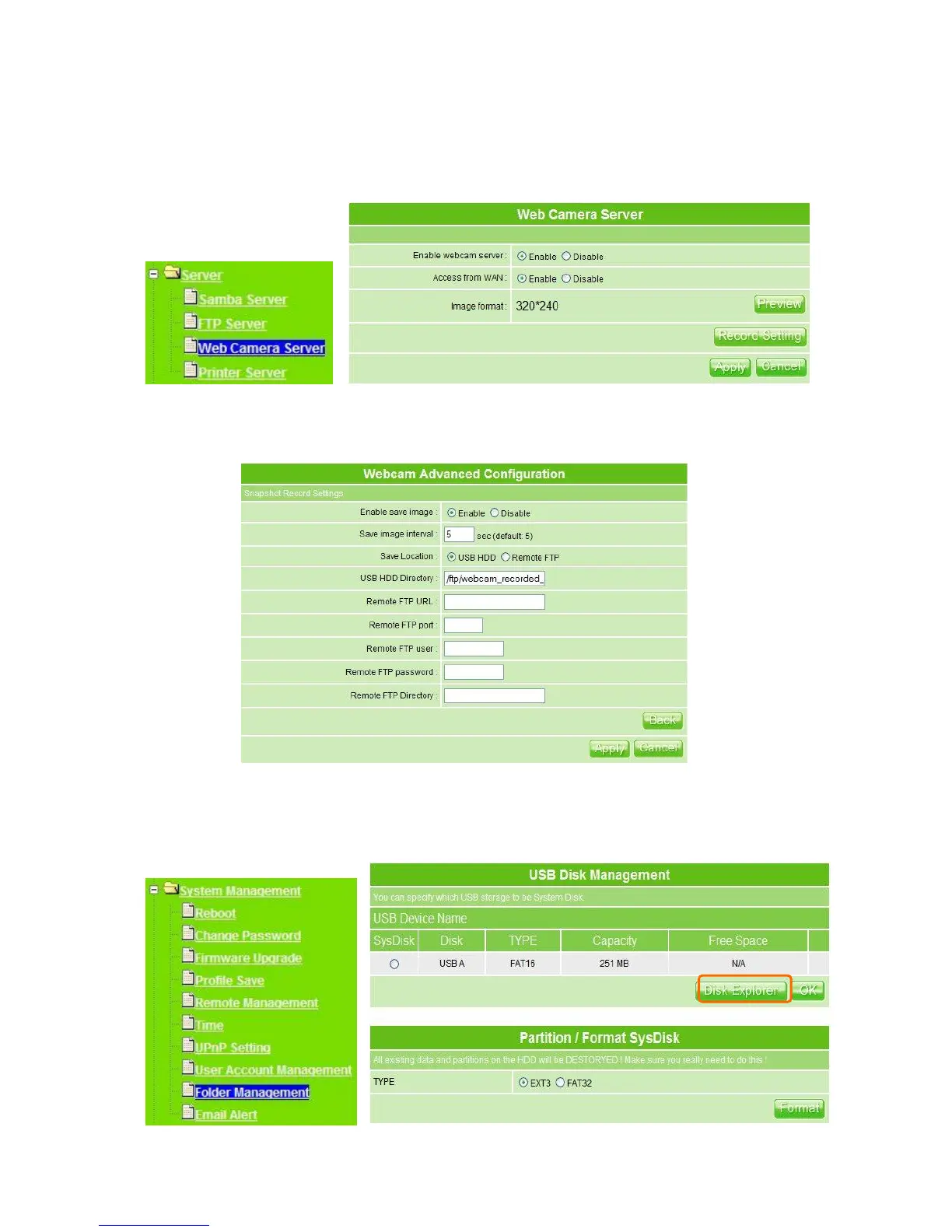
MT4205 also can record the pictures from Webcam; only Administrator can activate the
settings. Select Web Camera Server from main Menu and enable this function, click on
Record Setting button for further setting.
To set up the Webcam Advanced Configuration for each text field, the image from webcam
will be recorded into your USB HDD or Remote FTP. Click on Apply after setup finished.
For administrator, you may view all the images from webcam recording, please select
Folder Management and click on Disk Explorer to view entire folder inside the disk
including webcam record files.



 To Next Page