Mega 105WR Router - Manual
Page 10 of 82
Chapter 2 – Router Description
The Mega 105WR Router is a high-speed WAN bridge/router. This full-featured product is
specifically designed to allow maximum of 4 Ethernet devices to be directly connected to the
local area network side of the router, via high speed 10/100 Mbps Ethernet ports. Users using
wireless workstations are able to connect to the router using 802.11g wireless technology. The
Mega 105WR Router has also full NAT firewall and DMZ services to block unwanted users
from accessing your network.
For game users, the Mega 105WR Router had already pre-configured for several low latency
game ports. Just click on the game you are playing on-line and the rest is done for you.
The Mega 105WR Router is fully compatible with all PCs: As long as the PC supports an
Ethernet interface and is running a TCP/IP protocol stack, your PC can have high-speed WAN
access. So, plug in the Mega 105WR Router (refer to Easy Start Guide or Quick Start Guide),
configure it (as per your ISP’s requirements) and enjoy fast Internet access like never before.
2.1 Router Overview
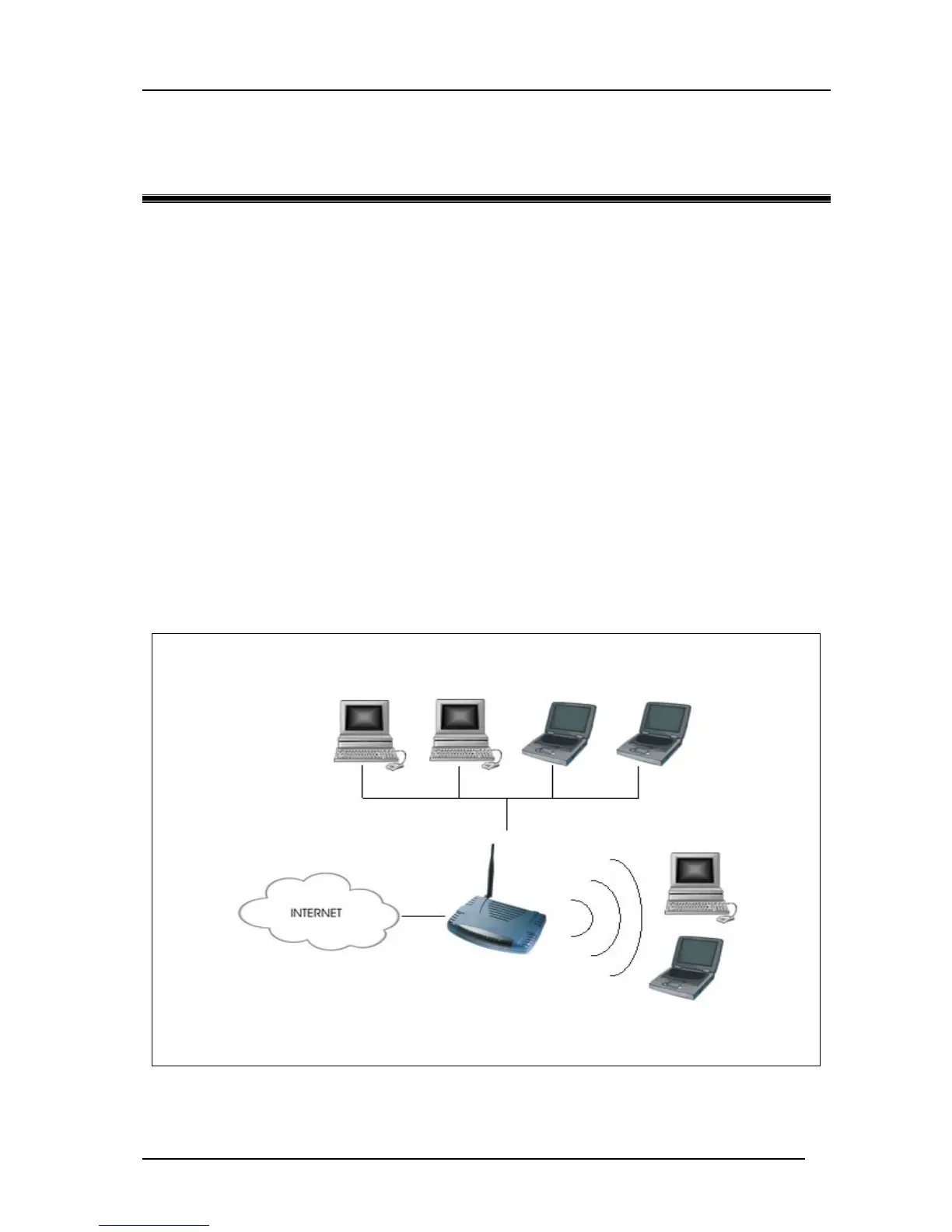
Figure 2-1 shows the system configuration diagram of a typical Wireless router connection.
Figure 2-1: Router system configuration diagram
Mega 105WR
router
Computers or Notebooks with Ethernet
Network Cards.
Computers or Notebooks with
Wireless PC cards or USB Clients.



 To Next Page