Mega 105WR Router - Manual
Page 43 of 82
4.5.22 SSH Access control
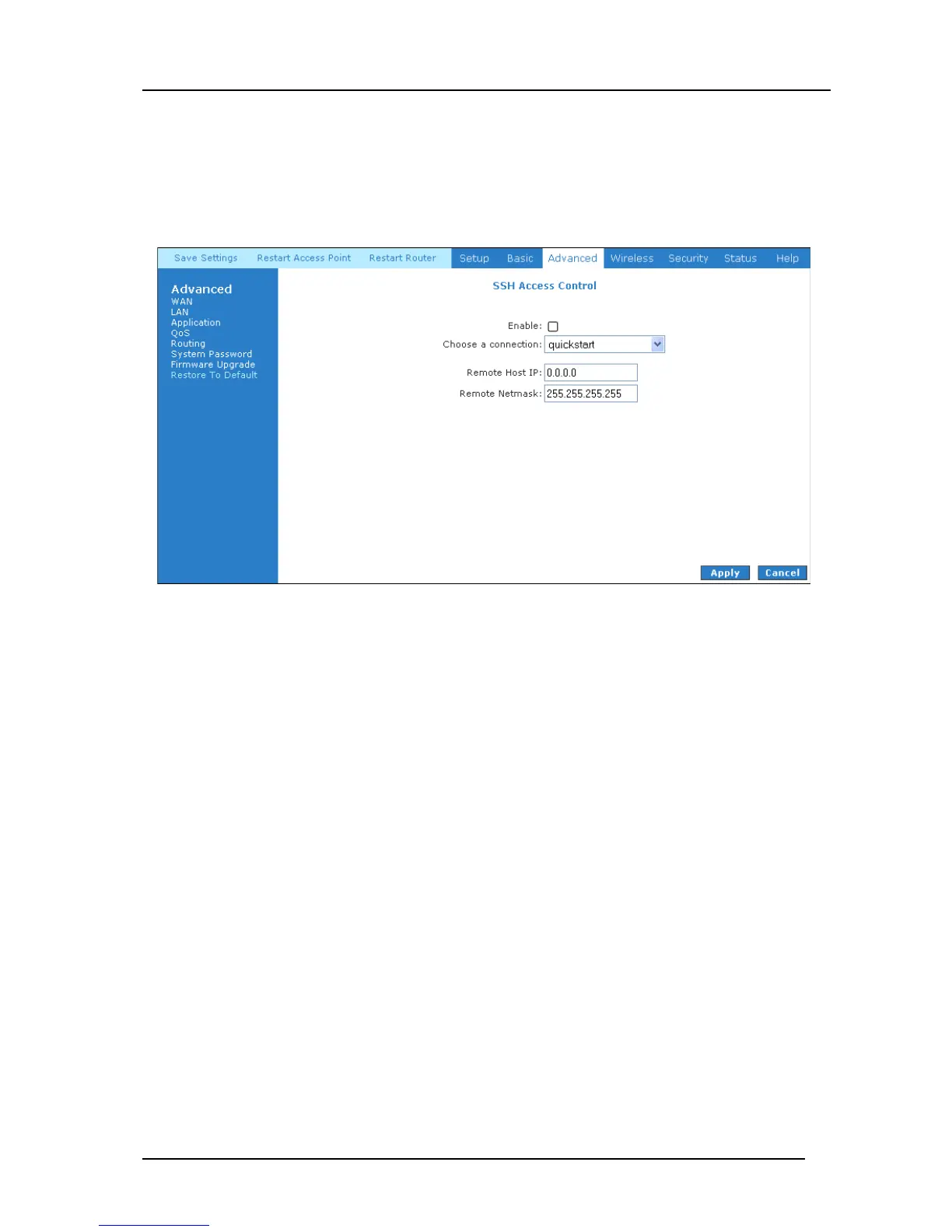
The SSH Access Control page shown in Figure 4-36 configures your router to allow you remote
access to it via SSH from the WAN port.
Figure 4-36 : SSH Access Control
Enable SSH Access Control (WAN-Side)
1. Select “Enable” to enable the SSH access control feature.
2. In the “Choose a connection” field, select the connection used to connect to the Internet.
3. In the Remote Host IP field, enter the WAN-side IP address you will use to access your
router (for example, 196.1.1.0).
4. In the Remote Netmask field, enter the netmask of your WAN-side IP address.
5. Click Apply to temporarily activate the settings on the page.
Note—the changes take effect when you click Apply; however, if the router configuration
is not saved, these changes will be lost upon router reboot.
6. To access your router from the remote IP (196.1.1.0), enter the following URL
http(s)://WAN IP of router:Port Number into your browser



 To Next Page