Mega 105WR Router - Manual
Page 15 of 82
4.1.1. First Login
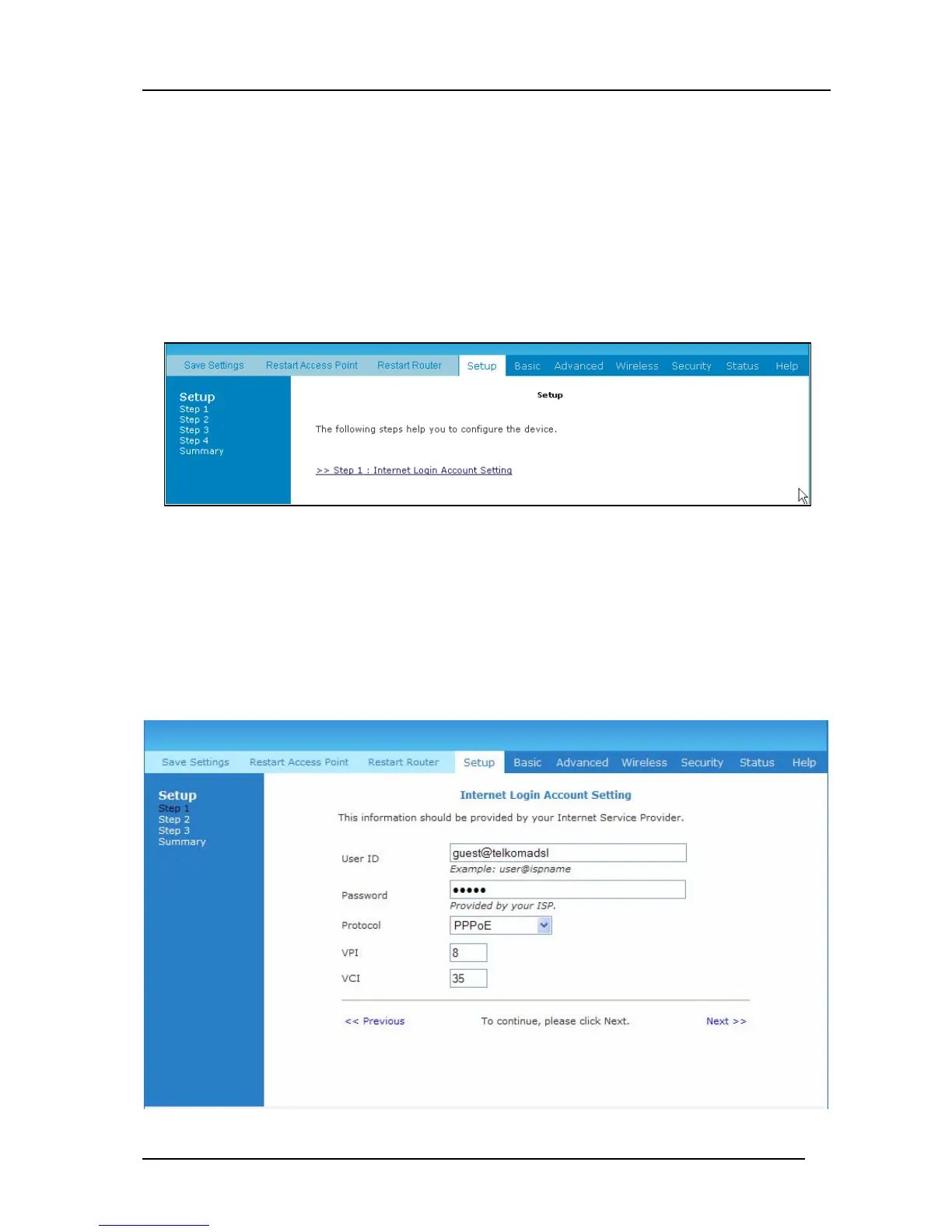
Upon entering the default IP address (10.0.0.2), if the user is logging for the first time
(and has not been setup using the setup utility), the user will be shown the “Setup” page
as shown in Figure 4-2. This setup routine is to ensure that the basic settings are entered
into the router before a user attempts to change any of the advanced settings. Please click
on Internet Login Account Setting
Figure 4-2: Setup Page
The page in Figure 4-3 will now be displayed. This page is for configuring the basic
settings of your account. Please do not change the Protocol, VPI and VCI information
unless requested by your ISP – The default values are those required to achieve
connectivity through Telkom ISP, but other ISP’s may require different values. This
setup utility continues as per Figure 4-3 till Figure 4-7 and more or less explains its self.
A few additional comments are given below:
Figure 4-3 : Internet Login Account Setting



 To Next Page