Mega 105WR Router - Manual
Page 47 of 82
Egress Layer 3 Configuration
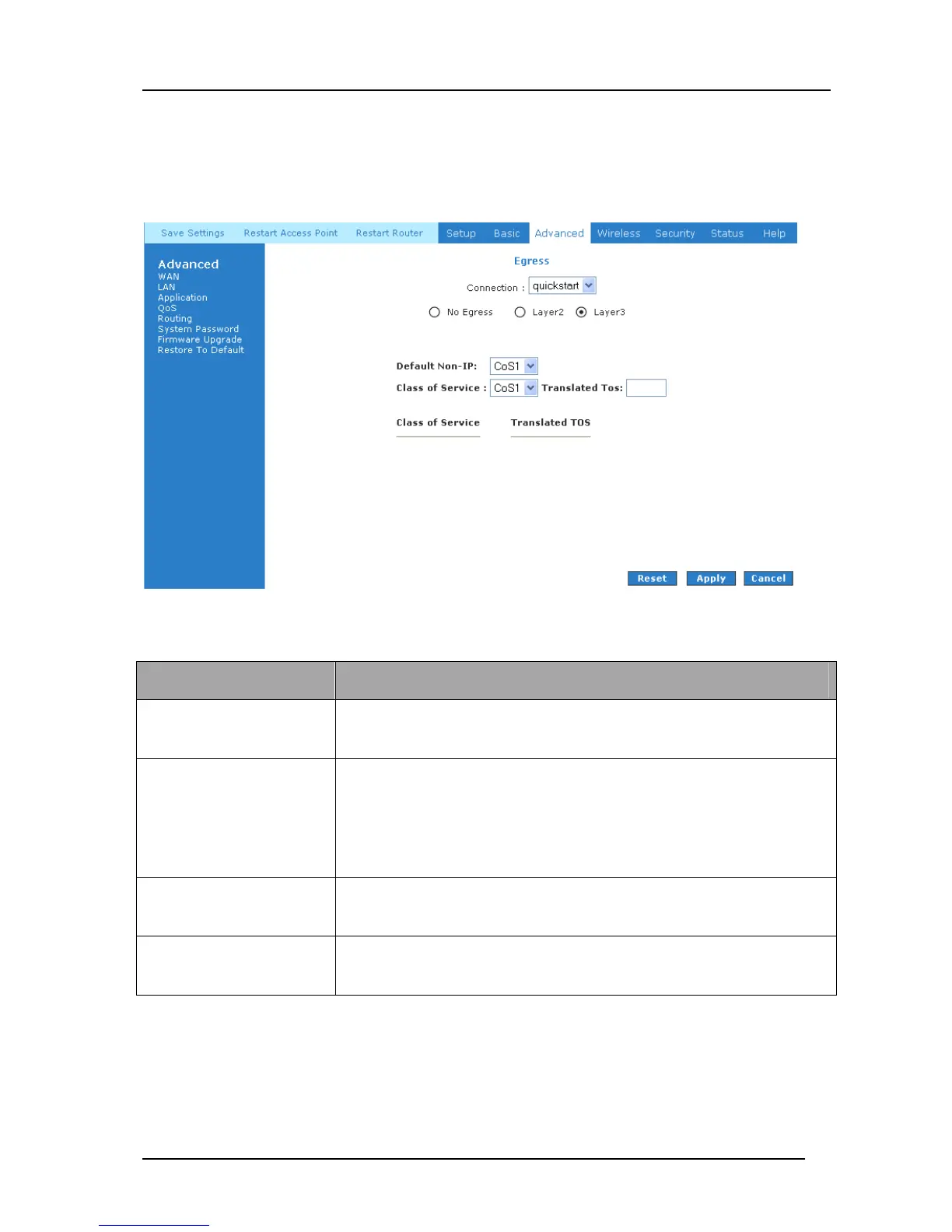
The Egress Layer 3 page (Figure 4-39) enables you to map CoS to ToS so that the priority
marking of outgoing packets can be carried over to the IP network.
Figure 4-39: Egress Layer 3
Field Definition/ Description
Connection Select the WAN/LAN interface here to configure the QoS for
outgoing traffic to the IP network.
Default Non-IP
Locally generated packets (such as ARP packets) do not have a CoS
marking. You can define the CoS for all unclassified outgoing
packets on layer 3 using this field. The selections are in the order of
descending priority): CoS1, CoS2, CoS3, CoS4, CoS5, and CoS6.
The default value is CoS1 (recommended).
Class of Service The selections are (in the order of descending priority): CoS1, CoS2,
CoS3, CoS4, CoS5, and CoS6.
Translated ToS The Type of Service field takes values from 1 to 255. The selections
are 0, 1, 2, 3, 4, 5, 6, 7.



 To Next Page