Mega 105WR Router - Manual
Page 65 of 82
4.6 Wireless
4.6.1 Wireless Setup
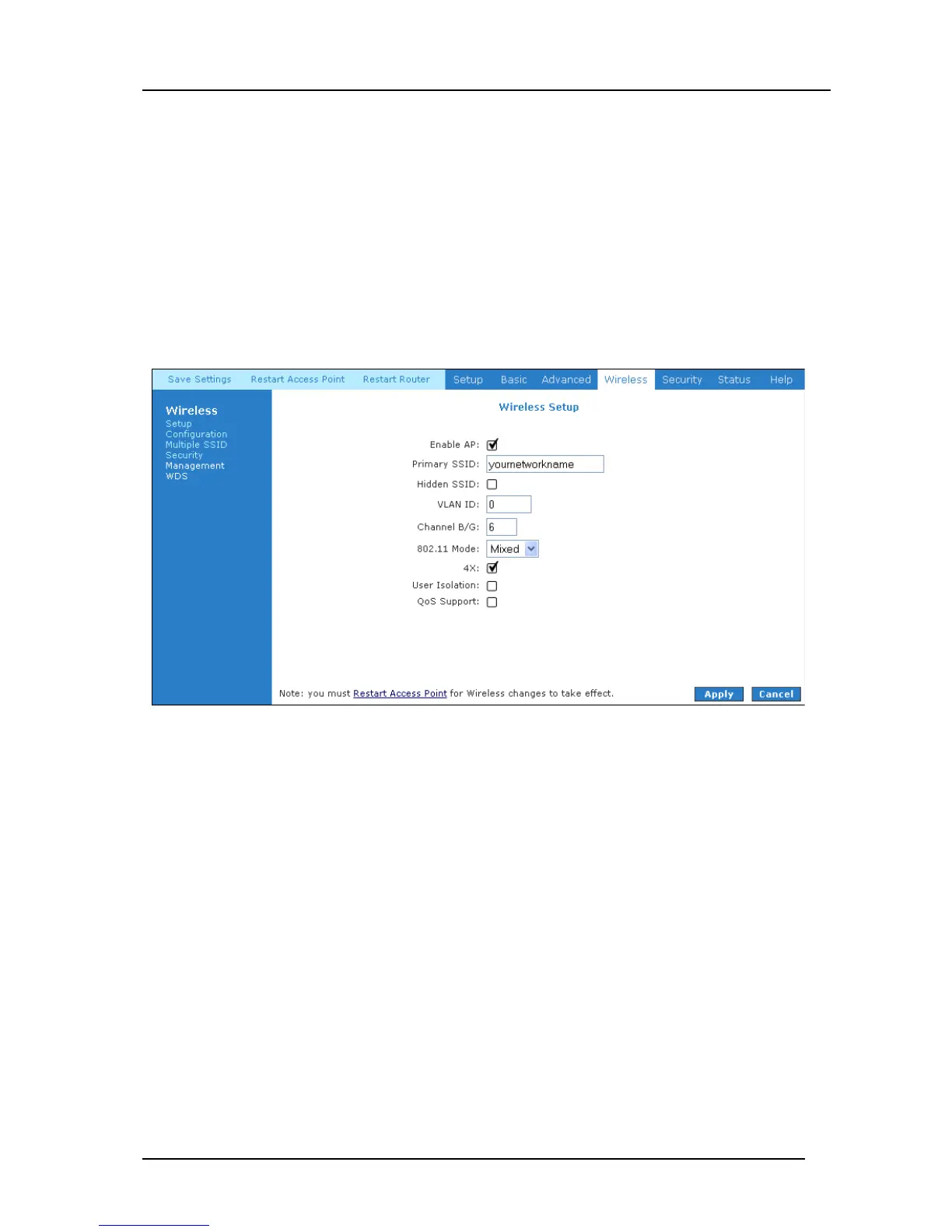
SSID is the wireless network name of your router. Your wireless client will need this name
to establish a wireless connection. The SSID default is set to “yournetworkname”. It can
be changed to any suitable name should you wish. The wireless setup menu allows the
user to enable or disable the AP (Wireless Access Point). Disabling AP will turn the
wireless interface of the router off, and prevent anybody from connecting to the router
using Wi-Fi. If you do not intend to use the Wi-Fi section of your Mega 105WR, it is
suggested that you disable the AP. See Figure 4-55.
Figure 4-55: Wireless Setup Page



 To Next Page