Mega 105WR Router - Manual
Page 67 of 82
4.6.3 Multiple SSID
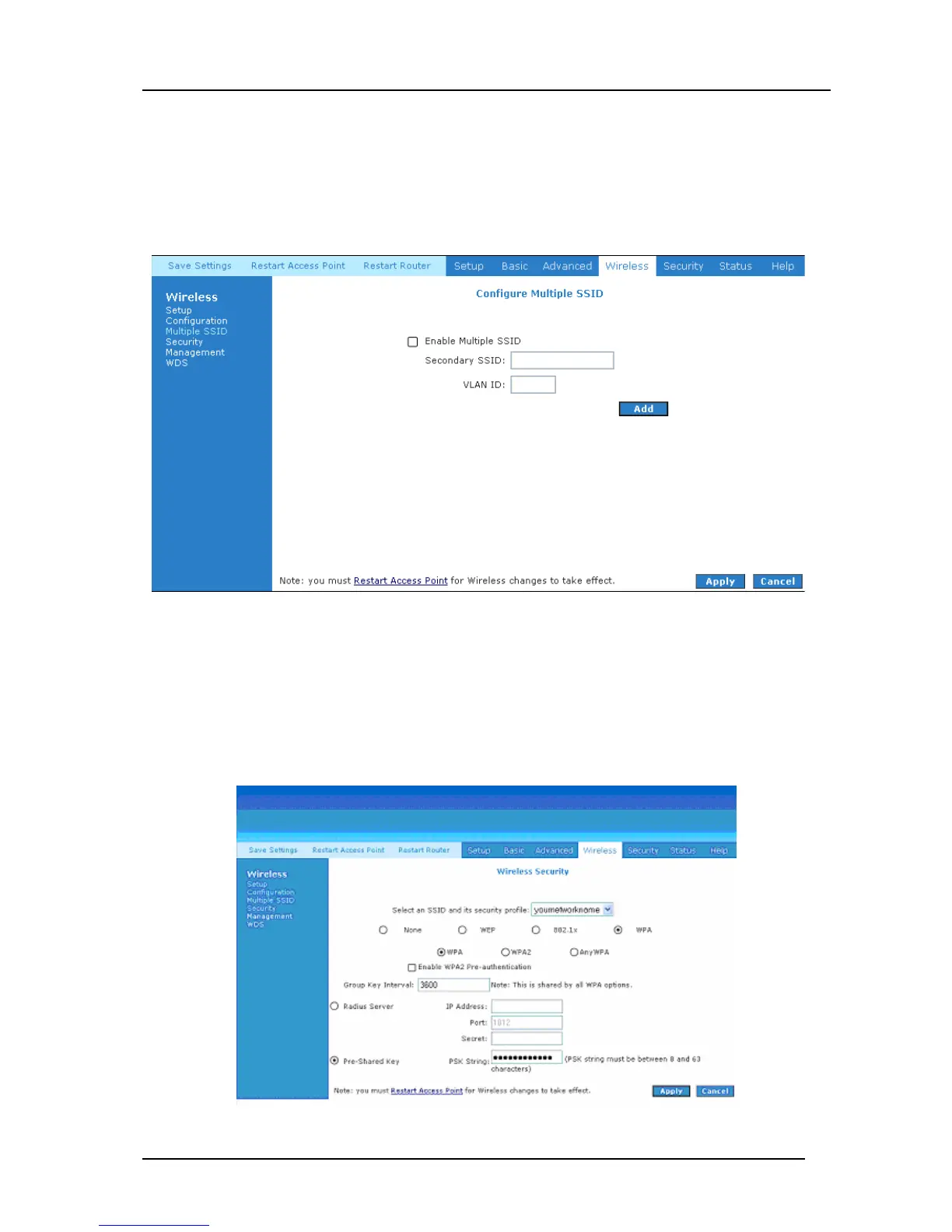
On the page shown in Figure 4-57, the Enable Multple SSID field allows you to create multiple
SSIDs for your AP. The SSID field takes up to 32 alpha-numeric characters. Change the VLAN
ID any number between 1 and 4095. Up to 3 secondary SSIDs are supported in addition to the
primary SSID.
Figure 4-57: Multiple SSID
4.6.4 Wireless Security
It is important for users to enforce security in their wireless LAN environment. This is to prevent
unauthorized wireless users from accessing their router. By default, your router is protected by
WPA security, using a unique encryption key which you will find on a lable on the bottom of
your router.
Figure 4-58 : Wireless Security



 To Next Page