Mega 105WR Router - Manual
Page 69 of 82
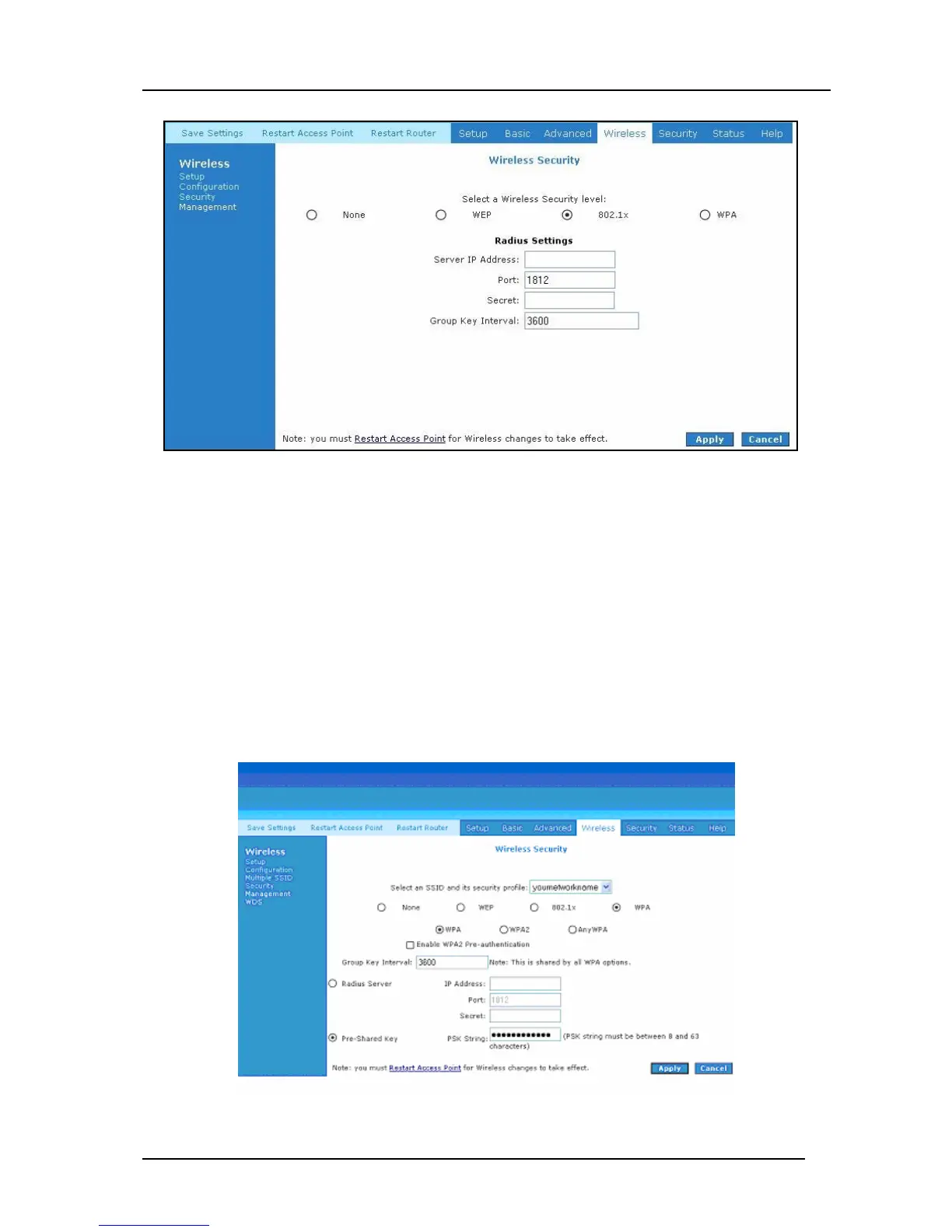
Figure 4-60: Wireless Security – 802.1x
4.6.4.3 WPA
WPA is the short term for WiFi Protected Access. WPA is an industry-supported, pre-standard
version of 802.11i that utilizes the Temporal Key Integrity Protocol (TKIP), which fixes the
problems of WEP, which includes using dynamic keys. WPA uses a sophisticated key hierarchy
that generates new encryption keys each time a mobile device establishes itself with an AP.
Protocols including 802.1X, EAP, and RADIUS are used for strong authentication. Like WEP,
keys can still be entered manually (pre-shared keys); however, using a RADIUS authentication
server provides automatic key generation and enterprise-wide authentication. WPA uses
temporal key integrity protocol (TKIP) for data encryption. WPA2, also known as 802.11i, uses
advanced encryption standard counter mode CBC-MAC protocol (AES-CCMP) for data
encryption. Figure 4-61 shown the configuration screen for WPA. On this screen you are given
the option to select WPA, WPA2 or ANYWPA as your security type
Figure 4-61: Wireless Security - WPA



 To Next Page